COPYRIGHT
©
2000 CANON INC. 2000 2000 2000 2000 CANON iR5000/iR6000 REV.0 JULY 2000
CHAPTER 4 IMAGE FORMATION SYSTEM
4-48 P
The drum heater is controlled to 43°C by the drum heater control PCB.
When wear of the drum or parts associated with charging assemblies advances, halftone
images can become distorted if printed in a high temperature/humidity environment (much
moisture in the air).
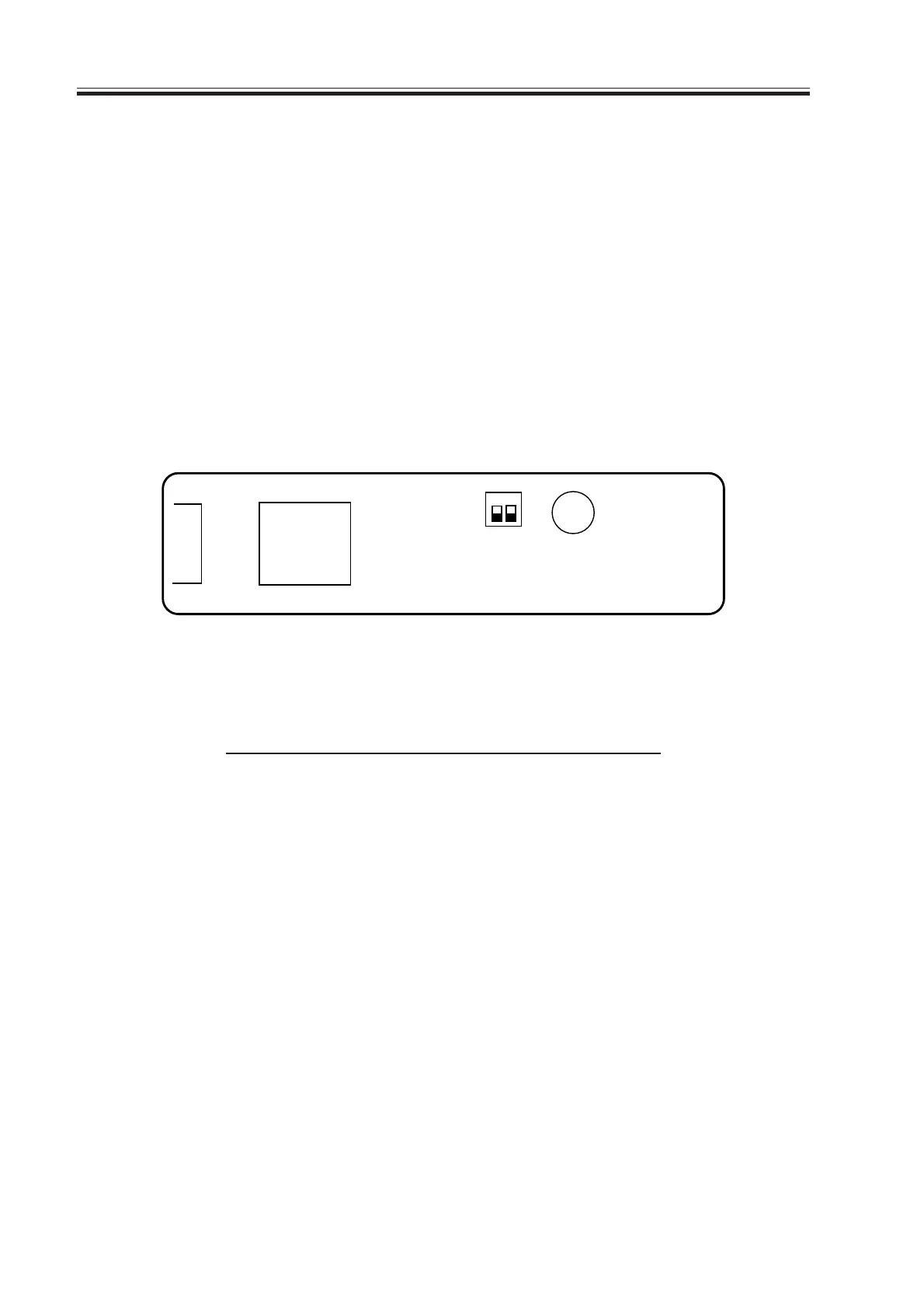
To prevent distortion, SW2001-1 on the drum heater control PCB may be turned on to
change from 43°C to 47°C (default: OFF, control at 43°C).
If the switch is turned on (controlled to 47°C) in a low temperature/humidity environment
(little moisture in the air), however, printing of halftone images can cause fusion, requiring
the operation of the switch to suit the environment as follows:
1. Remove the drum heater control PCB. (See p. 4-51P.)
2. Shift SW2001-1 on the drum heater control PCB to ON (controlled to 47°C).
F04-601-02
SW2001-1
ON (controlled to 47°C)
OFF (default: controlled
to 43°C)
SW2001
ON
1 2
J2001
T04-601-02
SW2001-2
Not used
Download Free Service Manual at http://printer1.blogspot.com



 To Next Page