COPYRIGHT
©
2000 CANON INC. 2000 2000 2000 2000 CANON iR5000/iR6000 REV.0 JULY 2000
CHAPTER 3 INSTALLATION
3-27 S
Checks/remarks
Step
5
6
7
Work
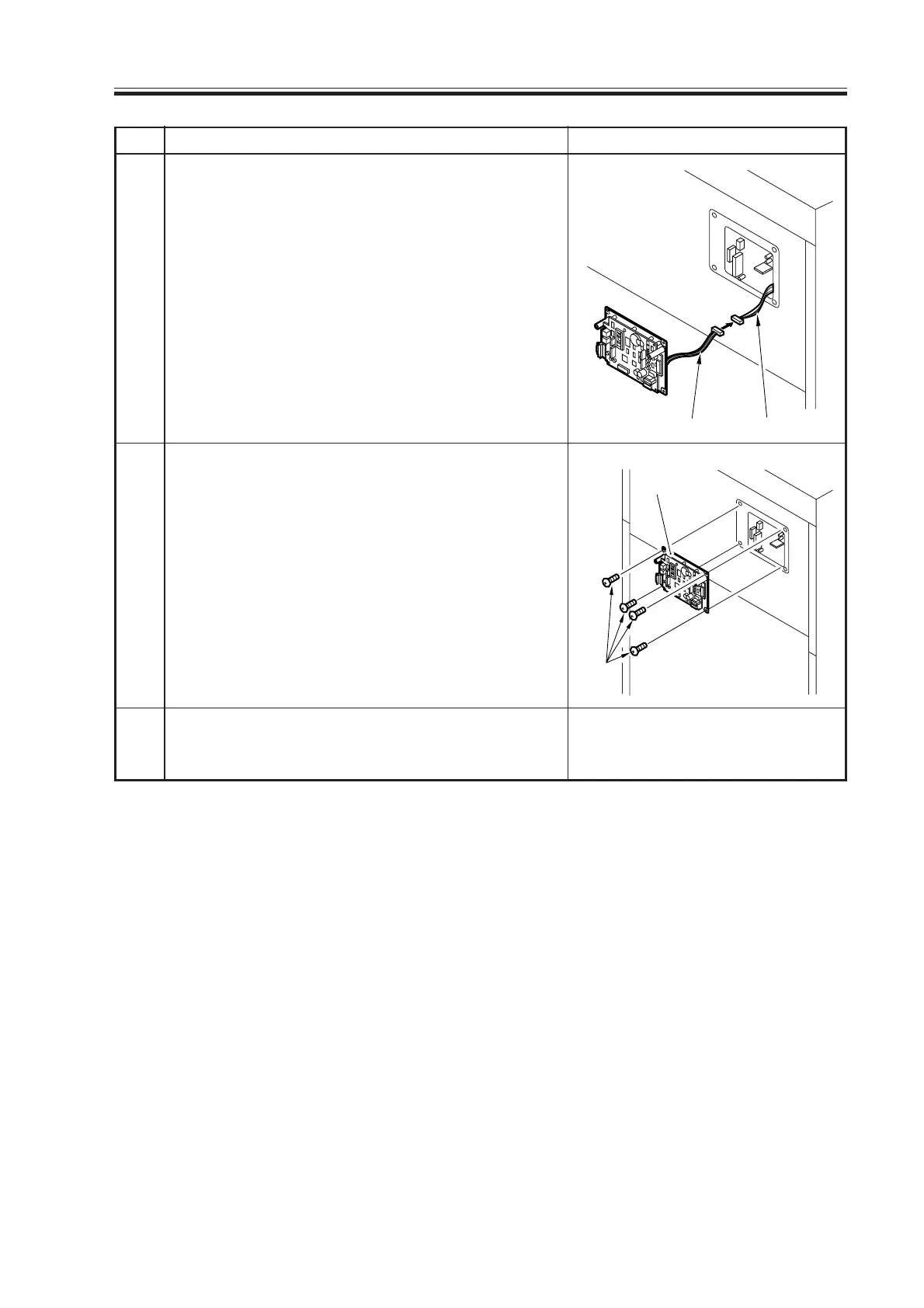
Mount the rear upper cover, and draw out the
controller cable [4] from where the controller is
mounted; then, connect it to the controller cable
[5].
Mount the controller [6] to the rear upper cover
using four screws [7]. (Use the screws that come
in the box.)
Make various settings and check the operations
as instructed in the NE Controller-A1 Installation
Procedure.
[4][5]
[7]
[6]
Download Free Service Manual at http://printer1.blogspot.com



 To Next Page