Setting Page
137
[Always]
Preset tour is always performed.
When [Not used] is selected, the following preset tour route settings cannot be configured.
[Route Name (alphanumeric characters)]
Enter the tour route name.
[Specify Active Time]
Select [Specified] to configure a preset tour at a predetermined time, and enter the start time and end time for the
preset tour.
If [Viewers Connected] is set for [Effective Conditions], the preset tour operates when the Viewer is connected to
the camera at the tour start time. If [Always] is set for [Effective Conditions], the preset tour always operates.
[Reverse Route]
If you select [Enable], the preset tour order in [Edit Tour Route] will be reversed.
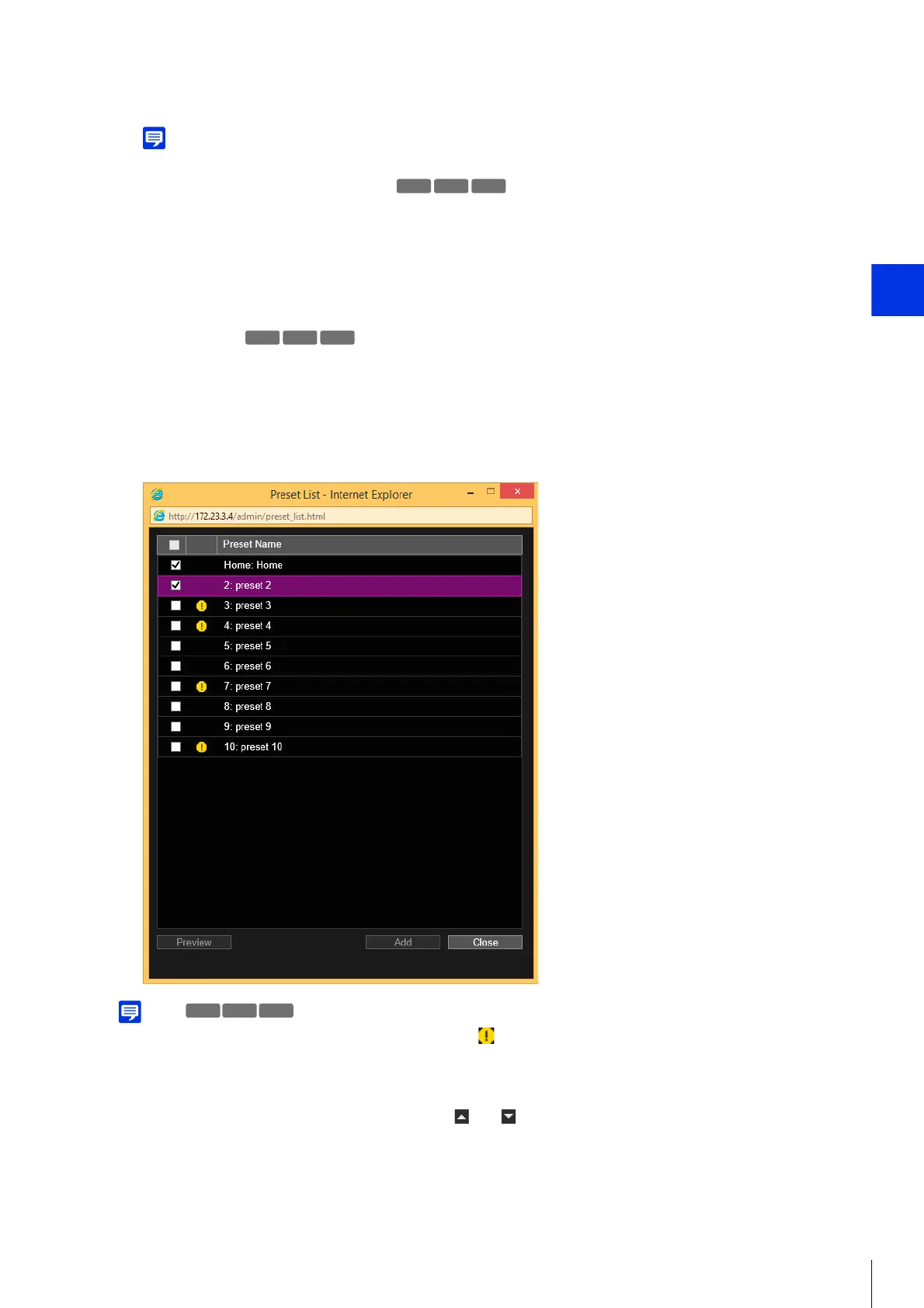
You can select multiple presets.
If the position for the preset is outside the view restriction range, (warning icon) will be displayed on the left.
The preset is added to the [Edit Tour Route].
Select a preset in [Edit Tour Route] and click the [ ] or [ ] to change its position in the list.
If you select a preset in [Edit Tour Route] and then click [Delete], the preset will be deleted.
Select a preview name in the [Preset List] or [Edit Tour Route] list, and click [Preview]. The preset settings can be
checked in the video display area.
3
Click [Add] in [Edit Tour Route].
4
Select a preset to tour from the [Preset List].
M50
R12
M50
5
Click [Add].
M50R12R13



 To Next Page