Setting Page
183
How to Configure Removed Object Detection
Set an area around the target objects, for Removed Object Detection. The following methods are available for
configuring removed object detection.
– Setting a broad area for detecting the removal of objects
– Specifying the profile lines of objects for removal detection
If you cannot detect the intended objects using one of these methods, use the other method.
Setting a Broad Area for Detecting Removed Objects
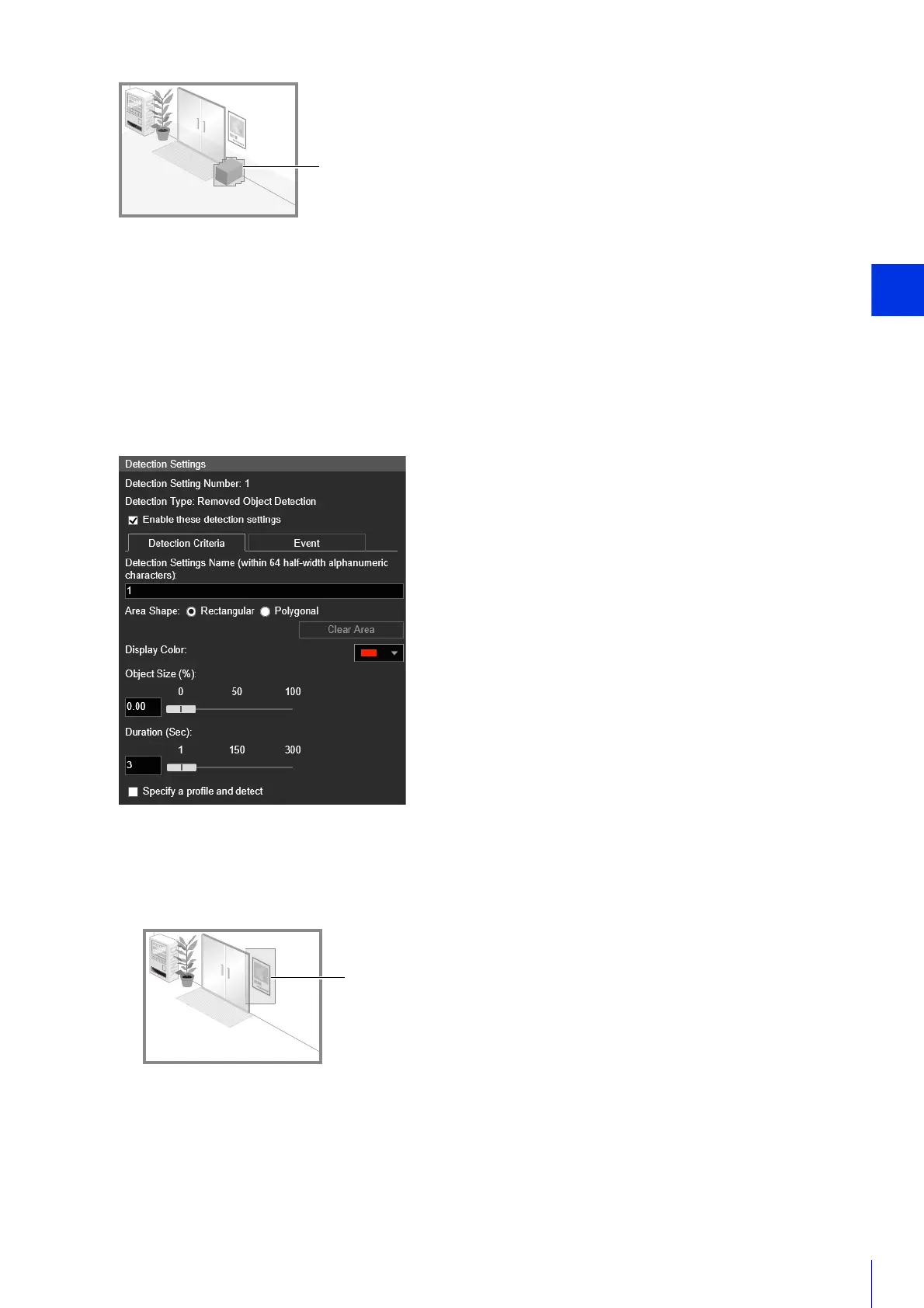
Configure the following settings with the [Specify a profile and detect] checkbox cleared.
Set how large an object that is removed must be to trigger removed object detection in the detection area set in
step 2.
When the setting values or slider is changed, an indicator representing the object size is displayed for one
second in the center of the video display area allowing you to check the size ratio while specifying the setting.
A removed object is detected when the setting value in [Object Size (%)] is exceeded.
Profile lines of detected abandoned object
1
Select [Rectangular] or [Polygonal].
2
In the video display area, draw a broad area to detect removed objects (P. 180).
3
Configure the size of the object needed for triggering detection in [Object Size (%)].



 To Next Page