Car-O-Liner Group AB CTR9
70 49023, EN - rev. 4, 2020-01
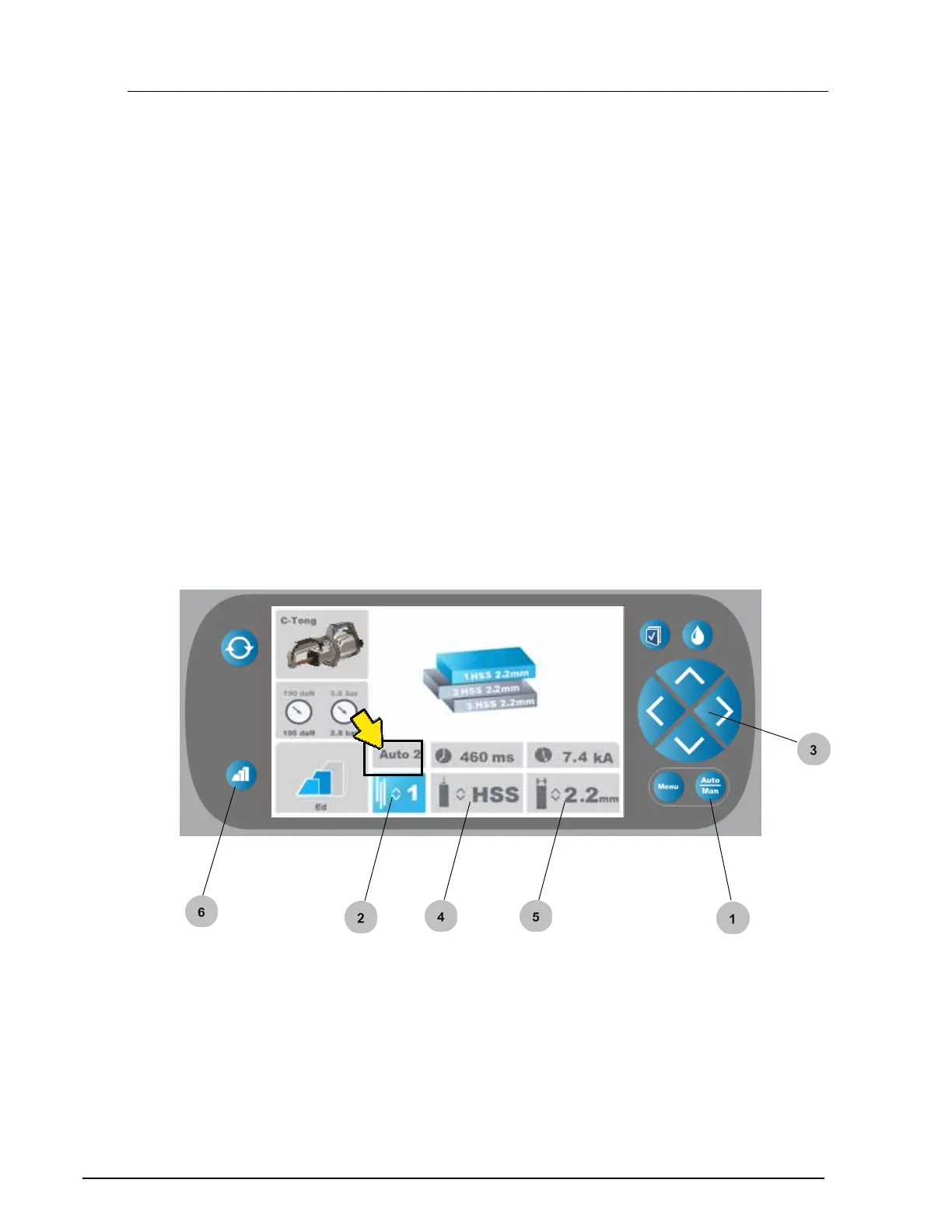
6.3 Auto 2 mode
In the "Auto 2" mode you can individually set number of metal sheets, type
of material and total material thickness.
In the "Auto 2 " mode tool selection and pre pulse function similar to
"Auto 1" mode.
1. Set the "Auto 2" mode by pressing the "Auto/Man" button.
2. Set the number of metal sheets. Change number of metal sheets by
using the up/down buttons
3. Select "Set the type of material" by pressing the "right/left"
buttons.
4. Set the type of material by pressing the "up/down" buttons.
5. Set the material thickness by pressing the "up/down" buttons.
6. Pre pulse - select type of coating (see section 6.5 Pre pulse).


 To Next Page