CTR9 Car-O-Liner Group AB
49023, EN - rev. 4, 2020-01 79
6.7.5 Save log files to USB memory
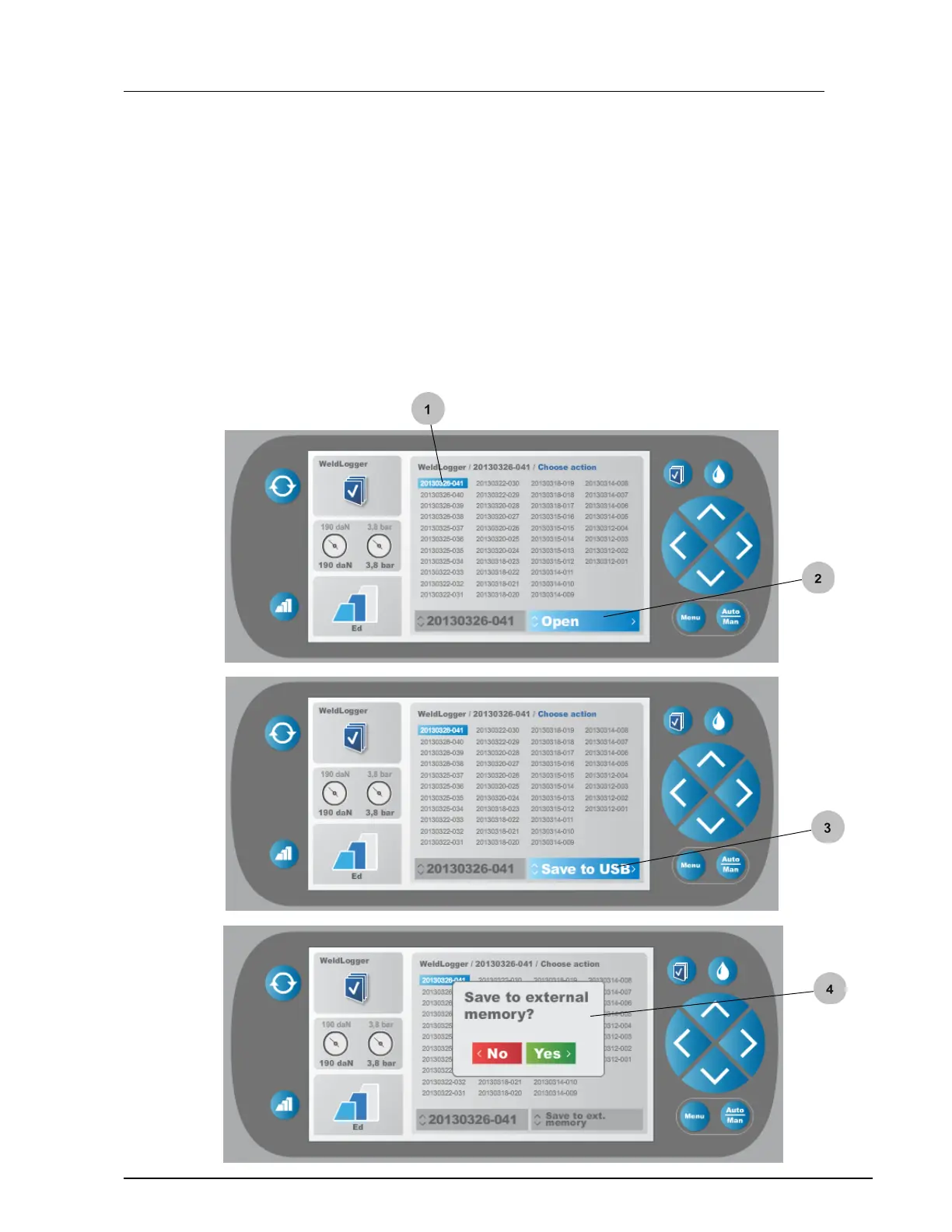
In the "WeldLogger" log file menu you can save log files to USB memory.
This allows you to transfer the log files to a PC.
1. Select requested log file from menu
2. Press "right" button to "Open" mode
3. Press "up/down" button" to "Save to USB" mode
4. Press "right" button. Select "Yes" or "No"


 To Next Page