CTR9 Car-O-Liner Group AB
49023, EN - rev. 4, 2020-01 77
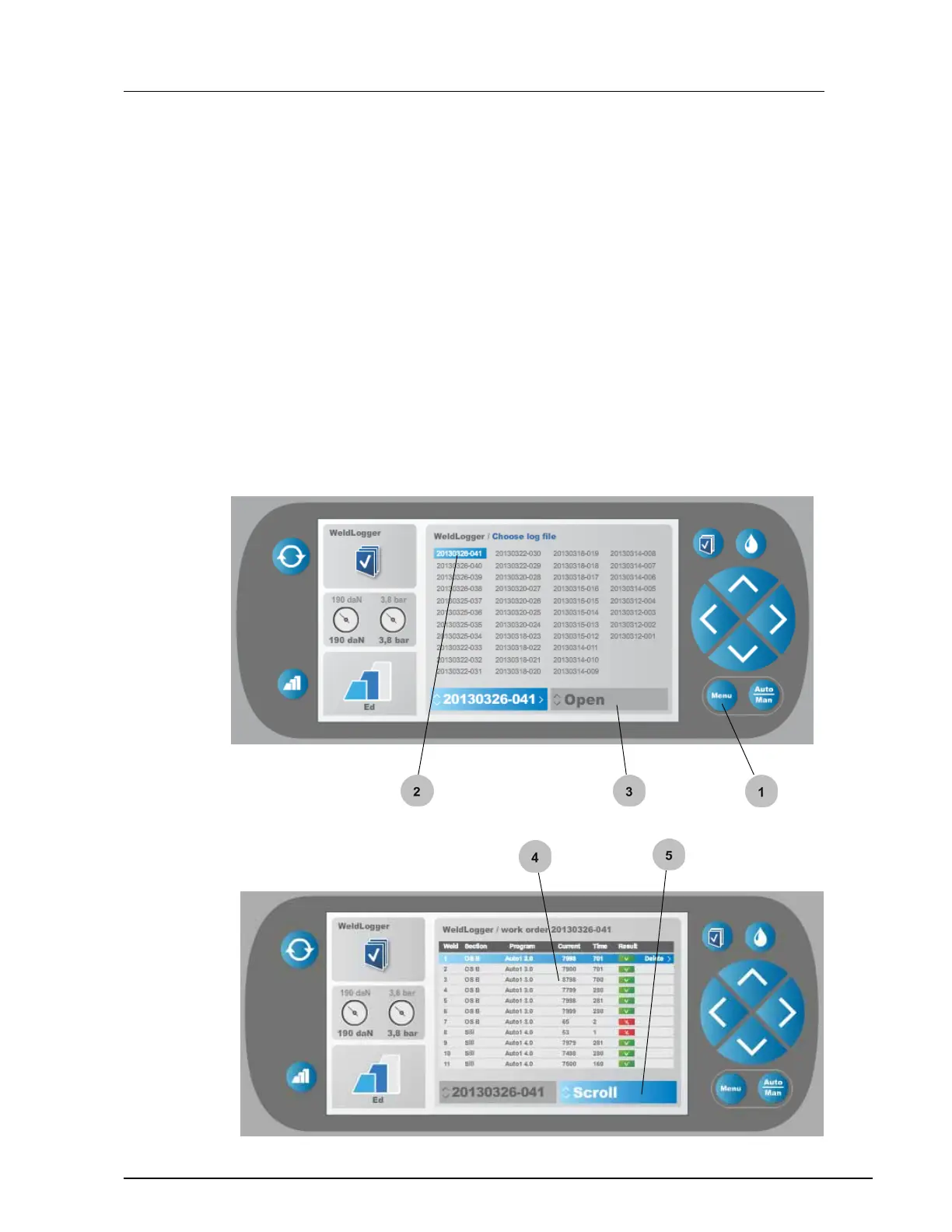
6.7.3 Check previous log files from the "WeldLogger"
In the "WeldLogger" menu you can open and check previous log files.
1. Open the "Weld logger" log files menu by pressing the "Menu"
button
2. Select log file by pressing the "up/down" button.
3. Open log file by pressing the "right" button.
4. Selected log file opens up. Results of performed weldings are
displayed. Geeen tick for approved welding, red x for bad welding
that needs to be improved.
5. Scroll in the log file menu by pressing the "up/down" buttons.


 To Next Page