3-CONTROLSANDINSTRUMENTS
Operatorpreferences
Escapingfromerrors
Whenusingthemachinecomputersystem,youcanreturntothemainmenubypressingtheescapeswitch.When
settingdesiredselections,shouldanerrormessagedisplay,presstheescapeswitchandbeginagain.
NOTE:Selectingoptionsandnavigatingthroughthe
screenmenusarethesameforallfunctions.Thedisplay
willtelltheoperatoriferrorshaveoccurred.
Languagescreen,measurementunitsand
clock
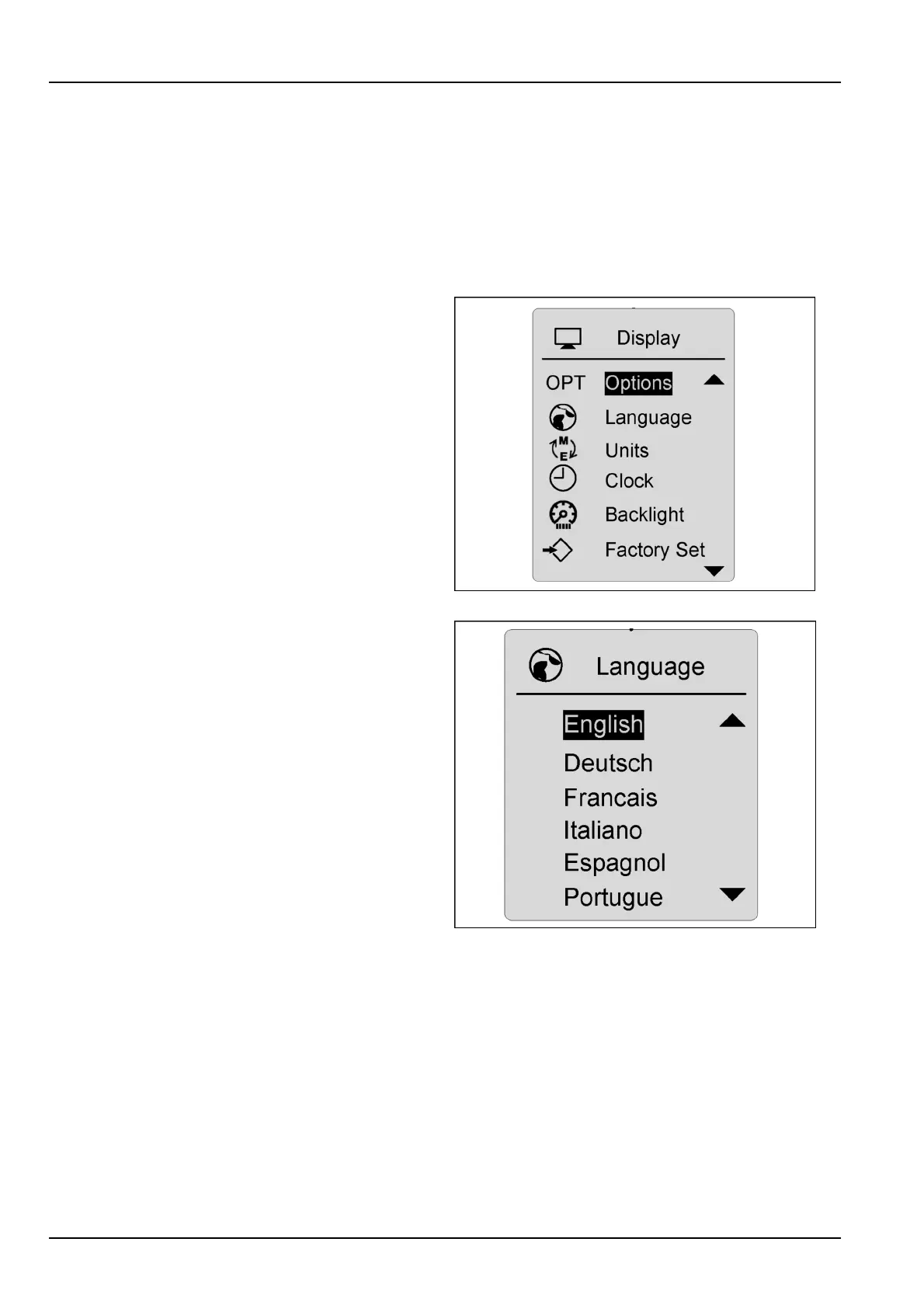
TheLCDscreencanbesetwithlanguage,measure-
ments,and/orclockpreferences.Usethearrowswitchto
scrolltothepreferencesmenu.Presstheenter/conrm
switchonthecorrectselection.Presstheescapeswitch
toreturntothemaindrivingscreen,andlocktheselection
intomemory.
RCPH10WHL358BAH1
Languages
Choosethepreferencesdesired:languageinEnglish,
Spanish,Portuguese,Italian,German,French;measure-
mentunitsinmetric,English,orImperial;andclockunits
in12or24hourcycles.Highlightthepreferenceyou
wishtochange,andpresstheenter/conrmswitch.The
preferencewillashandallowyoutoscrollthroughthe
choices.Whenthecorrectpreferenceischosen,press
theenter/conrmswitch,thenusetheescapeswitchto
returntothemaindrivingscreeninordertolockthepref-
erenceintomemory.
RCPH10WHL361BAH2
3-52



 To Next Page