3-CONTROLSANDINSTRUMENTS
DISPLAY
Navigatingthemulti-functiondisplayscreen
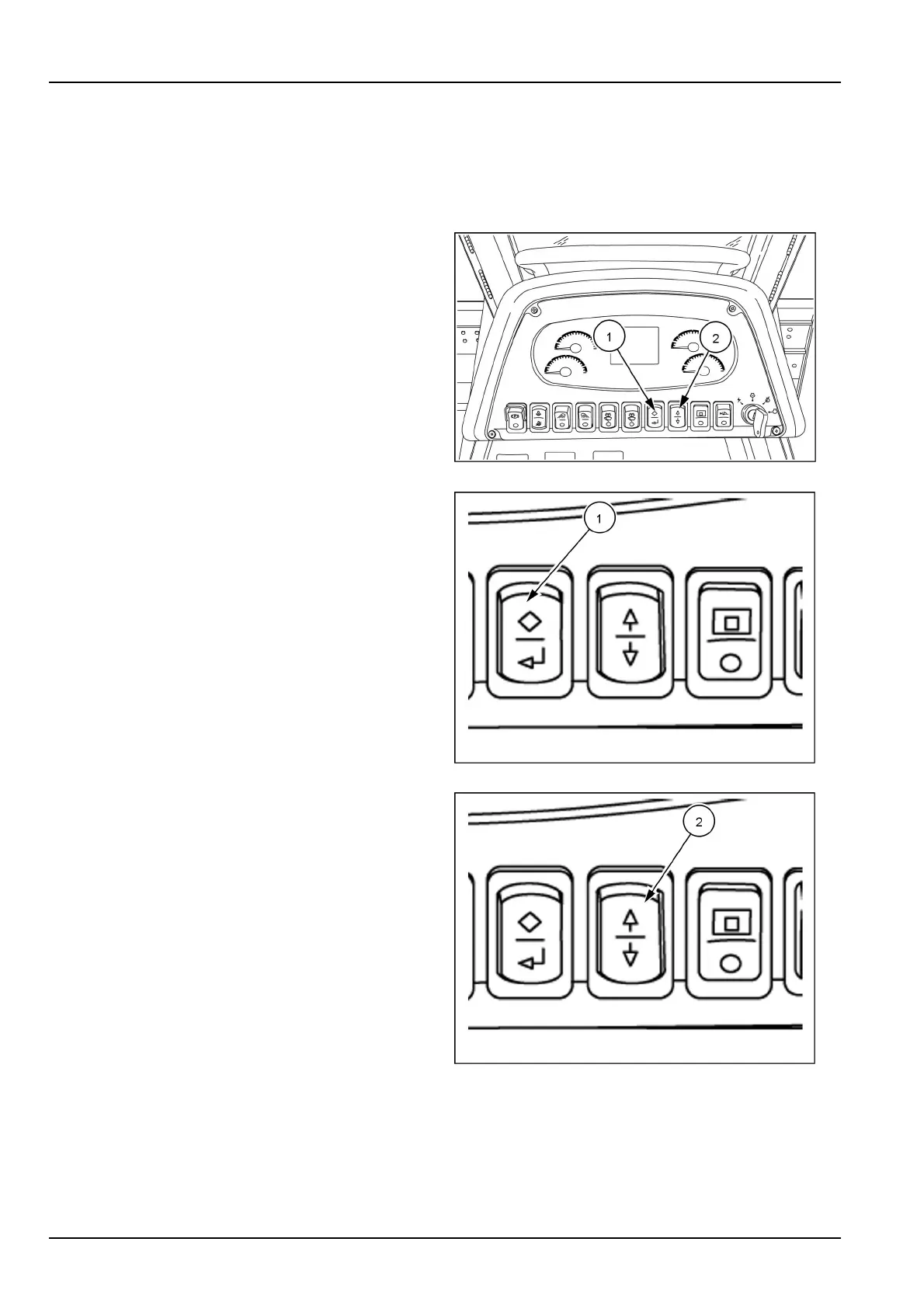
NavigationthroughtheLiquidCrystalDisplay(LCD)multi-functiondisplayscreens
Theenter/escapeswitch(1)andtheup/downarrowswitch
(2)arelocatedonthefrontconsole.
Usetheappropriateswitchtomovefromonescreento
another,choosevariousselections,monitorthemachine
functions,andretrieveinformation.
RAPH12DOZ0076AA1
Usetheenter/escapeswitch(1)toenterselectionsorre-
turntothepreviousmenuormainscreen.Pushthetop
oftheswitchtoescape.Pushthebottomoftheswitchto
enter/conrm.
Allselectionsmadewiththecomputerizedtechnologyare
essentiallyprogrammedinthesamemanner.
RAIL12DOZ0225AA2
Usethearrowswitch(2)toscrolltothedesiredselection.
Pressthetopoftheswitchtoscrollup.Pressthebottom
oftheswitchtoscrolldown.
Followanyscreenpromptswhengivenandusetheen-
ter/conrmswitchtoentertheselection.Usetheescape
switchtoreturntothemainmenu.Thiswilllockthecho-
senselectionintomemory.
NOTE:Arrowsonthescreenwillindicateifselectionsare
upordownfromthecurrentselection.
RAIL12DOZ0225AA3
3-44



 To Next Page