4-OPERATINGINSTRUCTIONS
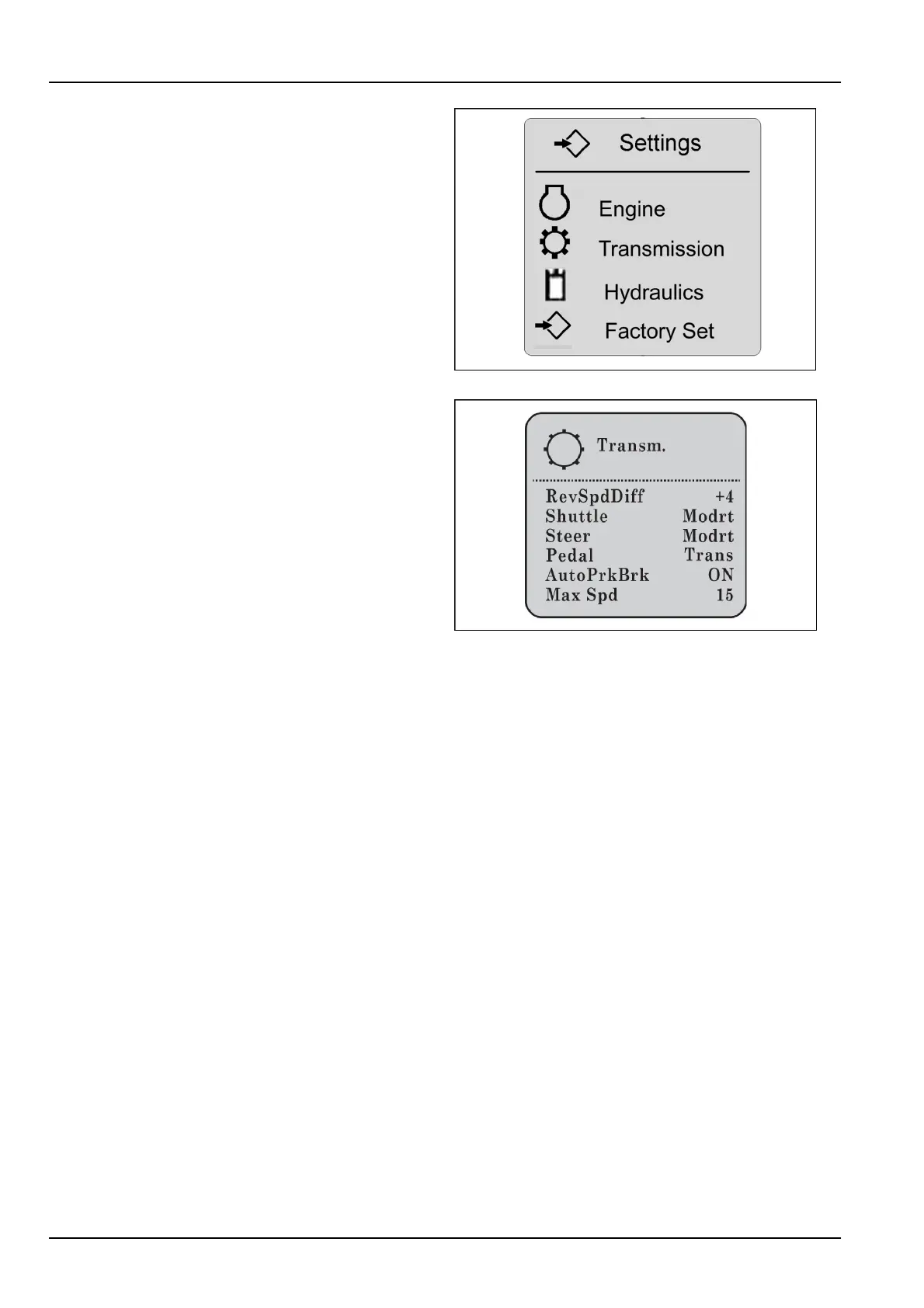
3.TheSettingsscreenwilldisplayalongwiththefollow-
ingchoices:
Engine
Transmission
Hydraulics
FactorySet
4.Usethedownarrowontheup/downswitch(2)tohigh-
light“Transmission”.Presstheenterswitch(1).
RAIL12DOZ0212AA3
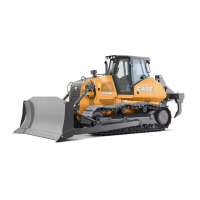
The“Transm.”screenwilldisplay.
5.Usethedownarrowontheup/downswitch(2)tohigh-
light“Steer”.
NOTE:Moderate(displayedasModrt)ispresetfrom
thefactory.
6.Pushtheenterswitch(1)toconrmtheselection.
7.Chooseandhighlightthesettingdesired:“Smooth”,
“Moderate”,or“Aggressive”toconrmtheselection.
8.Presstheescapeswitch(1)(thetopoftheenter/es-
capeswitch)tostorethechoice.
RAIL14DOZ0583AA4
4-16


 To Next Page