7-MAINTENANCE
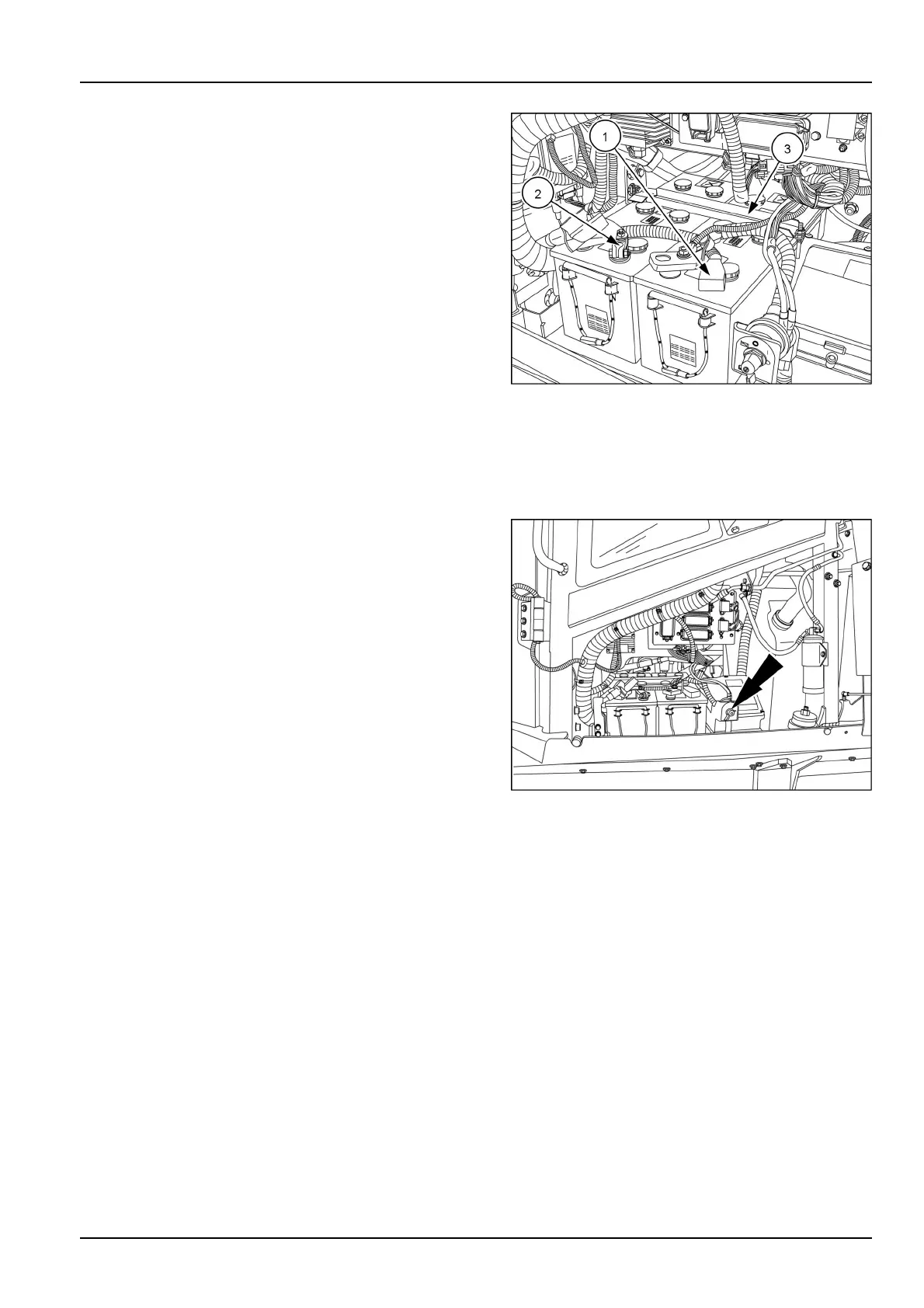
2.Removetheterminalprotectioncaps(1)fromthebat-
tery.
3.Disconnectthecables(2)fromthenegativeterminal,
thendisconnectthecablesfromthepositiveterminal.
4.Removethescrews,thewashers,andretainerbracket
(3)fromthebattery.
5.Installanewbatteryofthecorrectvoltage.Centerthe
batteryretainerbracket(3)evenlyonbothbatteries.
Torquethebatteryretainerbracketfastenersto3.4-
5.4N·m(2.5-4.0lbft).
6.Cleanthecables.Coatnewbatteryterminalswith
greaseoranti-suldespray.
7.Reconnectthepositivecableendtopositiveterminal
rst.Reconnectthenegativecableendtothenegative
terminal.
8.T orquethebatteryterminalnutsto21.5-24.0N·m
(15.9-17.7lbft)
9.Installtheterminalprotectioncaps(1).
RAIL13DOZ1700AA2
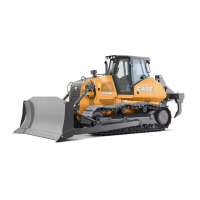
10.TurnelectronicdisconnecttotheONposition.
RAIL13DOZ1702AA3
7-105



 To Next Page