3-CONTROLSANDINSTRUMENTS
Grading
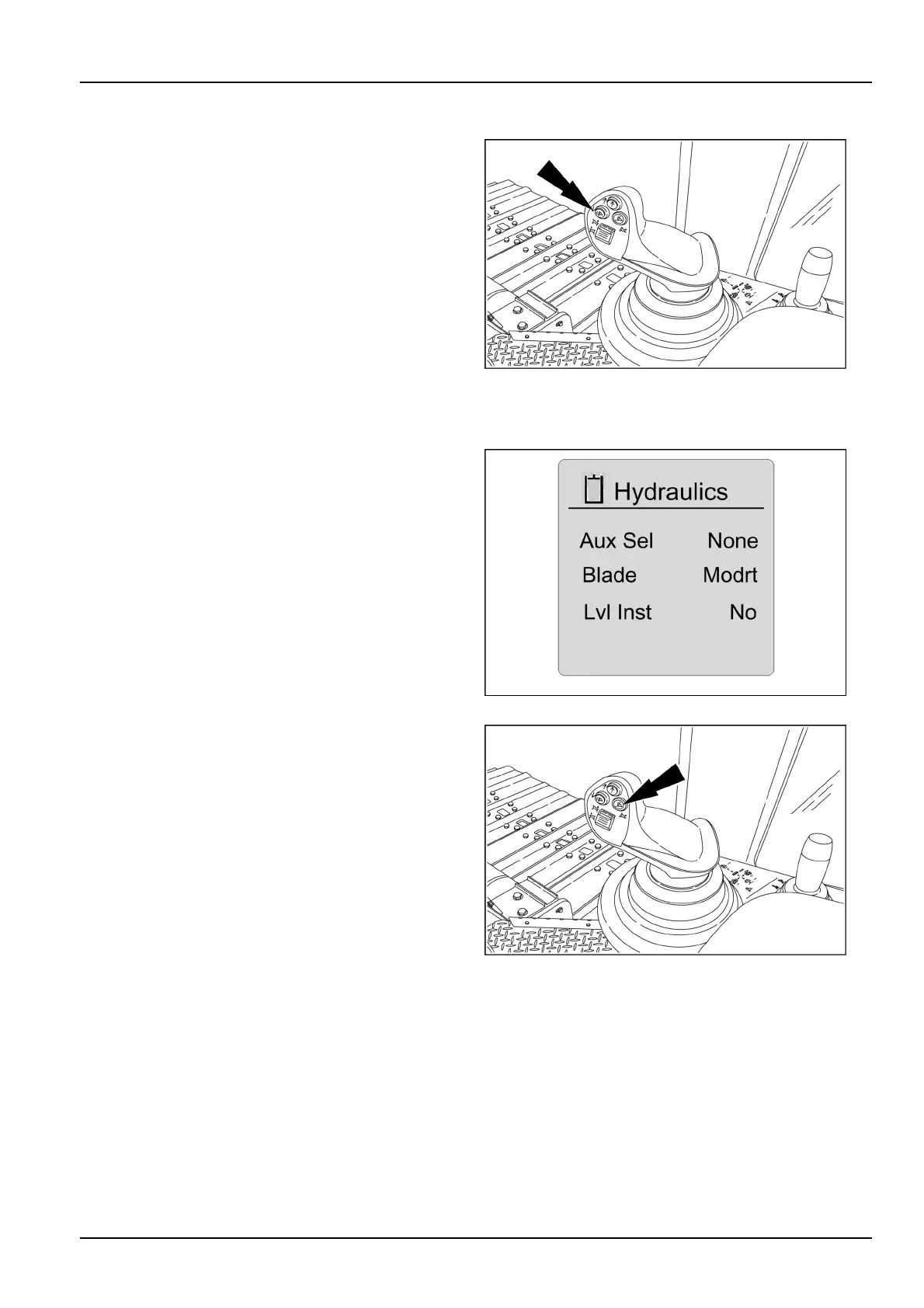
Usethegradingmodetochangethesensitivityofthe
bladeforaspecialgradingresponse.Thisallowsthe
bladetomovewithmoreprecision.Gradingmodecannot
beusedwhenthelevelingsystemisactivated.Choose
betweenaggressive,normal,slow,orgradingbladework.
Oncepressed,themachinewilloperateingradingmode.
Pressthebuttonagainandthemachinewillreturntothe
selectedbladesensitivity.
Thegradingiconwilldisplayonthemulti-displayscreen.
Themachinespeedwilldecreaseintheprecisiongrading
mode.Returntonormaloperationbyturningthisfunction
off.
NOTE:Theimplementmustbeenabledtousethisfea-
ture.
RAPH12DOZ0082AA7
Leveling
Thelevelingsystemwillproduceadesiredgradeatapre-
setelevationand/orangle.Thesystemmustbeequipped
withanautobladecontrolsystemcompletionkit.Thehy-
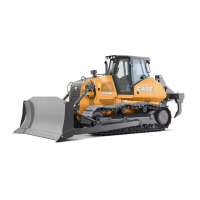
draulicsselectionshouldbesetto“LvlInst”.Atthehy-
draulicsscreen,highlight“LvlInst”andpressenter/con-
rm.Followthepromptsandchangethe“LvlInst”toYes.
Thiswillallowthelevelingfunctionstowork.
RAIL12DOZ0216AA8
Thelevelingsettingcoordinatestocontrolthebladeand
createadesiredbladepositionwithextremeaccuracy.
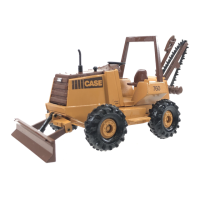
Thelevelingsystemsettingsinterfacewiththelevelling
systemmodule.Thelevelingsystemon/offswitchisused
toputthedozerintolevelingmode.Thisenablesthe
Auto/Manualswitch.ThemomentaryswitchfeaturesLED
toindicatethelevelingfeatureisactivated.Thebladeoff-
setup/downswitchwillallowforsmalladjustmentstothe
presetelevation.
RAPH12DOZ0082AA9
NOTE:Inordertousethisfeature,theimplementmustbe
enabled,autolevelingmustbeengaged,andthebladelift
andtiltaxismustbeintheautomanualfunction.
3-35


 To Next Page