SECTION 58 -- ATTACHMENTS AND HEADERS -- CHAPTER 1
58-16
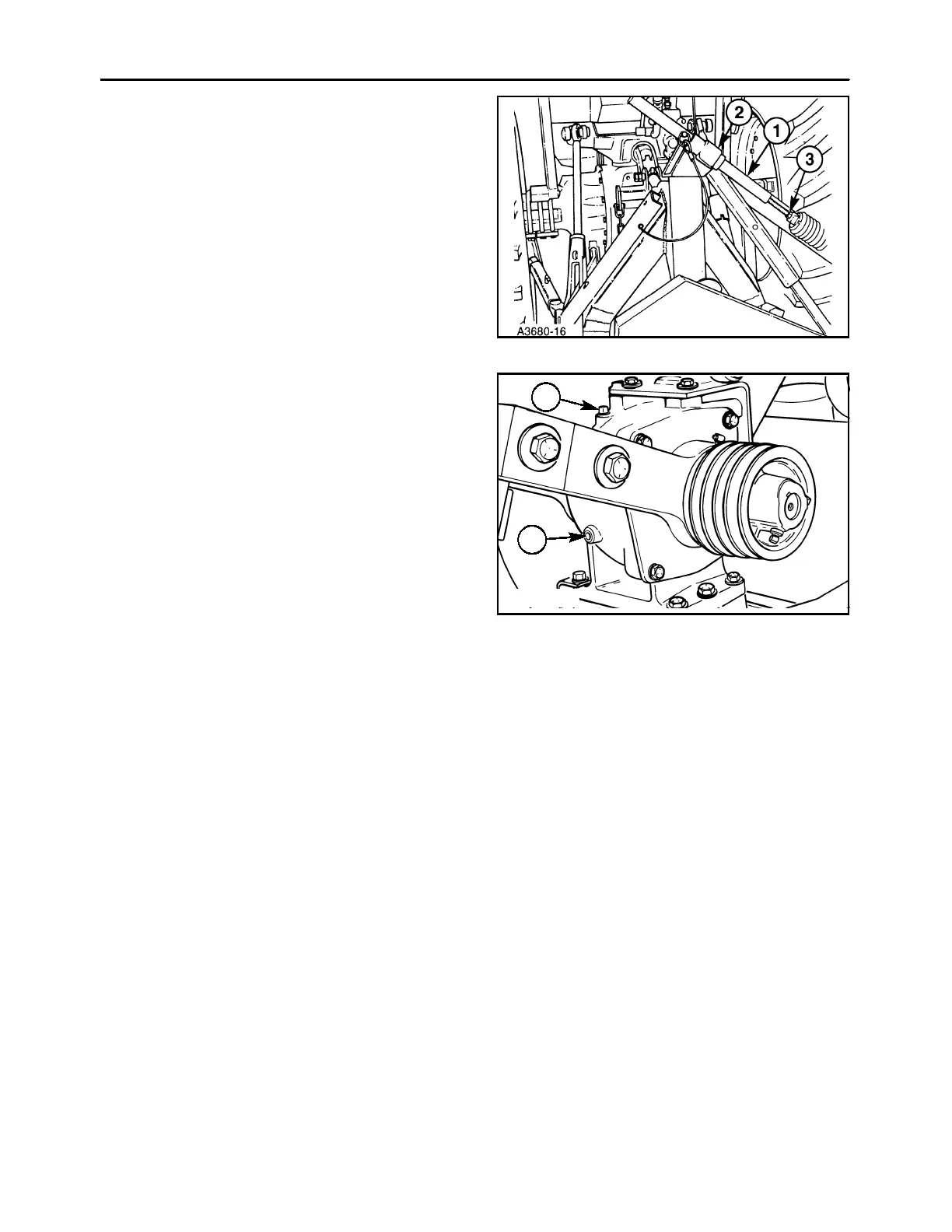
14. Slide the upper float rod, 1, through the upper
mount, 2, ensuring that the long leg of the upper
mount is to the left.
NOTE: Ensure that the long leg of the upper mount
is positioned to the left to prevent possible failure of
the flotation system.
Thread the rod into the flotation spring to its pre-
vious position, and retighten the jamnut, 3. Refer
to the “Adjustments” section of this manual for
additional information on flotation spring adjust-
ment.
35
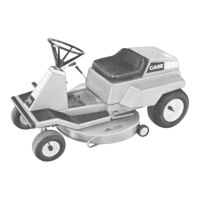
15. With the cutter bar positioned on a level surface,
fill the bevel gearbox with API GL5 80W90 gear
oil by removing plug, 2, and filling until the oil level
is at the bottom of the check plug, 1.
NOTE: Shielding and belt shown removed for clarity.
A3679-22
1
2
36



 To Next Page