SECTION 31 -- IMPLEMENT POWER TAKE-OFF -- CHAPTER 2
31-5
11. Clean the front of the jackshaft using emery cloth.
Position the jackshaft in a vise, and drive the front
bearing, 1, off the shaft.
600-3-6
1
9
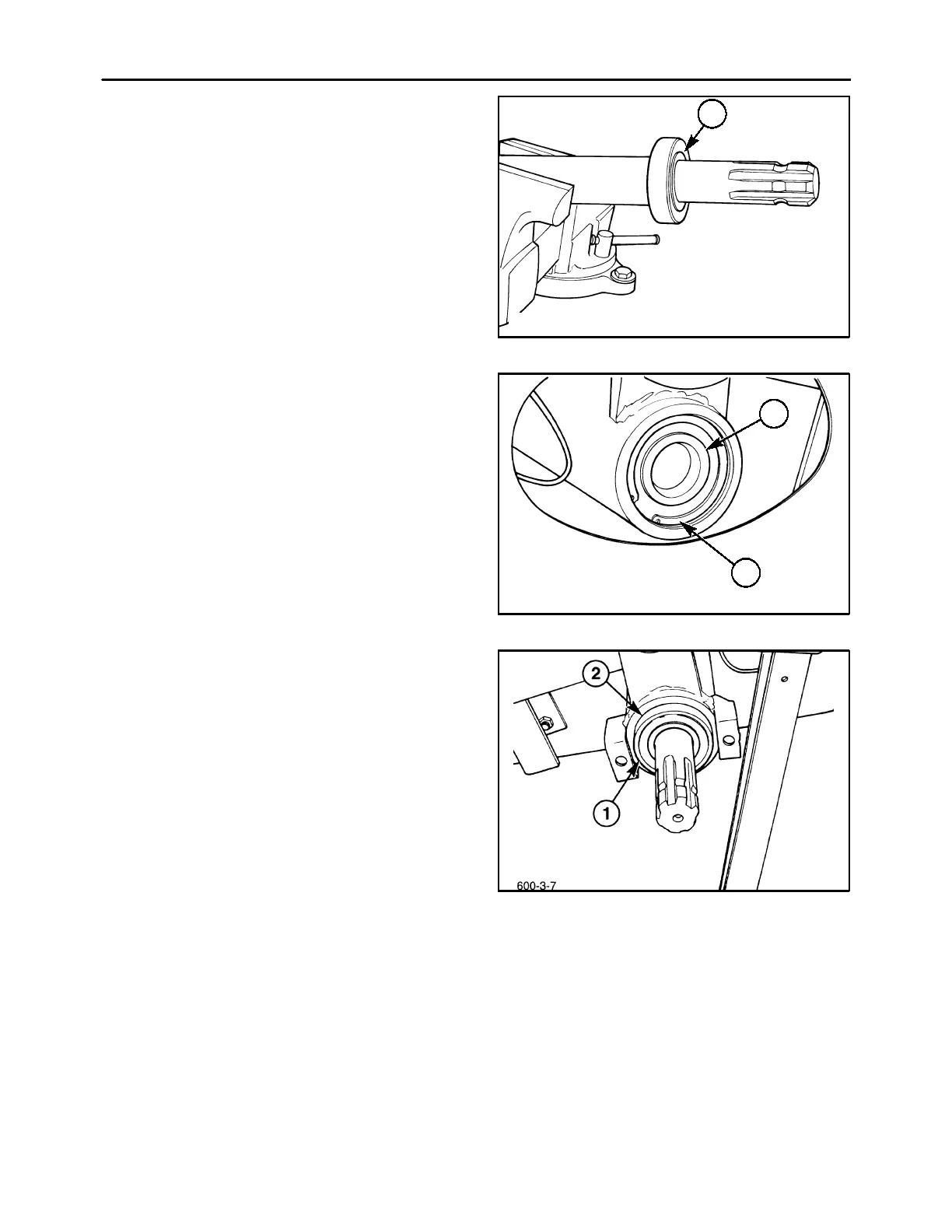
BELT DRIVE JACKSHAFT - ASSEMBLY
1. Drive a new bearing, 1, Figure 39, onto the front
of the jackshaft.
2. Drive a new bearing, 2, into the rear of the jack-
shaft housing, and retain using a snap ring, 1.
600-3-5
1
2
10
3. Install the jackshaft and bearing assembly into
the front of the housing; it will be necessary to al-
ternately drive the jackshaft, 1, through the rear
bearing, 2, Figure 40, and drive the front bearing,
1, into the housing, 2.
NOTE: Use caution when installing the jackshaft to
prevent damaging the bearings. Excessive side
loads can damage the bearing races and rollers.
11



 To Next Page