6. Start Up
Before starting to work with CashDro3 it is essential to carry out three final tasks.
6.1 Defining deposit
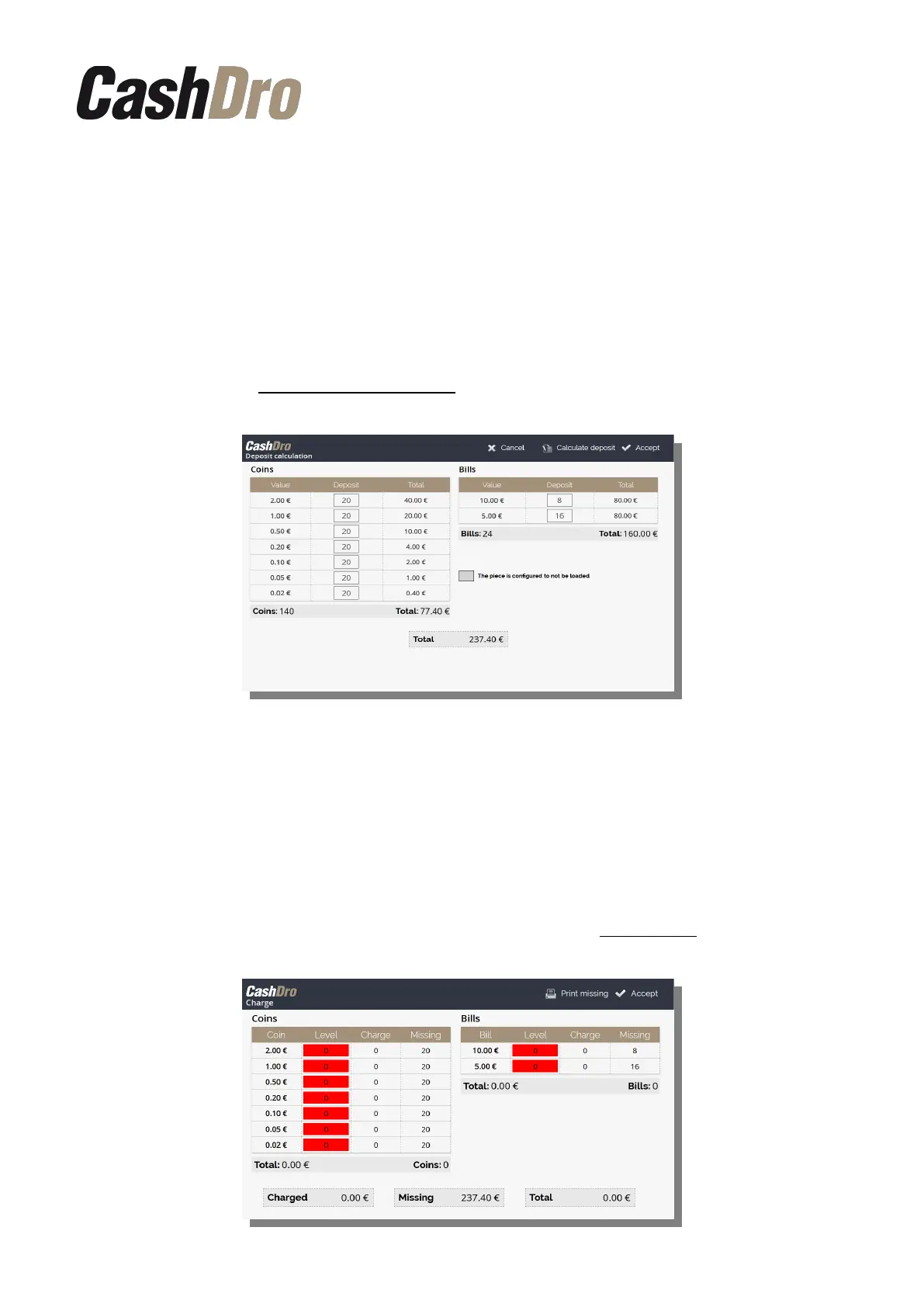
Before staring to work with CashDro3 it's necessary to define a deposit level (also known as
cash-float or initial change). For this, go to the menu section Operations-Deposit
Calculation and configure the Deposit of your choice manually. Deposit must correspond to
the necessity of cash and allow to give all necessary changes during the working day or turn.
See details in section 10.1 Deposit Calculation.
IMPORTANT: 20-30 days after the set-up of CashDro3 it is recommended to visit the client
and to execute the option “Calculate Deposit” that is located in the top of the screen. This
option calculates the real Deposit based on the history of transactions. Once the calculation
is made, we must show the results to the client and readjust the Deposit to the real necessity.
6.2 Initial charge
Once the Deposit is set up we can charge cash to CashDro3 for a first time. For this go to
the menu section “Operations-Charge”. See details in section 10.2 Charge.
Start Up | 14



 To Next Page