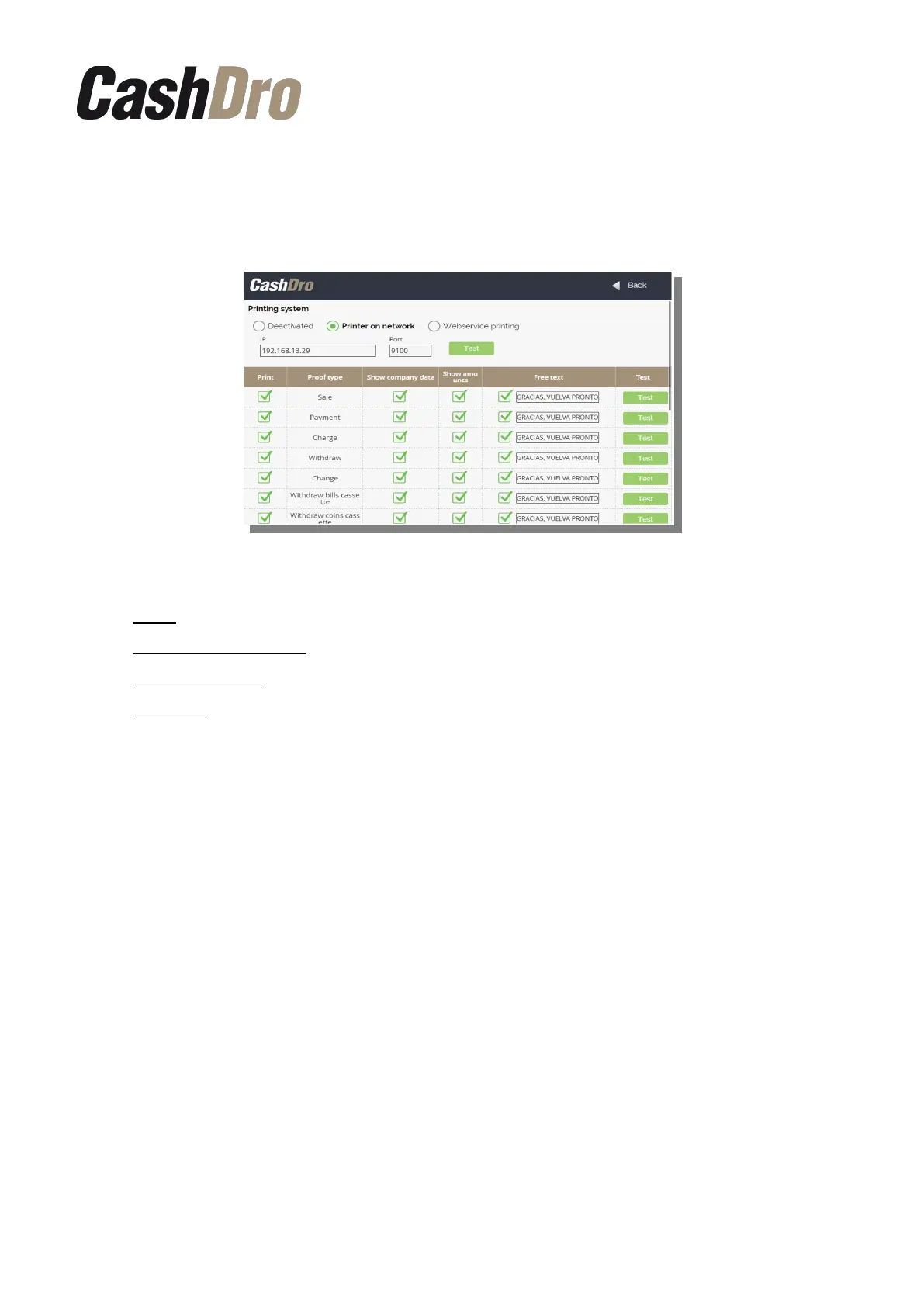
12.3.2 Receipts configuration
We can configure which proofs we want CashDro3 prints and which information we want be
shown in them.
By each proof type we can configure the following parameters:
• Print: If We want this proof type be printed by CashDro3.
• Show company data: If We want be shown company data at head of proof.
• Show amounts: If We want the amounts of the operation be detailed in proof.
• Free text : If We want display in bottom of proof the defined free text.
12.4 Devices
In this section we can see the version of firmware and the serial number of each device.
Also, from this screen we can do the initialization the levels of the Coins Dispenser and of the
bills recycler by pushing corresponding button “Initialize levels”
12.5 Currencies
In this section we can configure the denominations to recycle and some parameters related
with its behavior. Below we show its content detailing section by section:
12.5.1 Recyclers
In this section we can select the bills denominations that we want to recycle. CashDro3 is
provided with two recycled denominations by default, according the currency of the
equipment. If you want to modify the recycled denominations only need to click on one of the
bills and choose the new bills denomination to recycle.
IMPORTANT: In order to modify in CashDro3 a denomination to recycle, in addition to
modify the software configuration as it indicated above, it is necessary replace the guide
pieces of the recycler by the corresponding to new denomination to recycle. (Consult the
Configuration menu | 47



 To Next Page