We can print a missing detail pressing the “Print missing” button on top of the screen. This
list includes a QR code with details of the missing items, which can be used to facilitate
integration with a POS.
10.3 Withdraw
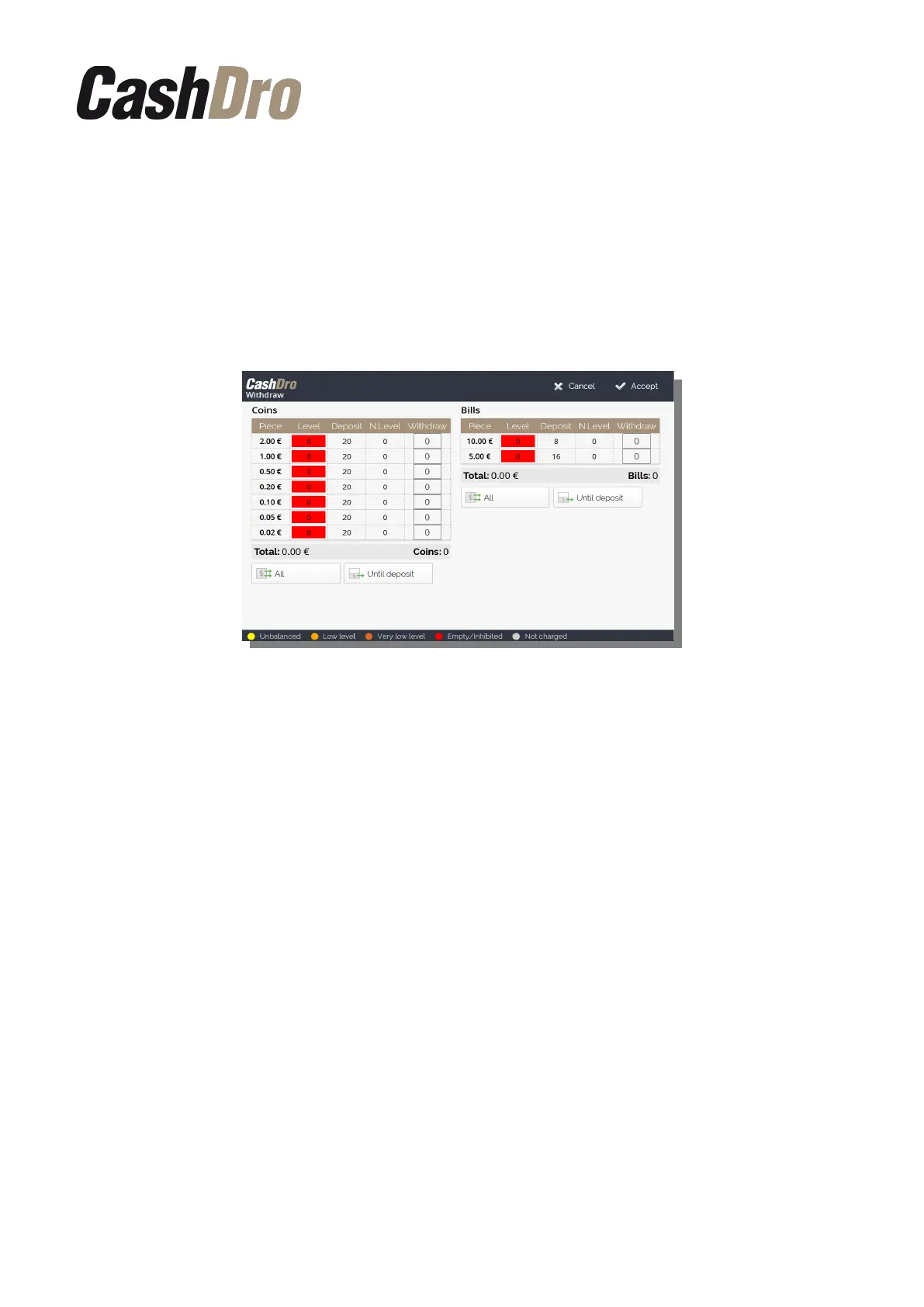
This operation is used to withdraw partially or totally the coins and / or bills from the system.
The bills and coins are dispensed from the front of CashDro3.
The screen is divided into two different parts, one for the coins and other for the bills.
In each part are shown: current level, deposit configured, new level after the withdrawal and
an amount to withdraw. We can define the amount to withdraw by pushing on “All”, “Until
Deposit”, or by pushing on each cell manually.
Once the amount of bills/coins to withdraw is defined and their destination, push the button
“Accept”, or “Cancel” to come back to the menu without making any withdrawal.
10.4 Levels adjustment
It is a batch operation that does sequentially the following operations:
1. If level in the coins cassette >= 900, it is launched a withdraw of the coins cassette
2. If level in the bills cassette >= it is launched a withdraw of the 700, withdraw bills
cassette
3. Transfer to cassette of coins and bills until deposit level
4. Charge missing levels
Operations | 27



 To Next Page