8. Sale Process
CashDro3 can collect money from sales:
8.1 Directly in CashDro3 (stand-alone mode)
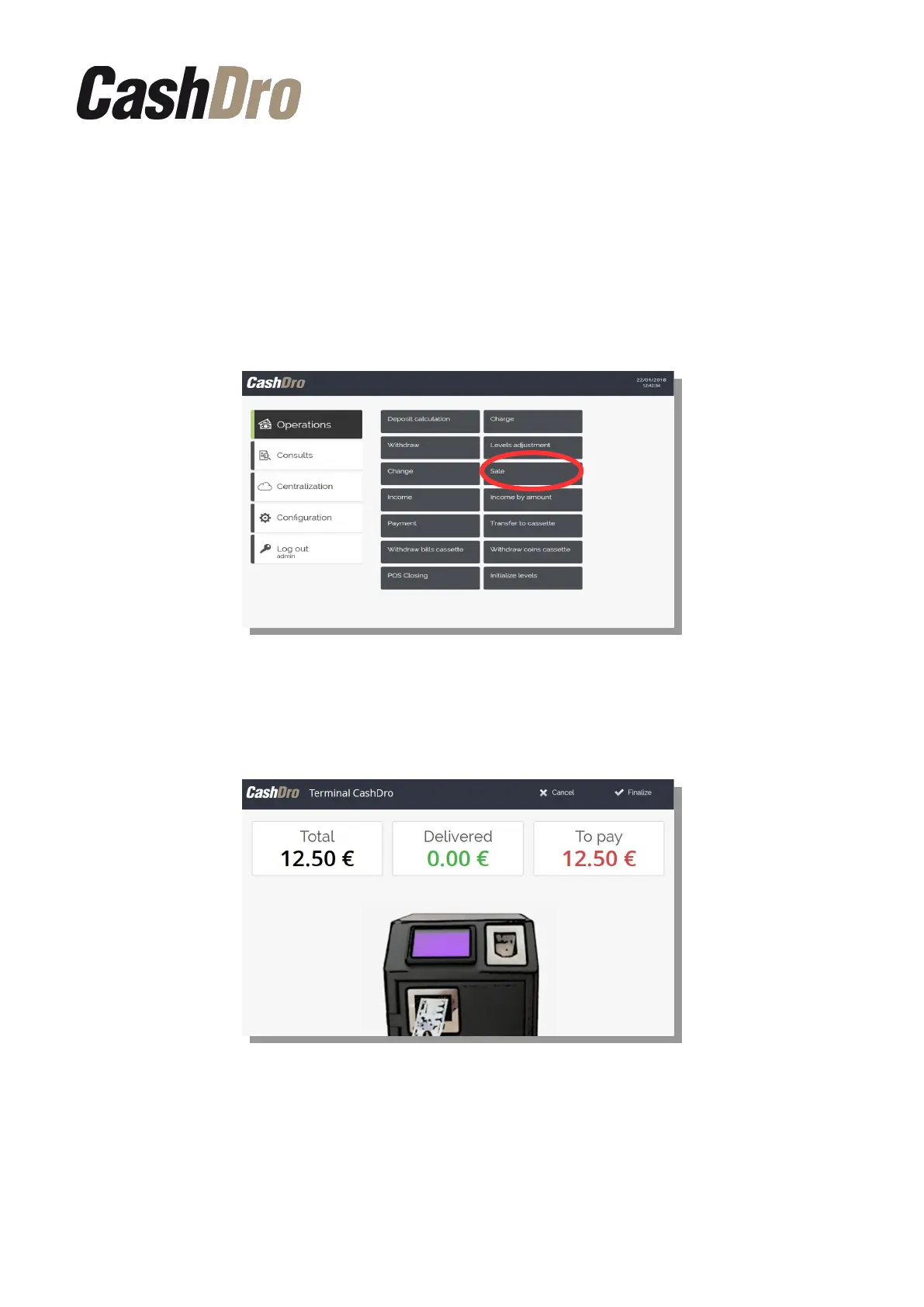
CashDro3 can realize charges without being linked to any selling software. In order to make
a sale, access the section “Operations-Sale”
Introduce the amount of sale and the following screen will appear, the user will be guided
during the payment process and during the change giving process. The change is returned
with the fewest possible number of coins and bills.
By clicking button “Cancel” the payment process will be canceled and CashDro3 will give
back the cash introduced before canceling.
By clicking the button “Finalize” CashDro3 will keep the cash introduced before finalizing
and we will be able to finish the payment of the remaining amount with other type of payment.
Sale Process | 22



 To Next Page