10.5 Change
It is used to change bills to coins or to change coins or small denomination bills to bills of
bigger denominations using the optimal change condition (the smallest amount of units
possible).
This option can also be used in order to restore the number of the bills that are below
minimum or to replace excessive denominations without changing the total value of the
money inside CashDro3.
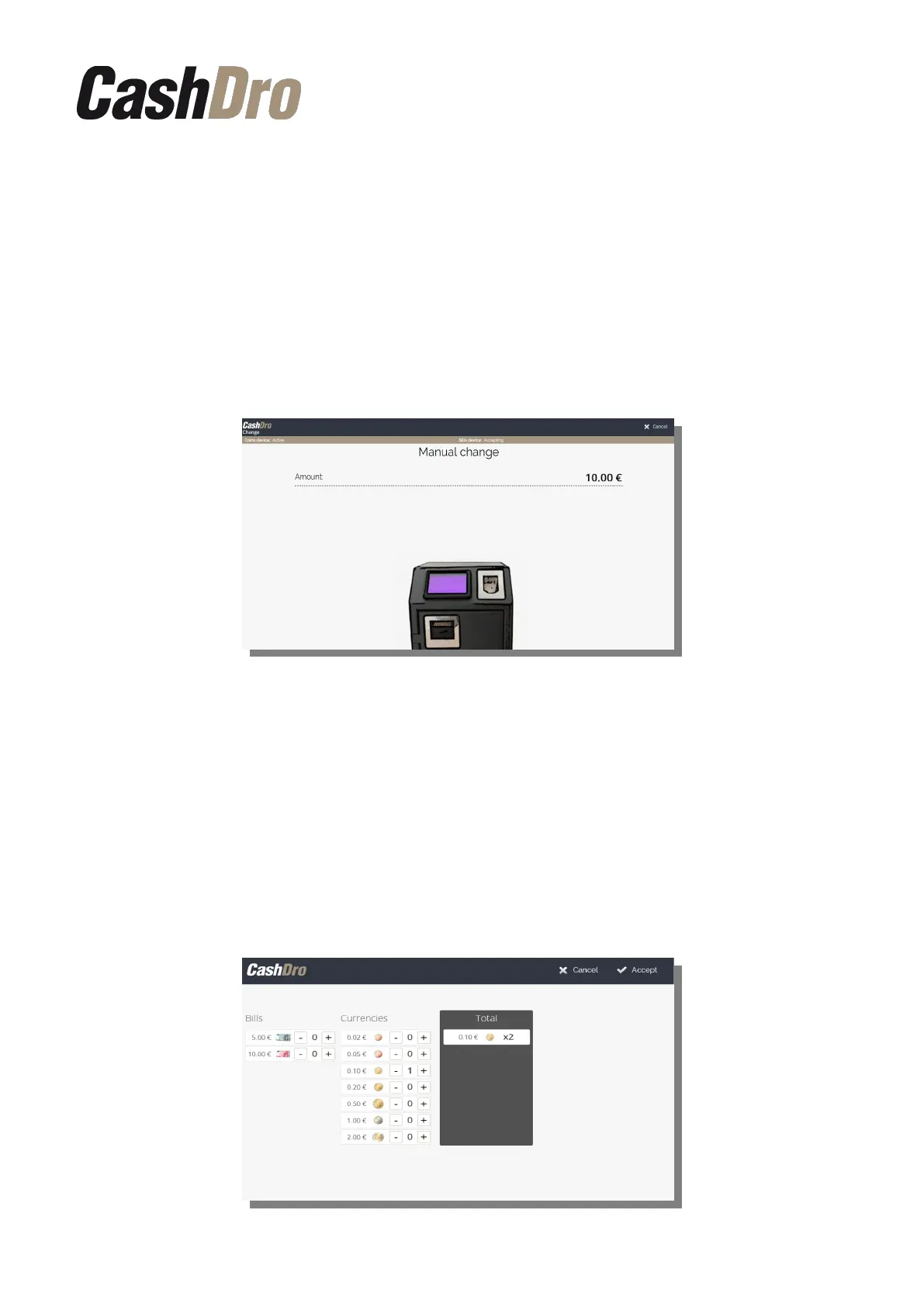
First, the banknotes or coins to be exchanged are introduced. The equipment will add the
amount on screen. Once finished, press the "Accept" button.
Then, a screen where we will be able to manually define the detail of the change will appear.
By default CashDro3 propose change with the minimum amount of pieces possible. When
defining the pieces for change manually, CashDro3 will recalculate the rest of change
automatically.
In the column “Total” we will always see change defined. In the left part, we can define the
units that we want to receive for change by pushing on the buttons “+” and/r “-”.
For example, we wish 3 coins of 1€ and introduce the bill of 10€. After we define manually
that we want 3 coins of 1€, CashDro3 will count the rest, that is to say, a bill of 5€ and a coin
of 2€.
Operations | 28



 To Next Page