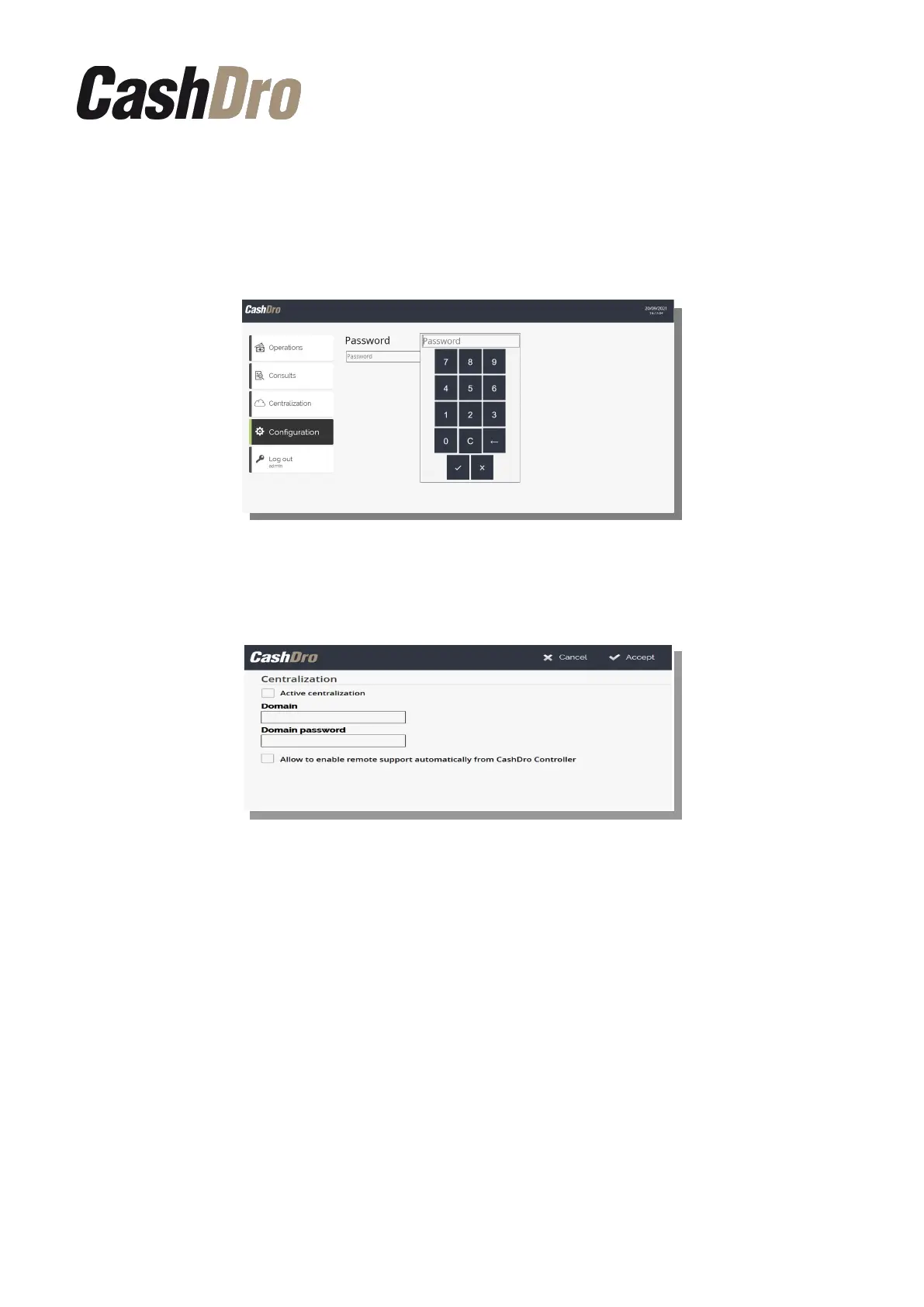
13. Centralization
From this section we can establish the communication between the CashDro device and the
CashDro Controller app (to know more about the uses of CashDro Controller read the
Configuration and User manual of CashDro Controller).
To configure the centralization push “Configure centralization”. By default only the
administrator user (user: “admin”) has access to this option.
First select the check “Active Centralization”. Next insert the “Domain” and “Domain
Password” that the client will have received by mail once the activation of the server has
been requested. This credentials must be inserted in all CashDro devices belonging to the
client, to communicate with the same database.
The last check “Allow to enable remote support automatically from CashDro Controller”
allows to connect the Official Technical Service, in charge of the device maintenance, directly
with CashDro, without permission or clearance from the client.
Pushing “Accept” the configuration will be saved and the device will restart the service
automatically. Once the CashDro is centralized, all existing users will be replaced by the
ones established in the CashDro Controller.
Note: It is important to review the CashDro Controller manual to know all the aspects of this
configuration.
Centralization | 62



 To Next Page