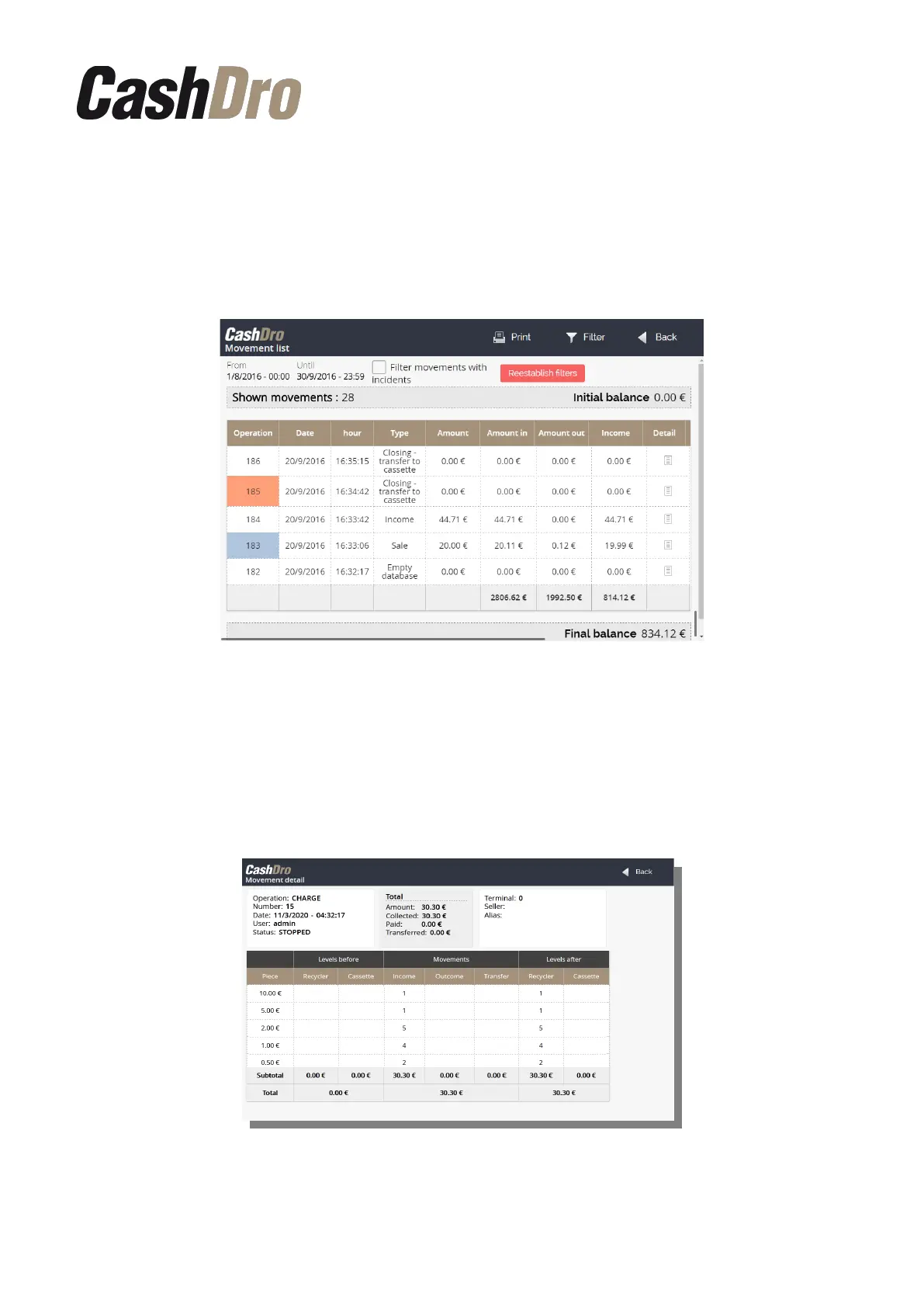
dispensed amount, the income (difference between introduced and dispensed amount) and
the user that made the operation.
By using the button “Filter” we can select the operations to be shown. We can filter by
operation type (in multi-selection), by user, by terminal, and by seller.
The button “Print” allows to print the consult.
The movements where the “Amount” is different than “Income” are shown in red. We can
filter to visualize only these movements marking the parameter “Filter movements with
incidents”. The movement where there is rounding, are shown in blue.
It is possible to see the detail of each operation. For this it is just needed to push on the icon
from the “Detail” column. Then, the levels of each denomination before the operation are
shown, also the detail of the operation and the levels after the operation.
Consults | 37



 To Next Page