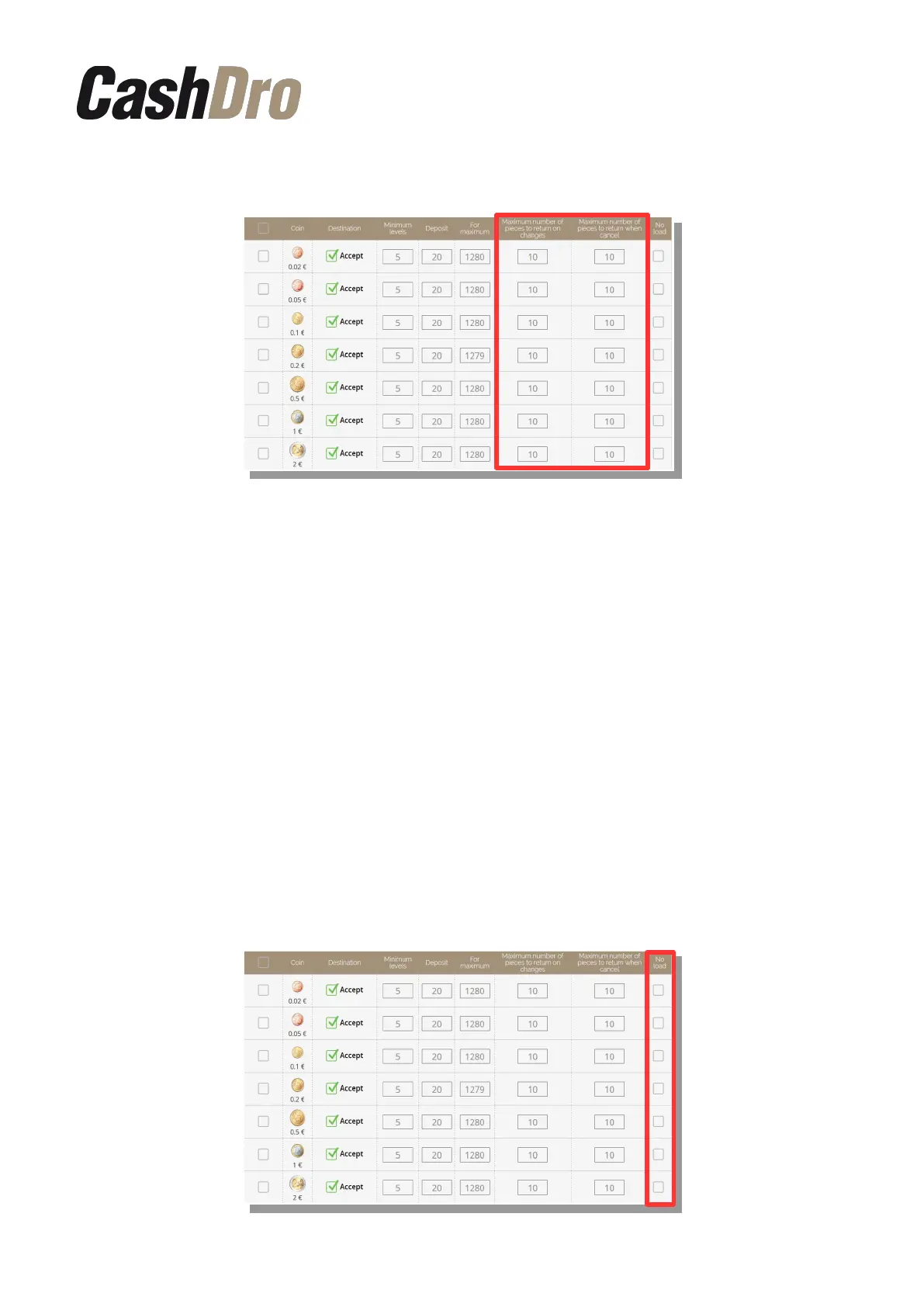
By default, CashDro3 has configured these values to 10.
If the number of pieces to return of a denomination is higher than the configured, CashDro3
dispenses using the inferior denomination. If the existing configuration does not allow to
dispense the exact amount, CashDro3 acts as follows, depending of have or not activated
the canceling and change controls:
• With control activated: The introduced bill is rejected
• With control deactivated: CashDro3 does not return any introduced amount and
generates a payment not available
Note: When you Cancel, if CashDro3 can return the amount with the same introduced
pieces, always will, without the maximum number of pieces into account. This control only
acts when introduced some unrecyclable bill and therefore the amount will not be returned
with the same introduced pieces.
Note: Then this happens after another bills were already inserted, CashDro3 will give back
only the last inserted bill. The user is who will decide if to insert the bill or coin of another
denomination or to cancel the operation.
In the last column appears the check “no load”. We can use this option to choose whichever
denominations the user does not want to charge but wants to use to give the change.
Configuration menu | 51



 To Next Page