14
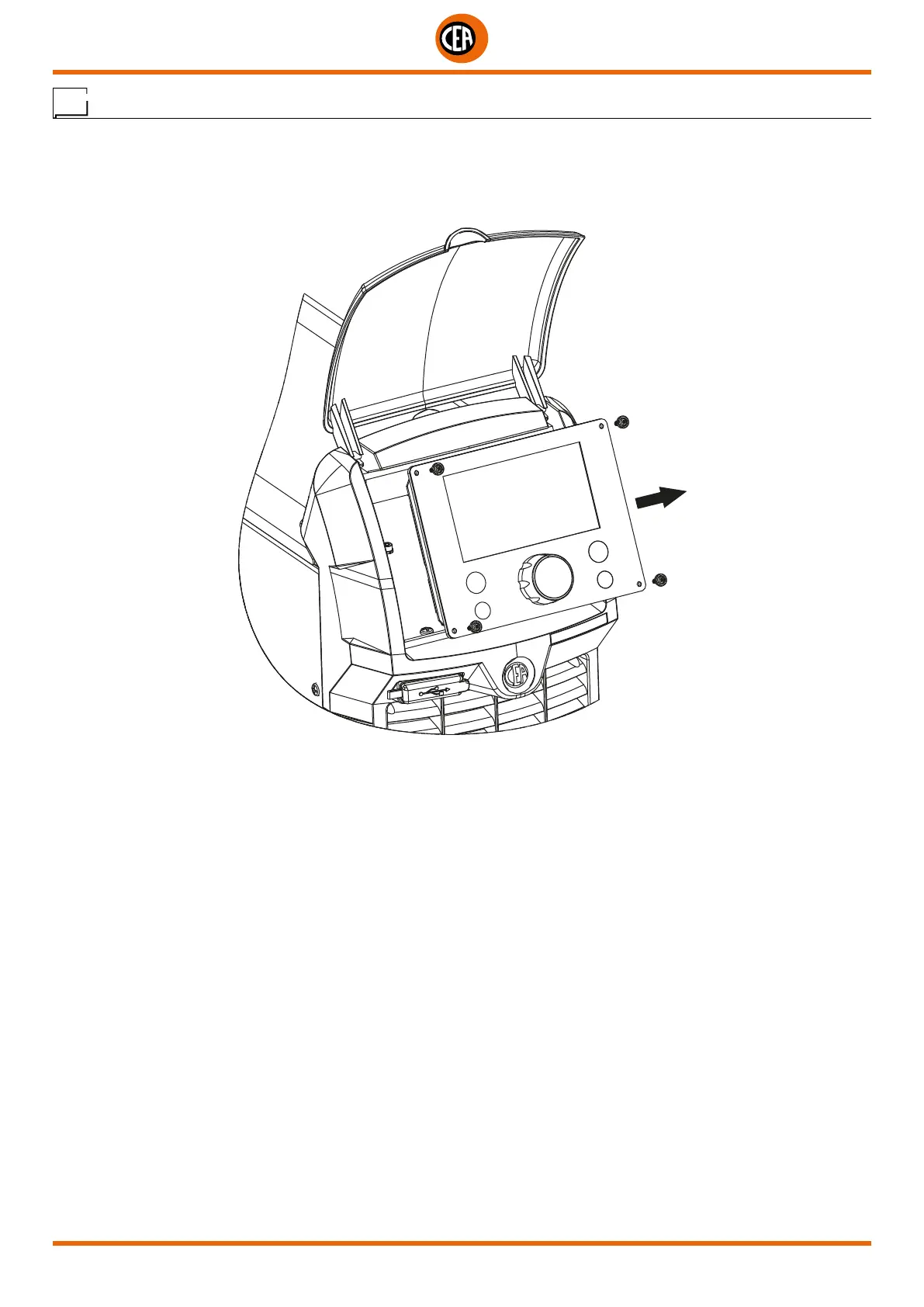
Digital interface PCB replacement
• Unscrew the 4 screws fastening the front rack panel.
• Remove the adjustment knob.
• Extract wiring connectors from digital interface PCB.
• Unscrew small supporting columns.
• Remove digital interface PCB by lifting it out of its supports.
• Proceed vice versa to assemble new digital interface PCB.













 To Next Page