10
TIG “AC” Welding
Via the welding process configuration menu, set:
• TIG AC welding process with HF ignition.
• Welding mode.
• Type of pulsation.
• Type of AC wave shape.
The possible parameter combinations are as follows:
WELDING
PROCESS
WELDING MODE
PULSED MODE TYPE OF AC WAVE
SLOW PULSE
OFF PULSE
SQUARE
MIX
TRIANGULAR
SINUSOIDAL
DEFAULT ADVANCE
TIG AC
2T 2T ADVANCE (*) X X X X X X
4T X X X X X X
4T AUTO
4T AUTO
ADVANCE (*)
X X X X X X
CYCLE X X X X X X
SPOT X X X X
(*) Advance welding mode can be activated as follows:
• CONFIGURATION menu
• WELDING section
• 2T-4T AUTO ADV line
• Choose ACTIVE
When the
key is pushed, the welding page opens:
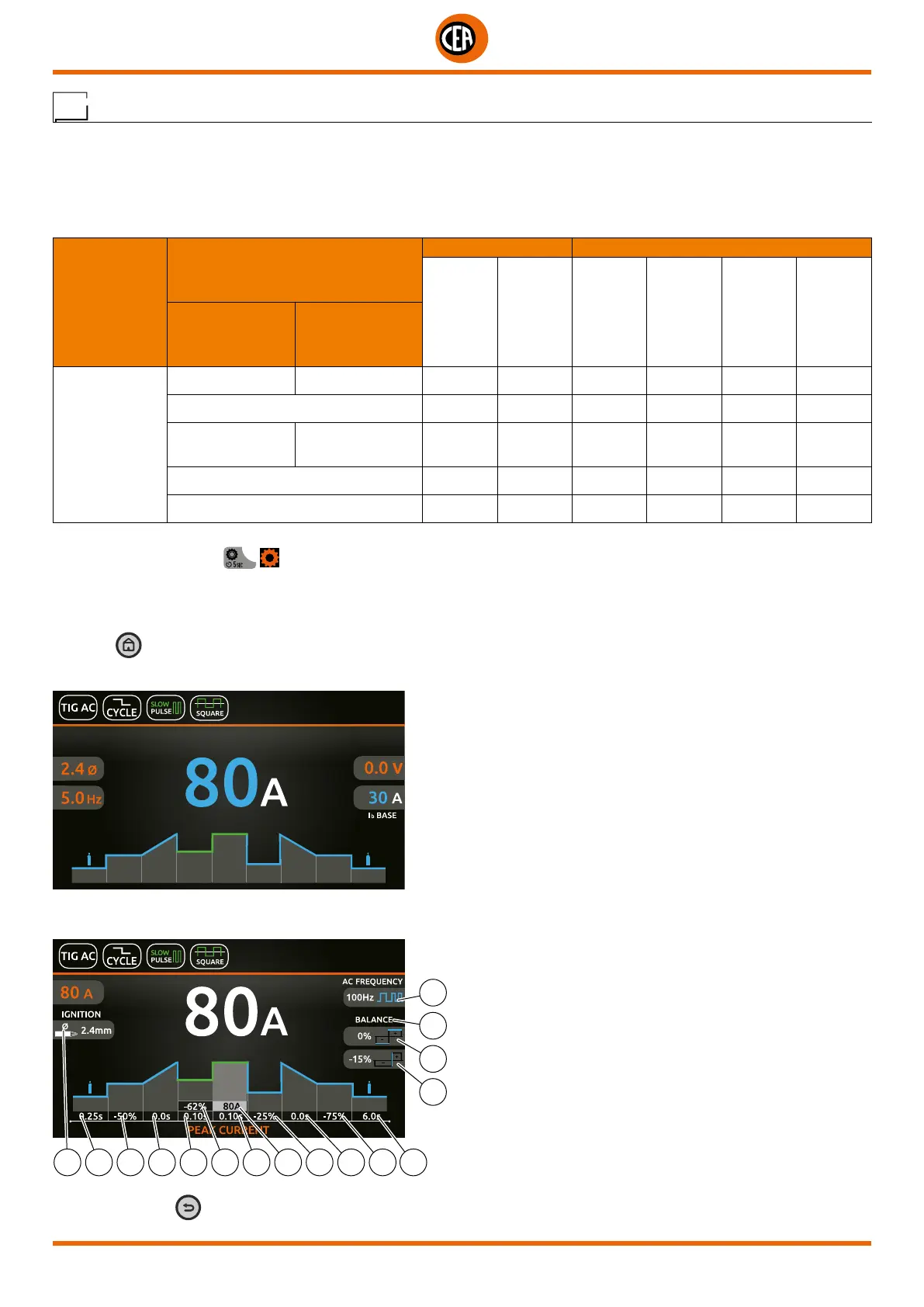
An example of complete configuration of all the parameters is shown below:
Push the knob to enter the SET page.
Push and rotate the knob to set the following parameters:
12 6 7 8 4 2 3 1 5 9 10 11
16
15
14
13
NOTE: If the BACK key is held down for 2 seconds, the parameter goes back to its default setting.













 To Next Page