36
JOB - Setting the shortcut key to your preferred saved program
You can program the SET key to act as a shortcut to get to your preferred JOB quickly.
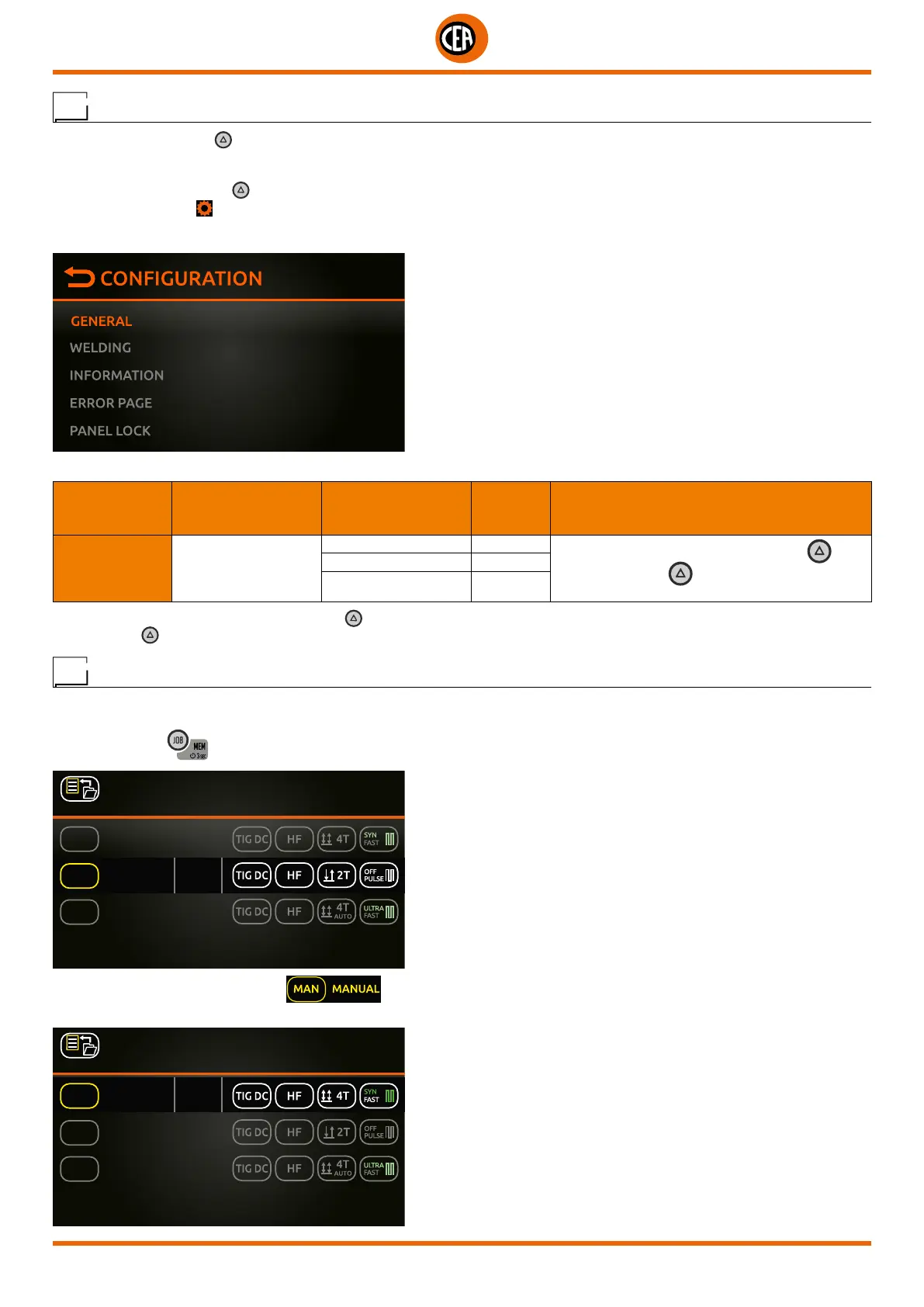
To access this information go to the “CONFIGURATION” menu and select the “GENERAL” menu.
You can access the “CONFIGURATION” menu by:
• Holding down the SET key for 5 seconds.
• By selecting the icon
from the process setting page.
• Select the “GENERAL” menu.
Select the “LOAD JOB” option.
MAIN MENU MAIN SUB-MENU
PARAMETERS /
HIGH - LOW LIMIT
DEFAULT
VALUE
NOTE
GENERAL SET BUTTON
GAS FLOW TEST
Set the chosen option for the SET button
Push the SET key a second time to exit the
option chosen
LOCK PANEL
LOAD JOB X
Now, from the “WELDING” page, push the SET
key to access the preferred JOB quickly.
Push the SET key again to exit the JOB selected, and return to “MANUAL” mode.
JOB - Manual welding
From programmed welding, to go back to setting new programs, go to “MANUAL” welding.
Proceed as follows:
1. When the key
is pushed the page that contains a list of the saved programs (JOBS) is displayed.
2 SAVED JOBS
PRESS KNOB TO LOAD
MAN
J-02
MANUAL 200A
J-01
PRESS KNOB 2 sec TO EDIT
JOB 01 80A
JOB 02 120A
2. Rotate and push the knob to load .
3. The machine returns to the “MANUAL” welding mode. You can now set new parameters or create new programs.
2 SAVED JOBS
PRESS KNOB TO LOAD
J-02
J-01
PRESS KNOB 2 sec TO EDIT
JOB 01 80A
JOB 02 120A
MAN MANUAL 200A













 To Next Page