40
Remote control connection
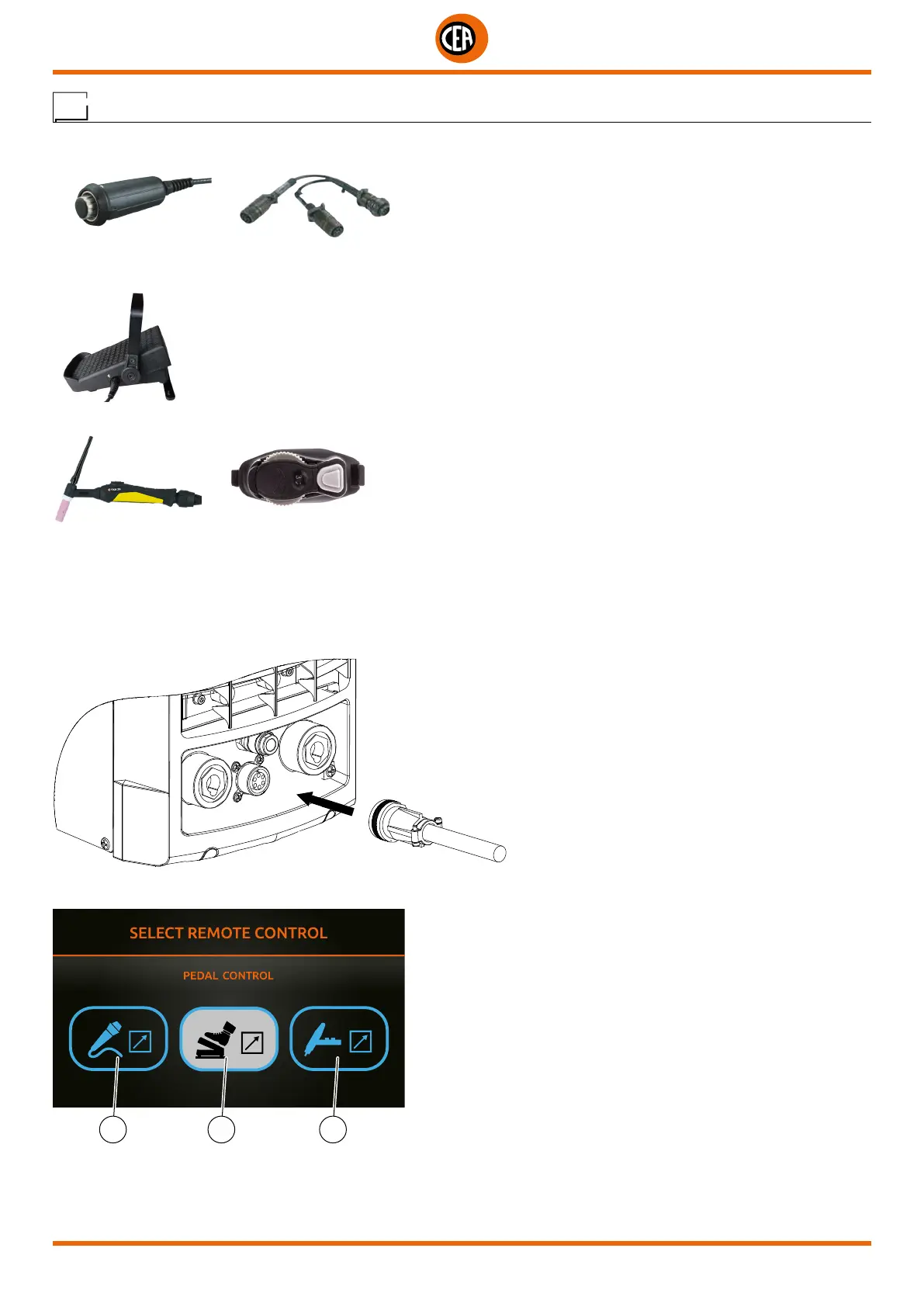
The welding machine has provision for connecting the following remote controls:
• Manual remote control
WARNING: When using the machine for TIG welding it is OBLIGATORY to use the kit for simultaneously use – CEA code n° 460056.
• Foot switch
• Torch with potentiometer for regulating the welding current
The digital control unit of the generator is fitted with a control recognition device which allows it to identify which device is connected
and take action accordingly. To allow the command recognition device to work correctly, connect (with the machine switched off) the re-
quired accessory to the relative connector and then switch on the welding machine with the on/off switch.
To connect these, proceed as follows:
• Switch off the welding machine “0”.
• Connect the remote control connector to the corresponding connector on the welding machine.
• Switch the welding machine on again “I”.
• Select the type of remote control used.
31 2
1. Manual remote control.
2. Pedal control.
3. Torch with potentiometer.













 To Next Page