22
Electrode Welding (MMA AC)
Via the welding process configuration menu, set MMA AC and the TYPE OF ELECTRODE.
The possible parameter combinations are as follows:
WELDING PROCESS
TYPE OF ELECTRODE
BASIC
RUTILE
CrNi
CELL
SPECIAL
MMA AC X X X X X
When the
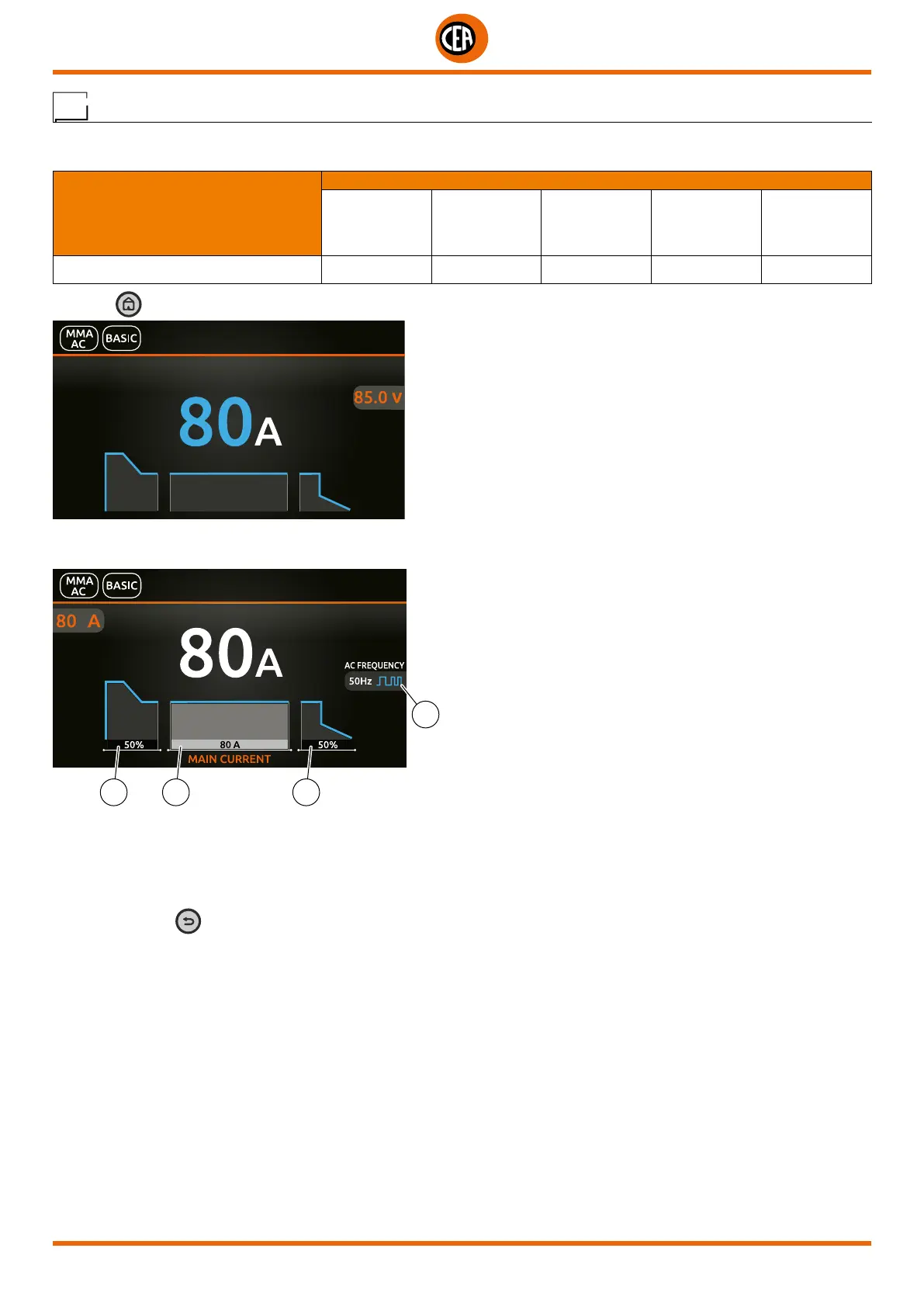
key is pushed, the welding page opens:
Push the knob to enter the SET page.
Push and rotate the knob to set the following parameters:
2 1 3
4
1. Main welding current.
2. HOT START – Increases the welding current, on a percentage basis, for a time interval that can be set at the start of the welding
process, thereby reducing the risk of poor melting at the start of the joint.
3. ARC FORCE - Regulates the dynamic characteristics of the arc, in percentage terms.
4. MMA AC FREQUENCY - Regulates the welding current frequency.
NOTE: If the BACK
key is held down for 2 seconds, the parameter goes back to its default setting.
Once the all the selections/settings indicated above have been made, welding can begin.
During the welding process the display shows the current and the real voltage at which the operator is actually welding.













 To Next Page