25
Activating the VRD device (MMA AC - MMA DC)
The VRD device can be activated for MMA AC and MMA DC electrode welding.
The Voltage Reduction Device (VRD) is a safety device that reduces the voltage. It prevents voltages forming on the output terminals
that may pose a danger to people.
The standard, preset settings for the firm do not activate the VRD function on the welding machine.
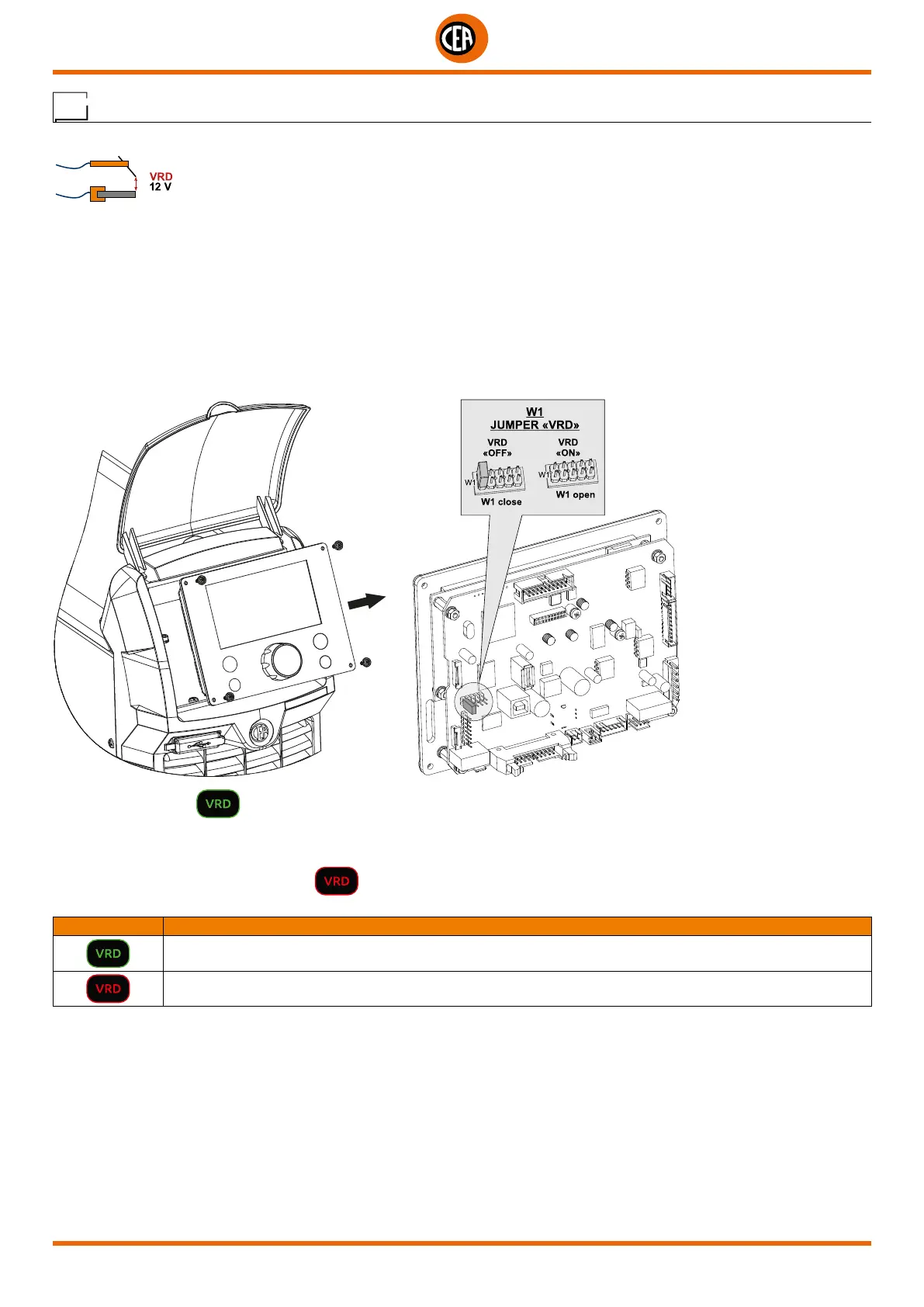
To activate the VRD device, which must be done when the welding machine is switched off:
1. Use a suitable screwdriver to unscrew the 4 screws that fix the control panel to the welding machine.
2. Position JUMPER W1 on the DIGITAL INTERFACE BOARD in the correct position, following the instructions given in figure below.
3. Use a suitable screwdriver to tighten the 4 screws that fix the control panel to the welding machine.
4. Start the welding machine by pushing the switch on the rear panel to position I.
When switched on, the symbol will appear on the display, and will be green to indicate that the VRD function is active.
To “deactivate” the VRD device and therefore start to weld, follow this simple procedure: First touch the workpiece with the electrode, then
detach it and ignite the arc within a MAX of 0,3 seconds, otherwise if this time is exceeded the VRD device starts and prevents welding.
During welding, the VRD symbol turns red
, which does not indicate any malfunction on the welding machine, but that the VRD
device has been deactivated to allow welding.
SYMBOL DESCRIPTION
VRD function active “ON”
VRD function deactivated “OFF”













 To Next Page