CDC-2000
操作手冊
Operational Manual
Auto monitor chart 01/31 11:25
Mold no. nozzle T1 T2 T3 T4 T5 T6 Tc
YYYYYYYY
AA% BBB CCC DDD EEE FFF GGG HHH
aaaaaaa
Sbb Pcc Bdd bbb ccc ddd eee fff ggg hhh
EEEE.Emm
Total products : WWWWW injection time :
KKKK.K
Good products : XXXXX cooling time : LLLL.L
Cycle time : MMMM.M middle time :
NNNN.N
OOOO.Omm PPPP.Pmm QQQQ.Qmm SSSkg/cm
2
RRRrpm
Mold c ejector inject. Plast. tempe.Product funct. Time prompt cycle
Mold o screw settin
count. Select.settin
settin
monitor
Chart 02B
F1 F2 F3
F4 F5
F6
F7
F8
F9 F10
Push
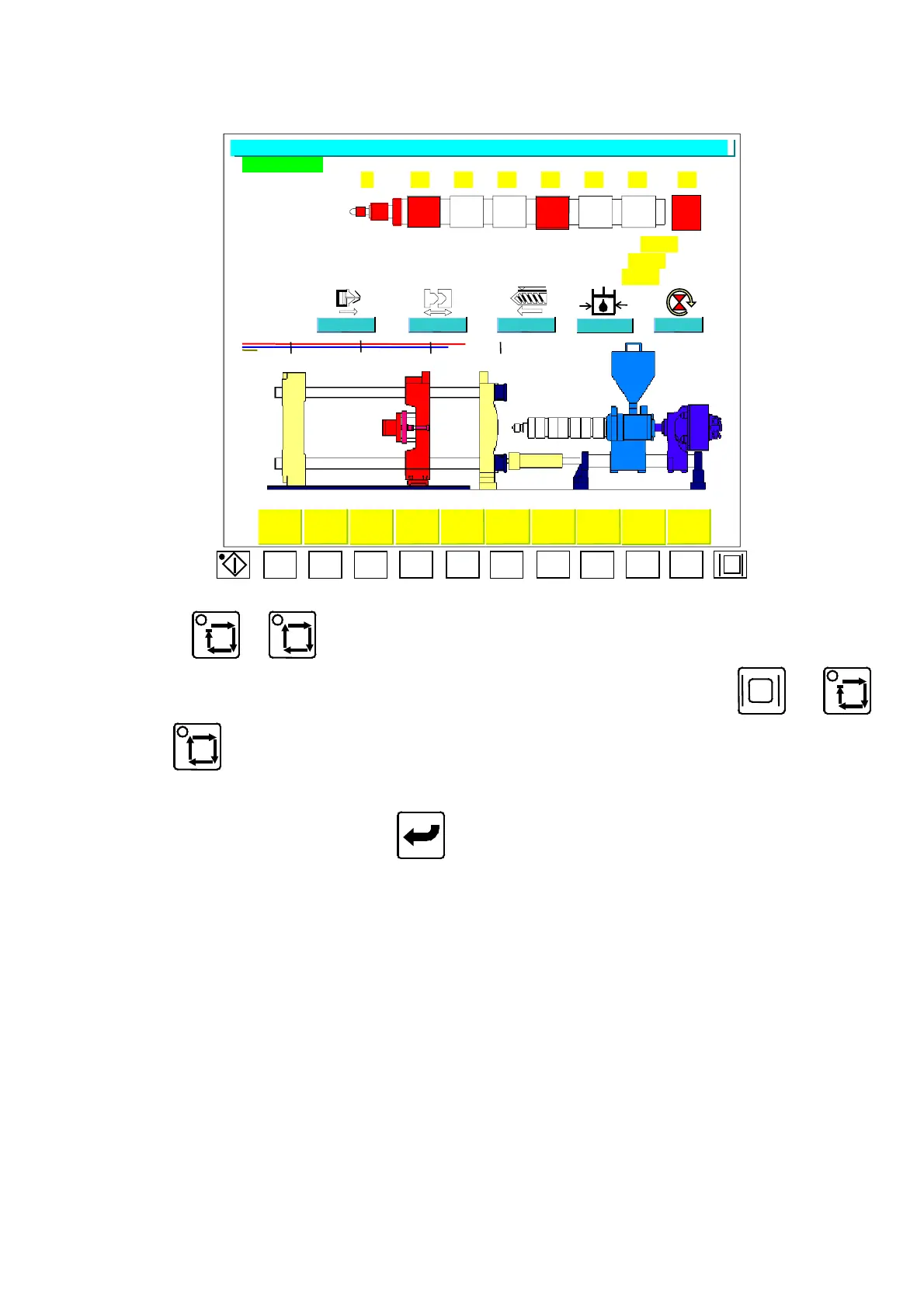
or to show Menu (02), the LED indicator on the upper left is on.
In auto operation mode, if the Menu is not like this one, press or
or to go to Menu (02).
Move the cursor to the parameter that you want to change, adjust the parameter
by numerical keys, the push
key to finish the correction. The setting
descriptions of
“
Auto Monitor
“
Menu (02) are shown below:
A)
“
YYYYYYYY
”
:Display the contents of mold no.
B)
“
AA
”
: Proportional nozzle heating setting.
C)
“
BBB
”
:Temperature setting of barrel sector 1.
D)
“
bbb
”
:The practical temperature of barrel sector 1.
E)
“
CCC
”
:Temperature setting of barrel sector 2.
F)
“
ccc
”
:The practical temperature of barrel sector 2.
G)
“
DDD
”
:Temperature setting of barrel sector 3.
H)
“
ddd
”
:The practical temperature of barrel sector 3.
I)
“
EEE
”
:Temperature setting of barrel sector 4.
J)
“
eee
”
:The practical temperature of barrel sector 4.
04/08/13
16



 To Next Page