1 Operational Manual
05/02/03
197
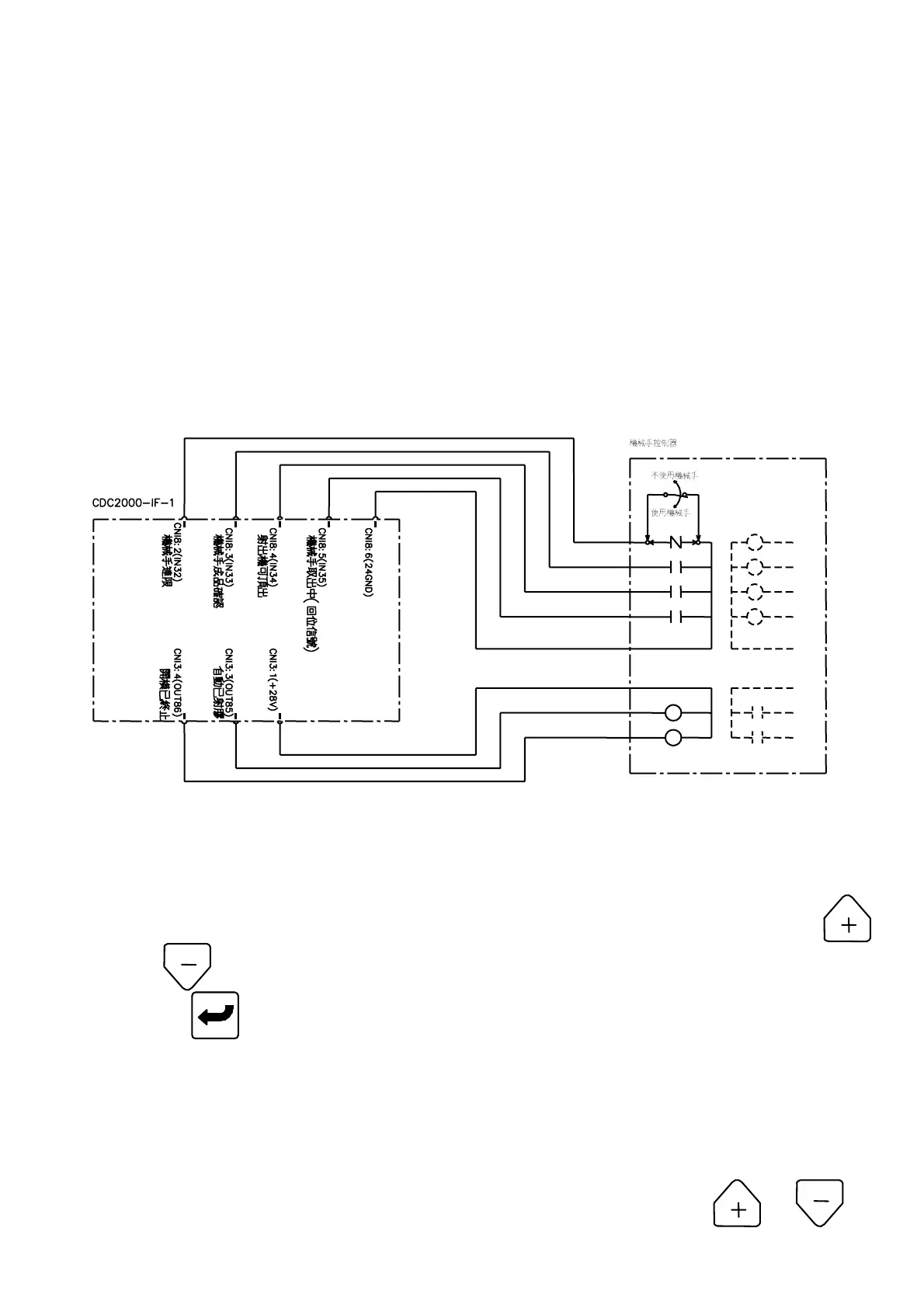
machine can do mold-closing that depends on the
“
Input 35 ON
”
, otherwise will appear
“
046 robot doesn
‘
t come back initial position
”
message. In auto mode, after the
injection machine got the product and return to its position, machine will verify
product signal (input 33), when machine time is up, if the signal is not verified
then
“
047
”
“
remove product and check
”
warning will appear.
In semi-auto mode, after cyclic operation, safety door must be used to control the new activity, at the
same time the product must be taken out and then close the safety door, so this is the mode to use
when not using robot to remove product. The robot must not control the safety door when it is in
semi-auto mode. If worker open the safety door and then close it, it will cause robot that control
machine to have error.
4.1.5 Counting Diagram
4.2 The Selection of Injection Mode
4.2.1 Auto pressure holding
(A) Setting Method:
In injecting setting menu 11, move cursor to select
“
nnnnnnnnnnnnnn
”
and press
or to select
“
Auto hold-pressure
”
or
“
close-loop+Auto hold-pressure
”
, then
press key to complete a correction.
(B) Operational Method:
In auto-filling mode, when the plastics is cooled or stuck, such that the practical speed was
lower than the setting value, that will appear alarm to the customer.
4.2.1 Close-loop:
(A) Setting Method:
In injection menu 11, move cursor to select “nnnnnnnnnnnnnn”, press or to



 To Next Page