CDC-2000
操作手冊
Operational Manual
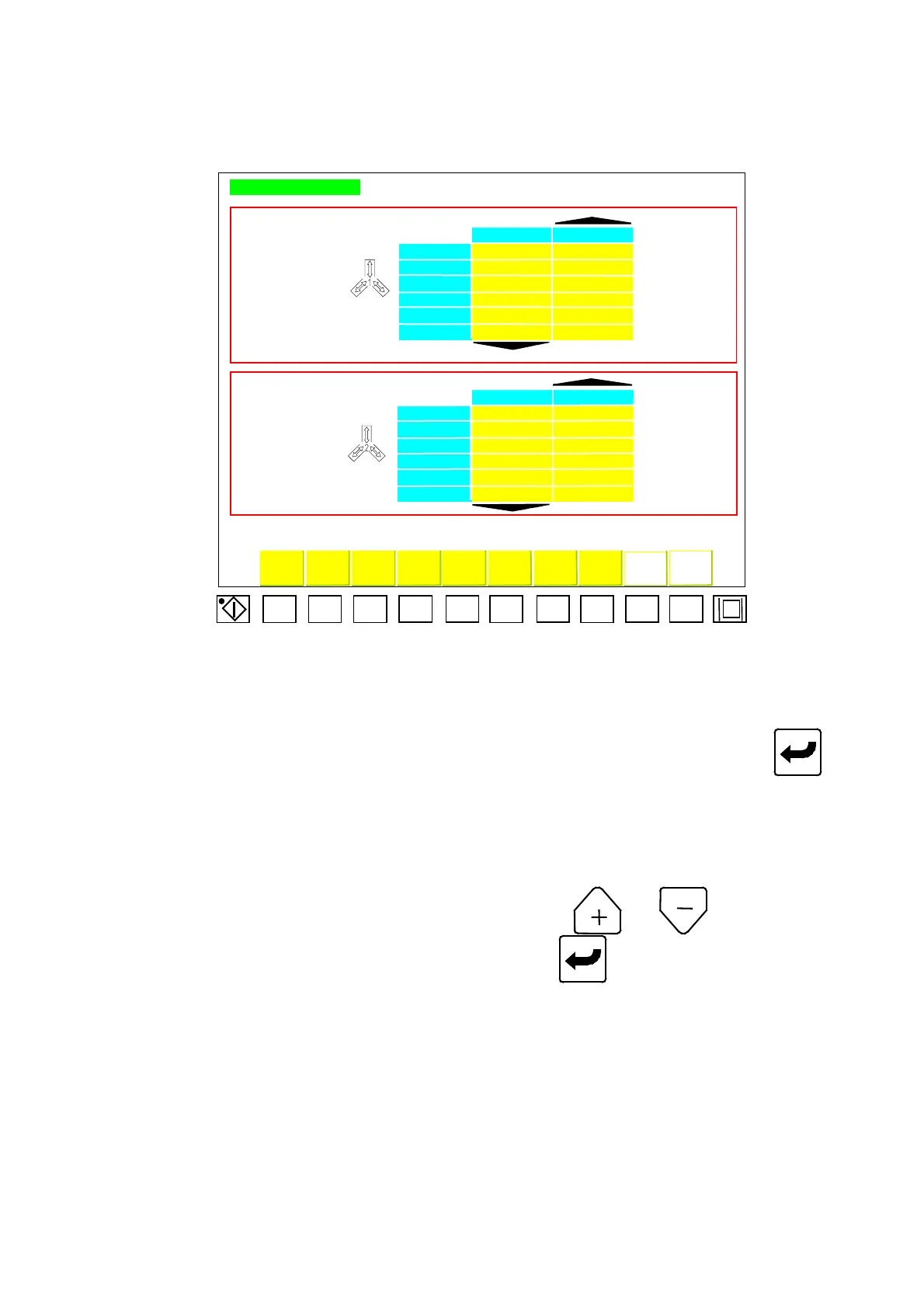
2.8. Core Pull Setup
Core pull setup
Core-in 1 core-out 1
velocity % EE II
pressure % FF JJ
oper.selec. AAAAAAAAAA CCCCCCCCCCC
posit.setup BBBB.B DDDD.D
time (sec) GGG.G KKK.K
feed.selec. HHHHHH LLLLLL
core-in 2 core-out 2
velocity % QQ UU
pressure % RR VV
oper.selec. MMMMMMMMMM OOOOOOOOOO
posit.setup NNNN.N PPPP.P
time (sec) SSS.S WWW.W
feed.selec TTTTTT XXXXXX
Mo-clos hi-pre.eject. unscr. Air-bl. Modul. Lubri.
Mo-o
ens
l.nuts
F1 F2 F3
F4 F5
F6
F7
F8
F9 F10
Chart 06
2.8.1. Core Pull 1 Setup
Move cursor to desired parameter of core-pull 1. Key in desired digits and press to
complete the correction.
Code descriptions of Menu (06) are listed below:
A) EE: Speed setup for core-in 1.
B) FF: Pressure setup for core-in 1.
C) AAAAAAAAAA: Mode options for core-in 1. Press or for selecting and
of four modes listed below and then press to complete the correction.
Code descriptions for function selection are shown below:
C.a) Core-in 1 off.
C.b) Before mold-closing: Core-in 1 before molds close.
C.c) During mold-closing: Core-in 1 during mold closing at the set position of
“
BBBB.B
”
.
C.d) After mold-closing: Core-in 1 after molds close.
D) BBBB.B: Core-in 1 is executed when mold-closing moves to this position.
E) GGG.G: Time setup for core-in 1.
04/08/13
43



 To Next Page