64 ChroMate™ Operator’s Manual Doc. 4300 Rev. E
Calibration Tab (Continued)
Feature: Description: Item No.:
Curve
Button
Toggles between substances selected
(calibrators, controls) and calibration curves.
• New Curve Based on Selected Records
: - The
new curve is based upon the calibrators
selected in the “Curve” box. Select calibrators
by clicking on the box to the left of the
calibrator name.
• Stored Curve
- When the desired calibrators
have been selected (as shown above), click on
the Accept Selected button to accept. The
stored curve is displayed in the window. The
stored curve will then be used for sample
calculations.
9
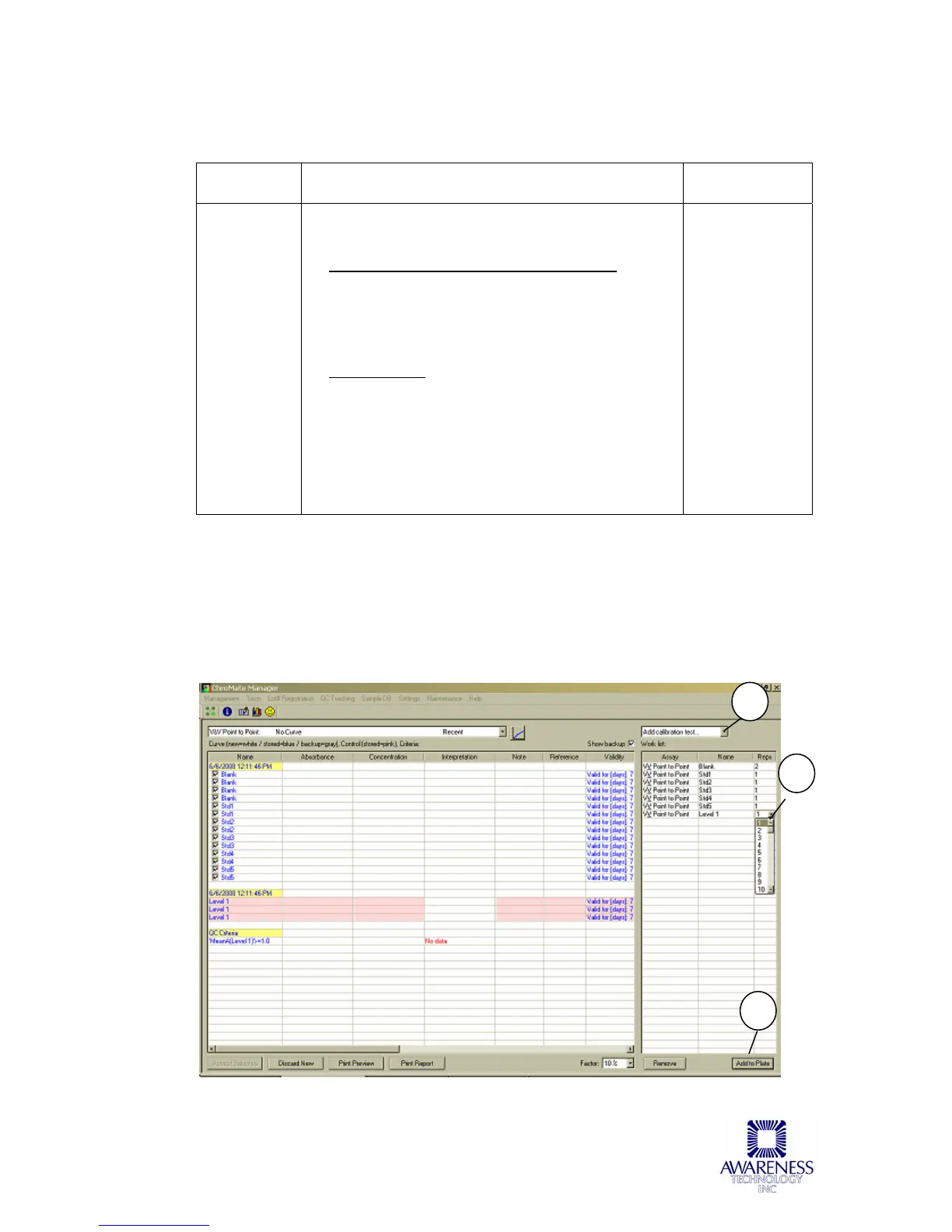
In the Assay Calibration tab, add the New Curve and New Control to the Work List by
selecting the corresponding option from the drop-down menu (1). In the example
shown below (Figure 5.3.2-2), [ALL] has been selected. All programmed Calibrators
and Controls will be added to the Work List. You may run more than one of each of
the calibrators.
Change the repetition numbers by using menu options (2).
Figure 5.3.2-2 Worklist displayed
2
1
3



 To Next Page