Chapter 3 Switch Installation
Installing the Switch
3-32
Catalyst 3750 Switch Hardware Installation Guide
78-15136-03
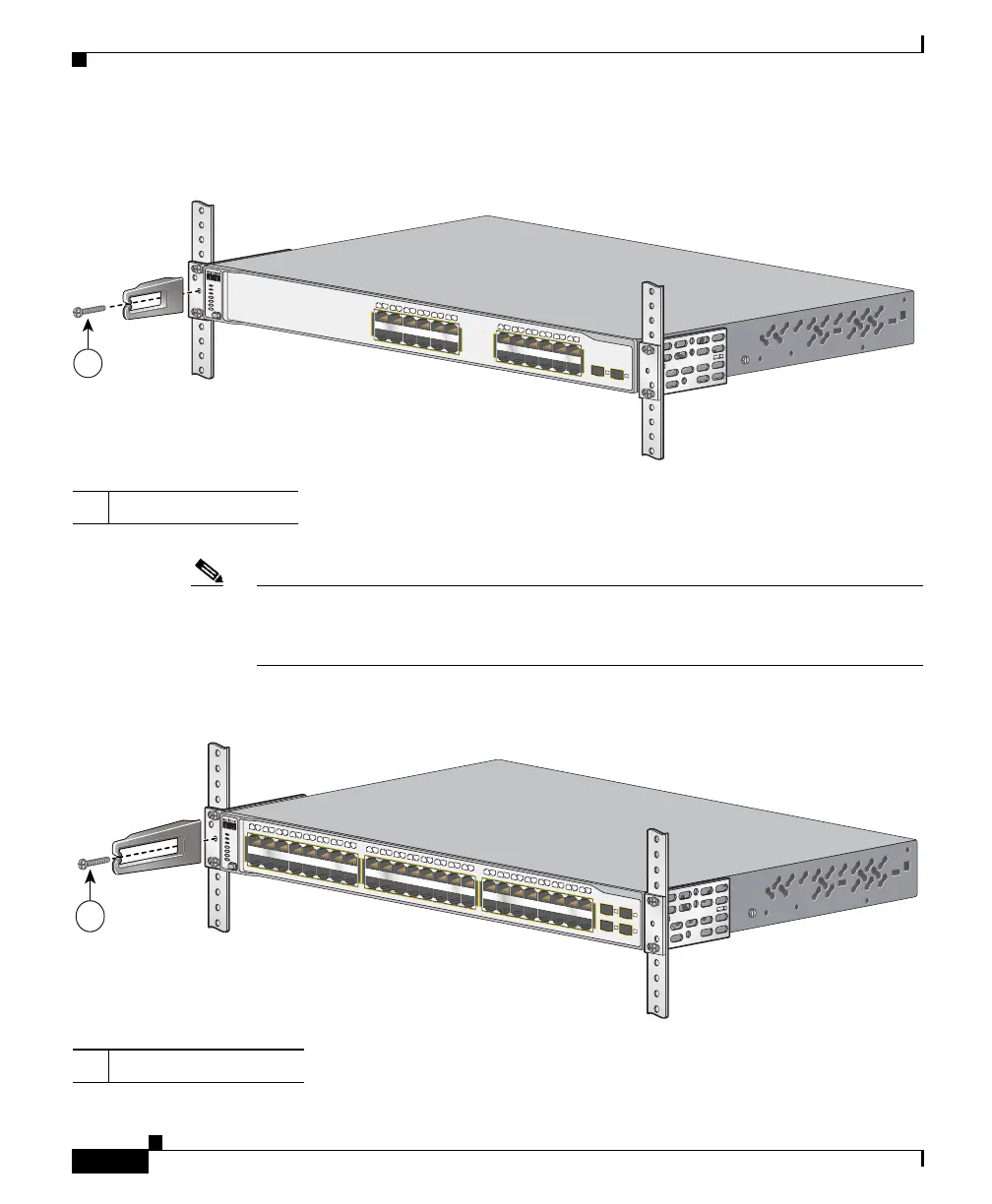
Figure 3-28 Attaching the Cable Guide on the Catalyst 3750-24TS, 3750G-24T, 3750G-24TS,
3750G-12S, 3750-24PS, 3750-48PS, and 3750G-16TD Switches
Note The Catalyst 3750-48TS switch ships with the cable guide shown in Figure 3-29.
This cable guide secures up to 48 cables. Use the supplied black screw to mount
it on the left bracket.
Figure 3-29 Attaching the Cable Guide on the Catalyst 3750-48TS Switch
1 Cable guide screws
1 Cable guide screws
C
atalyst 3
75
0
SERIES
S
Y
S
T
R
P
S
M
A
S
T
R
S
T
A
T
D
U
P
L
X
S
P
E
E
D
S
T
A
C
K
M
O
DE
1
3
X
1
4
X
2
3
X
2
4
X
1
X
2
X
1
1
X
1
2
X
25
26
1
2
3
4
5
6
7
8
9
10
11
12
13
14
15
16
17
18
19
20
21
22
23
24
1
86568
Catalyst 3750
S
E
R
IE
S
SYST
RPS
MASTR
STAT
DUPLX
SPEED
STACK
M
O
D
E
1
X
2
X
1
7
X
1
8
X
3
3
X
3
4
X
1
5
X
1
6
X
3
1
X
3
2
X
4
7
X
4
8
X
1
2
3
4
1
2
3
4
5
6
7
8
9
1
0
1
1
1
2
1
3
1
4
1
7
1
8
1
9
2
0
2
1
2
2
2
3
2
4
2
5
2
6
2
7
2
8
2
9
3
0
31
3
2
3
3
3
4
3
5
3
6
3
7
3
8
3
9
4
0
4
1
4
2
4
3
4
4
4
5
4
6
4
7
4
8
1
5
1
6
1
86569














 To Next Page