8.6 Auto Standby
The Auto Standby item is to set the system enter the standby mode when the period is expired,
you can chose “off”,”1hr”,”2 hr ”,”3 hr”.
8.7 Standby Display
The Auto Standby item sets whether the system will enter the standby mode if there is no any
operation for a certain time period.
If the Auto Standby item is set as „On‟, the system will auto enter the standby mode after three
hours of no operations.
8.8 Network Setup
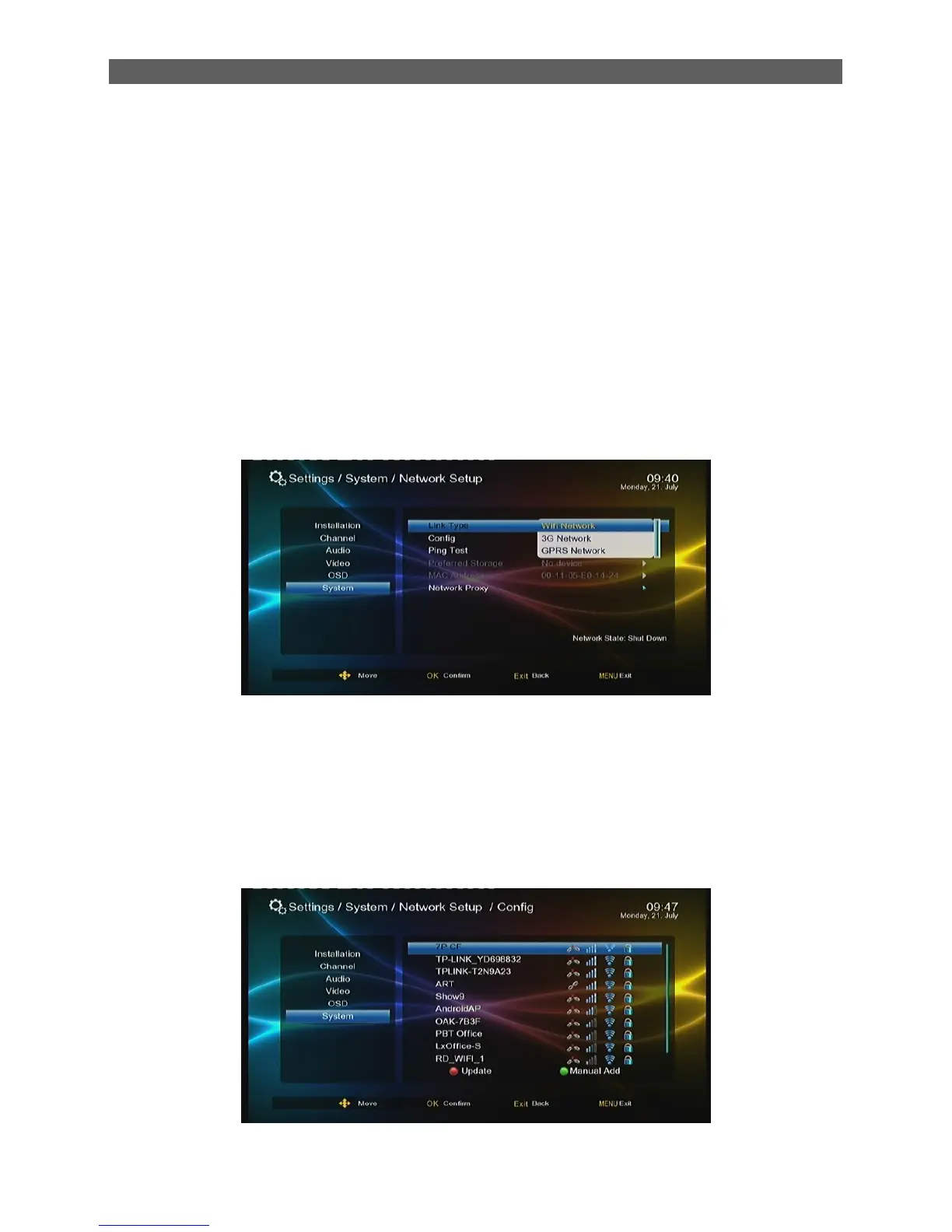
Before you want to use the internet, you must plug in the wireless USB dongle to the USB port
Link Type: Wifi Network , 3G Network and GPRS Network.
Select the link type: “Wifi Network”. Move the highlight to “Config” and press [OK] button to start
search access point. Select the network name of your Wi-Fi access point from the list, and input
the right “password” and select “Auto Link”.



 To Next Page