6.5 DLNA
DLNA function: the full name is “Digital Living Network Alliance”, which is a new network
application in Sunplus. It offers a communication and media play between your STB and your
mobile, laptop, Ipad…and support 2 functions:
1) DMP: Digital Media Player.
2) DMR: Digital Media Renderer.
3) DMS: Digital Media Server.
You can select the media from your mobile and play on TV through the STB (control side is your
mobile)
Step 1, Install DLNA tool into Mobile phone
(Suggestion:Skifta for Android system, and ArkMC lite for iOS system)
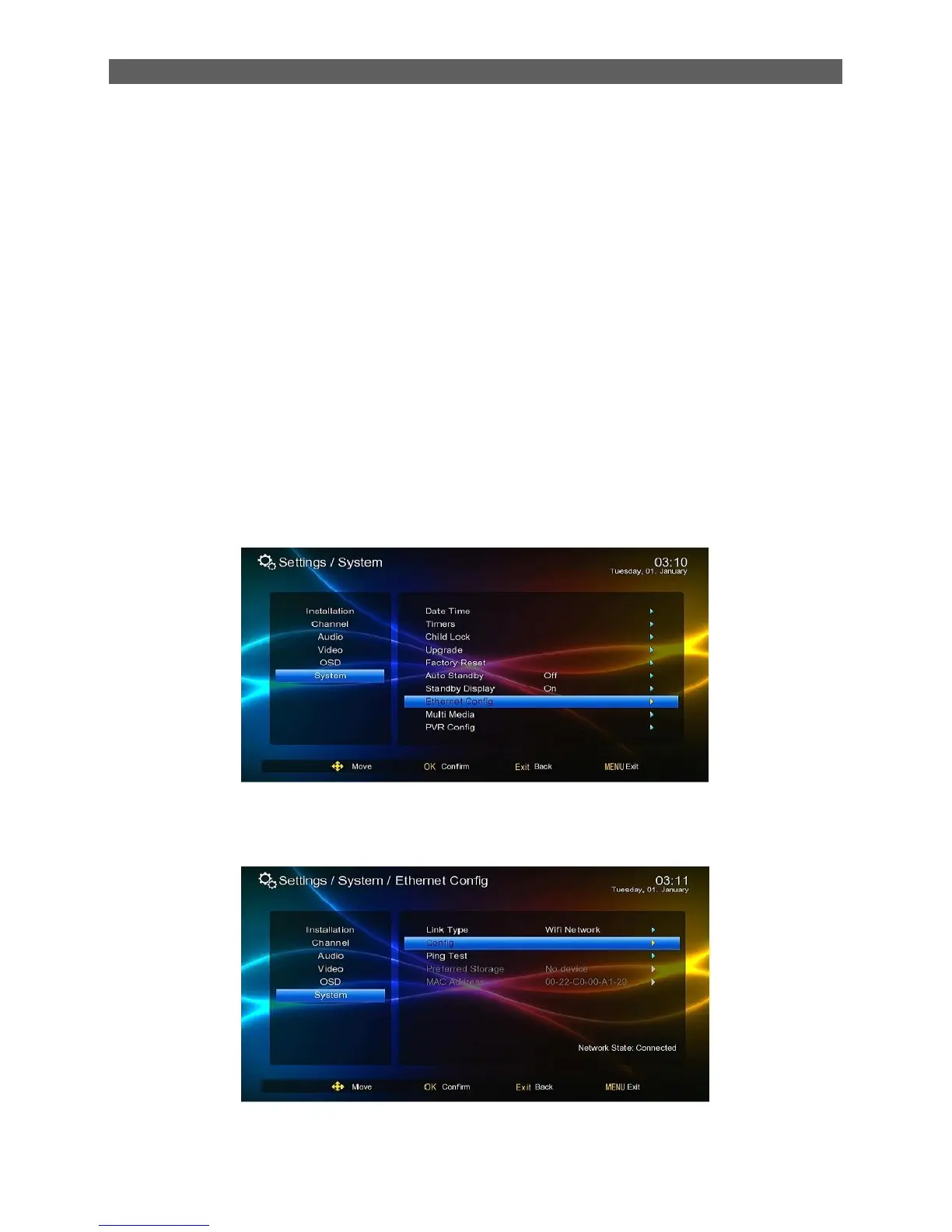
Step 2, Setup the network, be sure that the Phone and the STB in the same LAN.
See below Pictures:
STB: Main menuSetttings System Ethernet config
Choose link type, you will see “Network state: Connected”;
Get into config, confirm STB connected the same net as Mobile phone.



 To Next Page