All content © 2020, cmotion GmbH. All specications are subject to change without further notice.
http://www.cmotion.eu
page 16 of 120
5.2. Control interface
5.2.1. cPRO / cPRO ONE knob
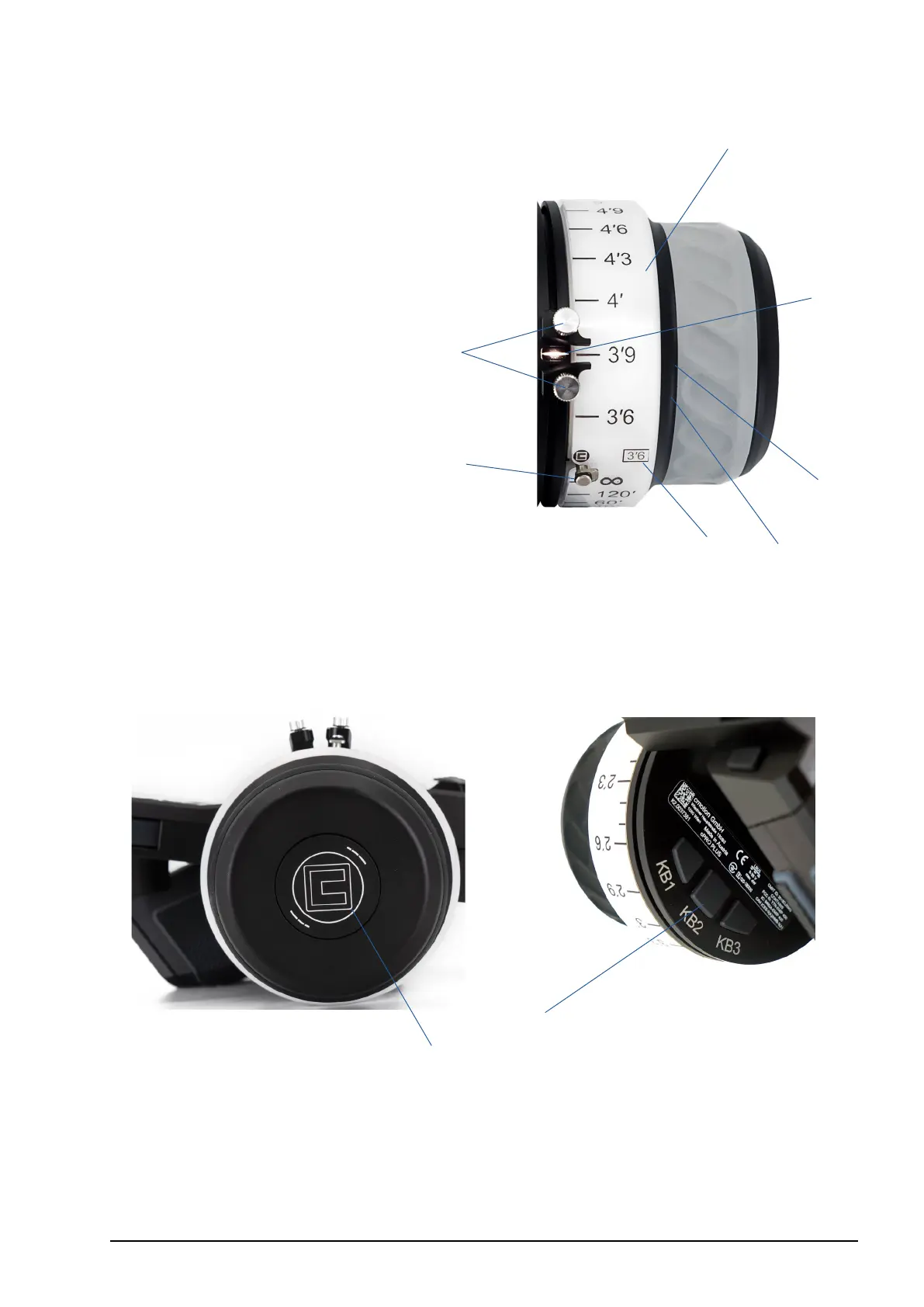
1 Mechanical hard stops
2 Panic button
3 Pre-marked focus ring
4 Fingertip concave mold
5 Anti-slip grip
6 Datum line
7 Knob illumination / status LEDs
The knob is a control interface with an absolute position encoder. Turn the knob clockwise
or counter-clockwise to control the assigend axis. As default the knob is assigned to focus.
5.2.2. cPRO PLUS advanced knob
1 Knob torque adjustment
2 User buttons (KB1/KB2/KB3)
In addition to the cPRO / cPRO ONE knob features, the cPRO PLUS oers an advanced
focus knob, providing variable torque adjustment and 3 additional user buttons.
1
2
3
4
5
6
7
1
2



 To Next Page