All content © 2020, cmotion GmbH. All specications are subject to change without further notice.
http://www.cmotion.eu
page 34 of 120
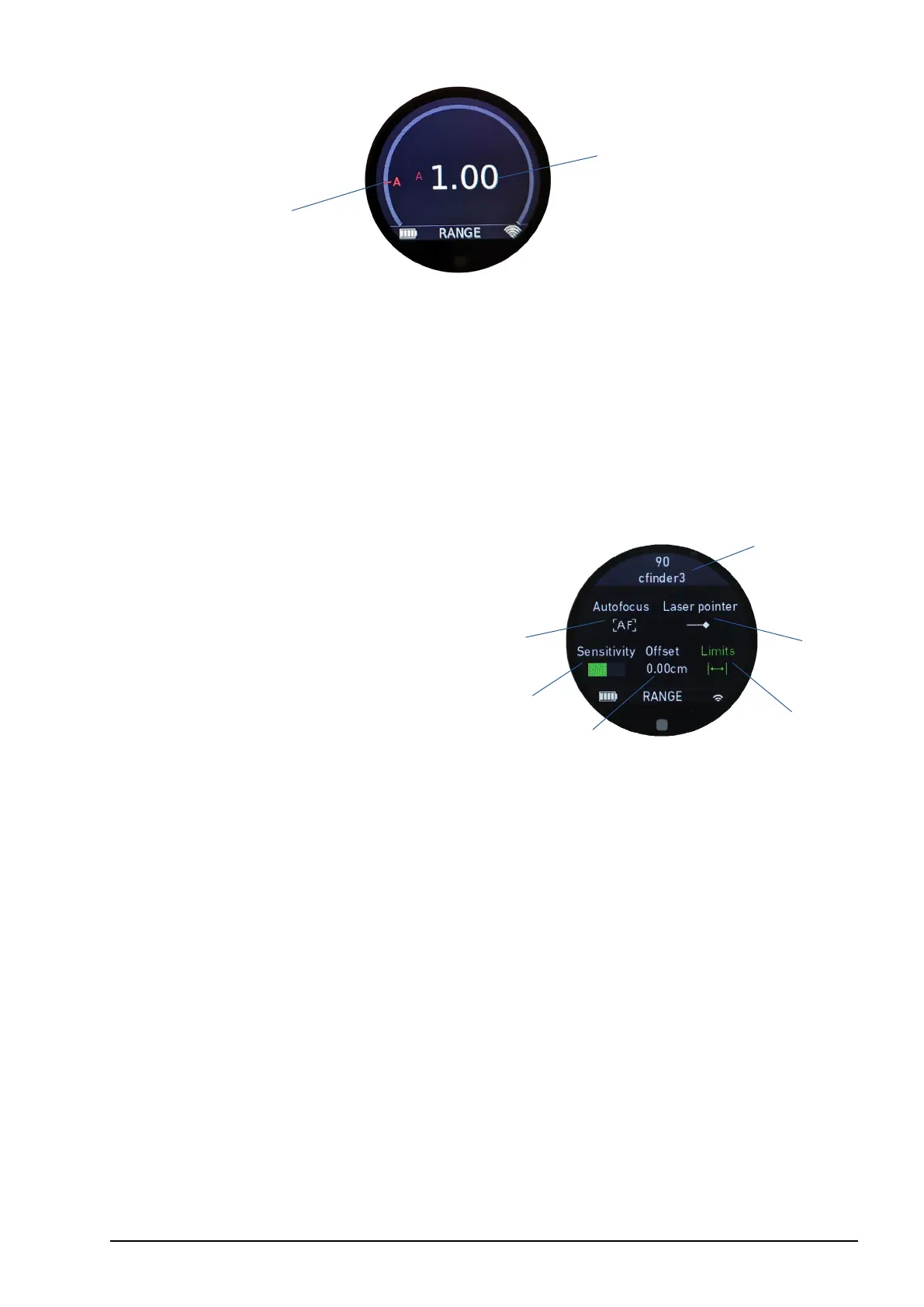
1 Measured rangender distance (value)
2 Measured rangender distance (relative position)
If no lens le is loaded, only the measured rangender value and its realtive position to the
calibration range will be displayed.
6.1.4.2. Rangender settings screen
1 Autofocus (on/o)
2 Laser pointer (on/o)
3 Sensitivity settings
4 Oset (value)
5 Rangender limits (on/o)
6 LBUS device ID (serial number/name)
Autofocus: The autofocus icon will turn green if autofocus is on. If autofocus is o, it
illuminates white.
Laser pointer: The laser pointer icon will turn green if the laser pointer is on. If the laser
pointer is o, it illuminates white.
Sensitivity: Shows the sensitivity settings gracally.
Oset: The oset icon will turn green if an oset is set to a value other than 0, and will
display the oset value numerically.
Limits: The limits icon will turn green if a rangender limit other than “limit max” = innity
or “limit min” = 0 is set. Otherwise, the icon will illuminate white.
1
2
5
2
6
3
1
4



 To Next Page