All content © 2020, cmotion GmbH. All specications are subject to change without further notice.
http://www.cmotion.eu
page 72 of 120
6.2.3.3.16.1. Load lens data from ARRI cameras
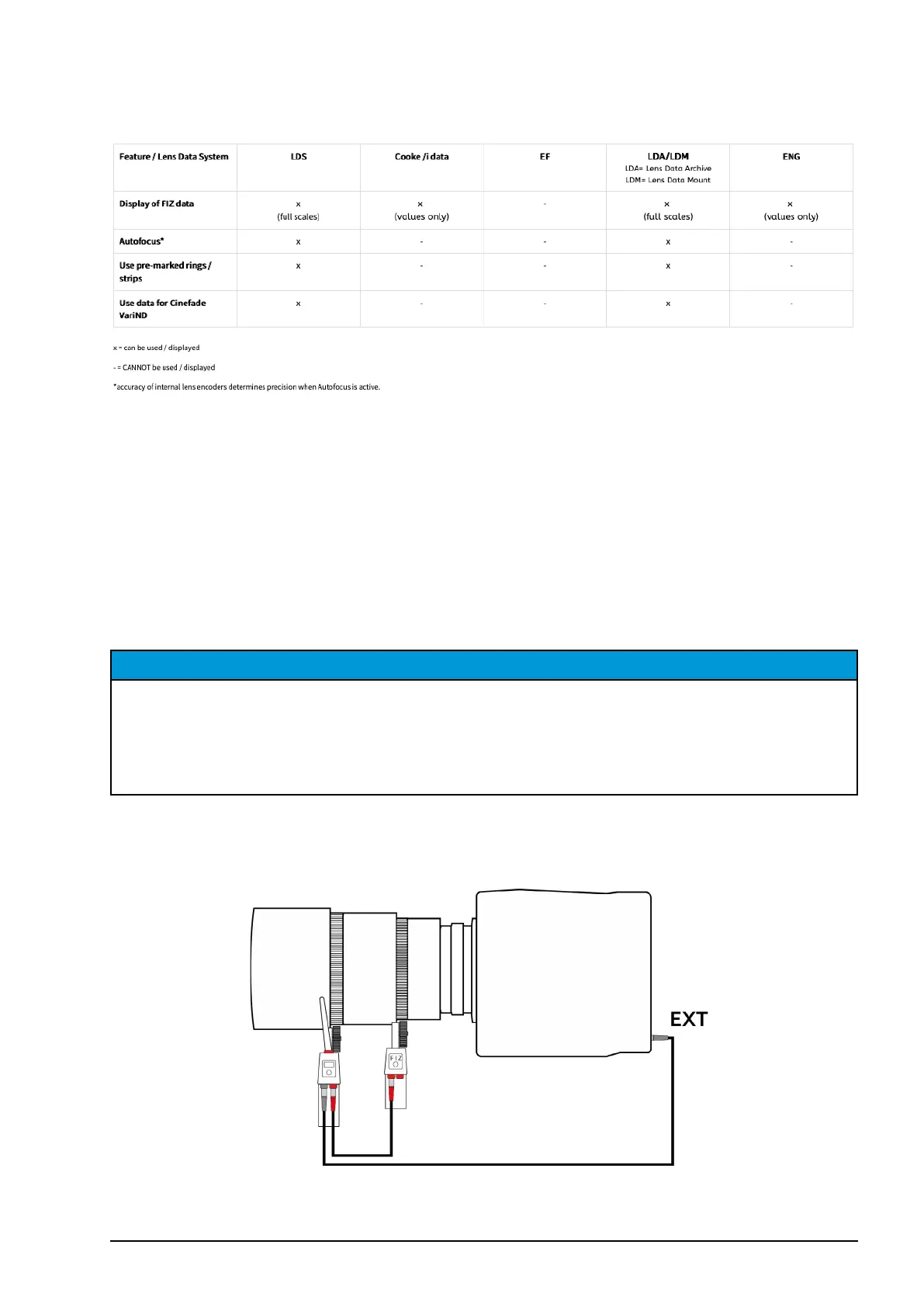
Compatibility overview:
When Sync cam data is turned “on” and an ARRI LDS or Cooke /i data compatible lens is
mounted on a compatible ARRI camera, the lens data will be transfered to the cPRO / cPRO
PLUS / cPRO ONE hand unit automatically. But, loading a lens le from the cPRO / cPRO
PLUS / cPRO ONE hand unit´s internal memory (or an attached USB drive) will replace the
lens le transferred from the camera.
Note: The lens data from the ARRI LDS or Cooke /i data lens will be reloaded automatically
each time the cPRO motor is initialized. For example, after rebooting the camera, rebooting
the cPRO motor / camin or disconnecting and reconnecting the cPRO motor / camin to the
camera.
NOTICE
Due to the dierent interpolation methods between ARRI and cmotion systems, the
interpolated lens values between set scale values may vary. Consequently, the display of
lens data on the cPRO / cPRO PLUS / cPRO ONE hand unit and the ARRI camera may vary.
However, because lens manufacturers do not give any specication for lens values outside of
their engraved value lines, there is no right or wrong method.
Set-up overview:
ARRI Alexa Mini / Mini LF:
Cable required: [K2.0015756] Cable CAM (7p) - EXT (6p)



 To Next Page