All content © 2020, cmotion GmbH. All specications are subject to change without further notice.
http://www.cmotion.eu
page 30 of 120
6.1.2. FIZ main screen
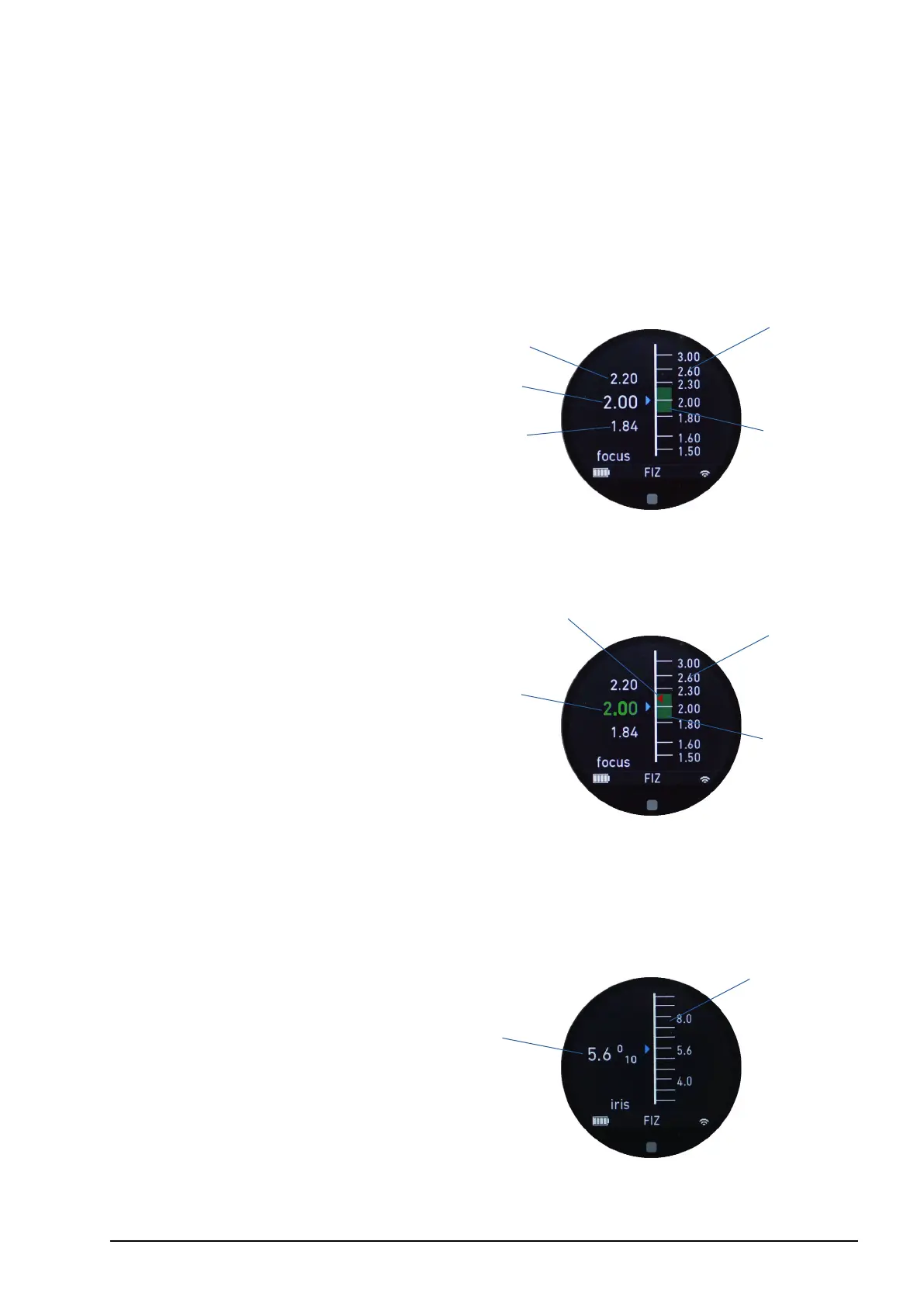
The FIZ screen is only enabled if a lens le is loaded. It displays detailed focus information
including a focus scale with depth of eld (DOF), a full iris and zoom scale and information
about the loaded lens le.
Note: The lens adjustment menu can be reached from all FIZ main screens quickly by tapping
and holding the touch display or by pressing and holding menu button 2 (MB2).
6.1.2.1. Focus main screen
1 Actual focus position (value)
2 Focus scale
3 DOF far limit (value)
4 DOF close limit (value)
5 DOF range
The focus main screen displays an animated depiction of the focus scale with depth of
eld (DOF) displayed gracally and numerically.
1 Actual focus position (value)
2 Measured rangender distance
3 Focus scale
4 DOF range
Note: If a rangender is attached to the LBUS daisy-chain, and the measured rangender
distance is within depth of eld (DOF), the focus value will turn green. Otherwise it illuminates
white.
6.1.2.2. Iris main screen
1 Actual iris position (value)
2 Iris scale
The iris main screen displays a full iris scale gracally and numerically. T-stops are
displayed in 1/10 increments.
1
2
3
4
5
1
3
2
4
1
2



 To Next Page