All content © 2020, cmotion GmbH. All specications are subject to change without further notice.
http://www.cmotion.eu
page 33 of 120
6.1.4. Rangender main screens
The rangender main screens are enabled automatically when a rangender is detected
in the LBUS daisy-chain and a lens le is loaded. The rangender main screens consist of
a rangender overview and a rangender settings screen.
Note: The rangender adjustment menu can be accessed from both rangender main
screens quickly by tapping and holding the touch display or by pressing and holding the
menu button 2 (MB2).
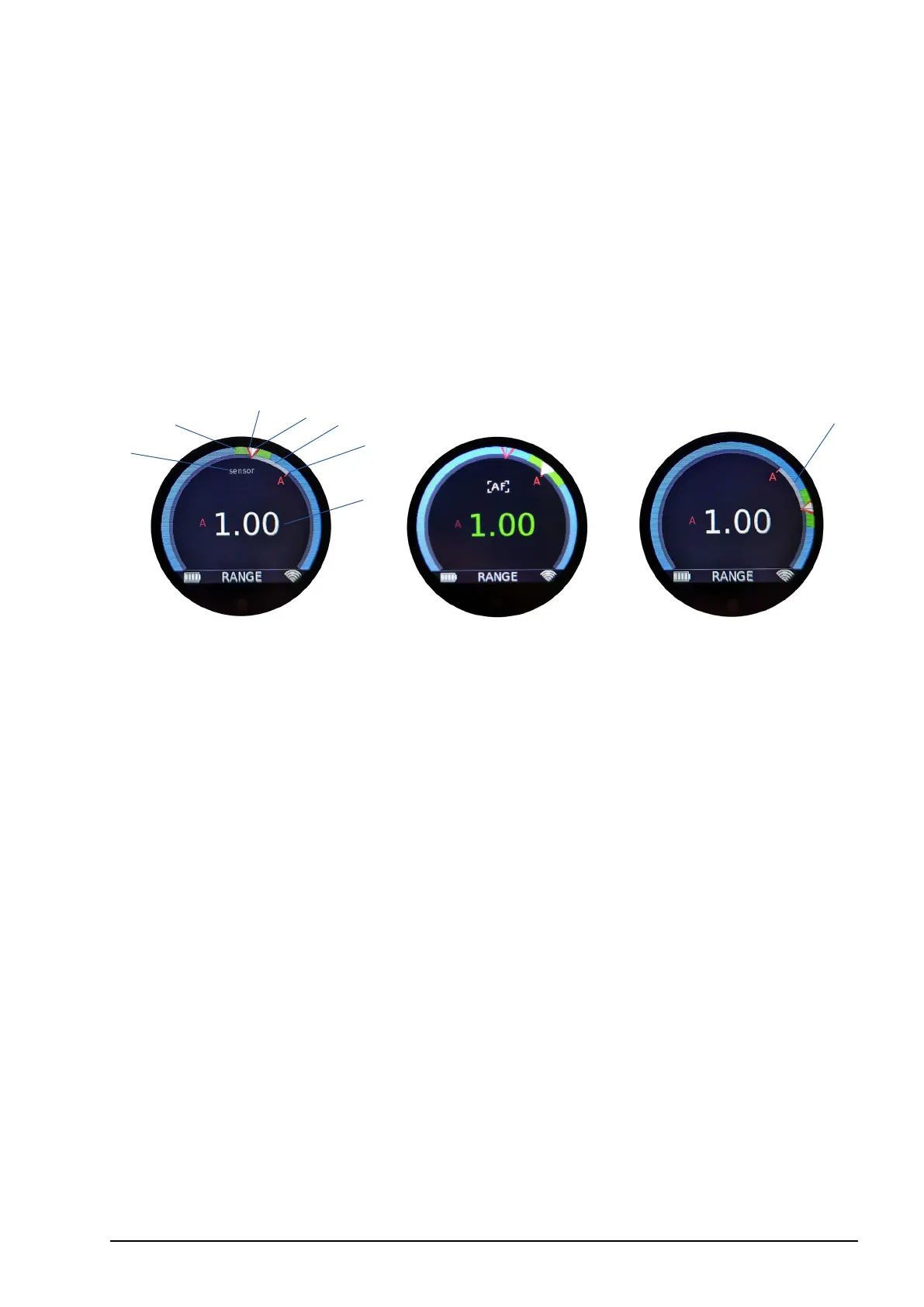
6.1.4.1. Rangender overview screen
1 Measured rangender distance (value)
2 Measured rangender distance (position)
3 Actual focus position (white)
4 Actual knob position (red)
5 Target direction indicator
6 DOF range
7 Rangender sensor warning
The rangender overview screen displays the rangender information gracally and
numerically.
The target direction will be indicated visually in relation to the actual knob position to
allow quick orientation and a precise focus pull towards the measured target.
When autofocus is activated, the actual focus position will move from the actual knob
position and match the measured rangender distance. The visualization of the actual
knob position allows the knob to be aligned to the measured distance for a seamless
switch back to manual focus when autofocus is deactivated. cPRO oers numerous
autofocus trigger functions. Please also refer to section “6.2.3.8.2. User button
functions” on page 96 in this manual.
The numeric rangender distance value will turn green if the measured rangender dis-
tance is within depth of eld.
Note: When using cmotion’s cnder III, the rangender’s sensor warning will be displayed if
a target is not detected. (Please refer to the cnder III user guide)
2
6
3
1
7
4
5
5



 To Next Page