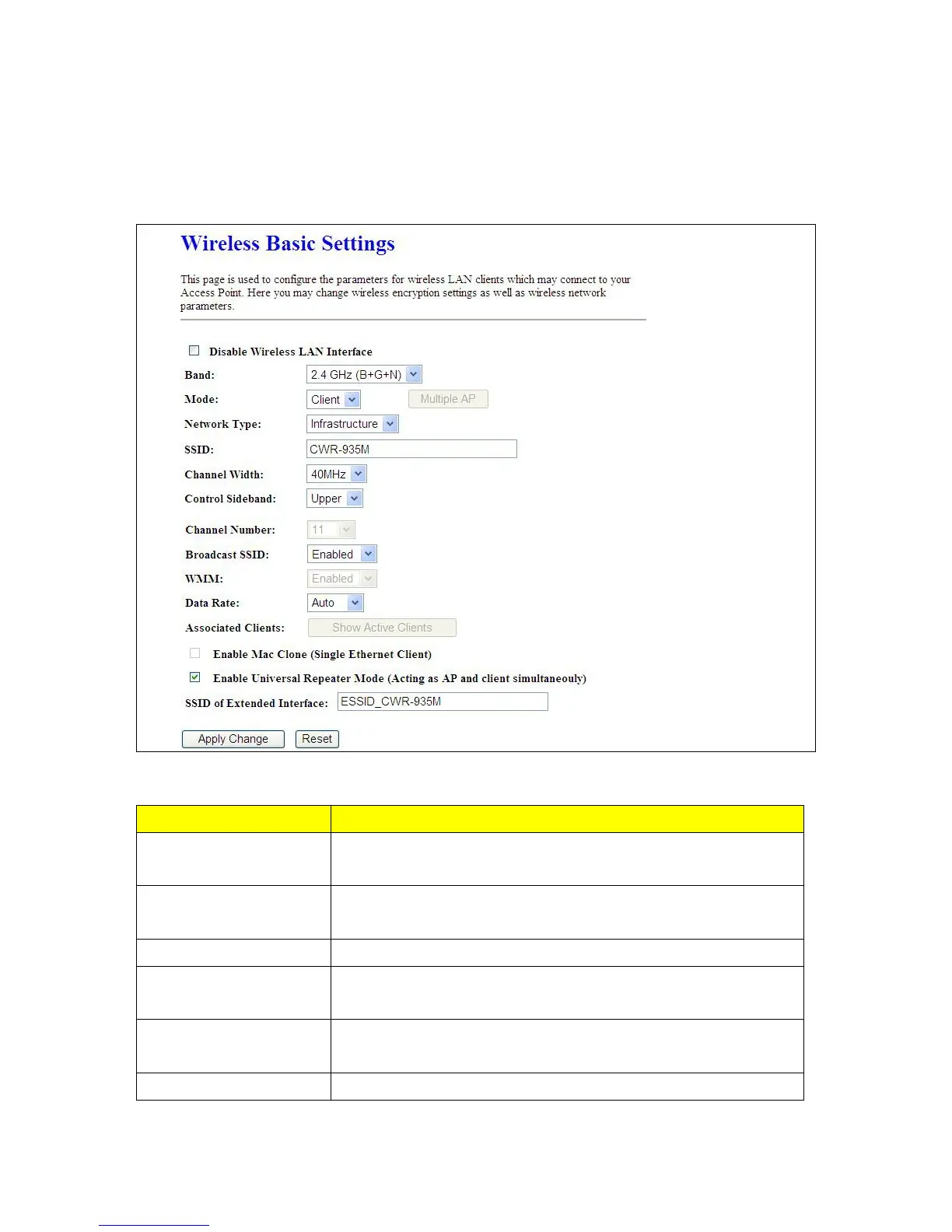
Interface
Turn off the wireless function.
Band
Please select the frequency. It has 6 options: 2.4 GHz
(B/G/N/B+G/G+N/B+G+N).
Mode In Wi-Fi AP mode only support Clint mode
Network Type
Please select the network type, it has 2 options: Infrastructure or Ad
hoc.
SSID
Service Set identifier, the default SSID is CWR-935M, users can define
to any.
Channel Width Please select the channel width, it has 2 options: 20MHZ, and 40MHZ.



 To Next Page