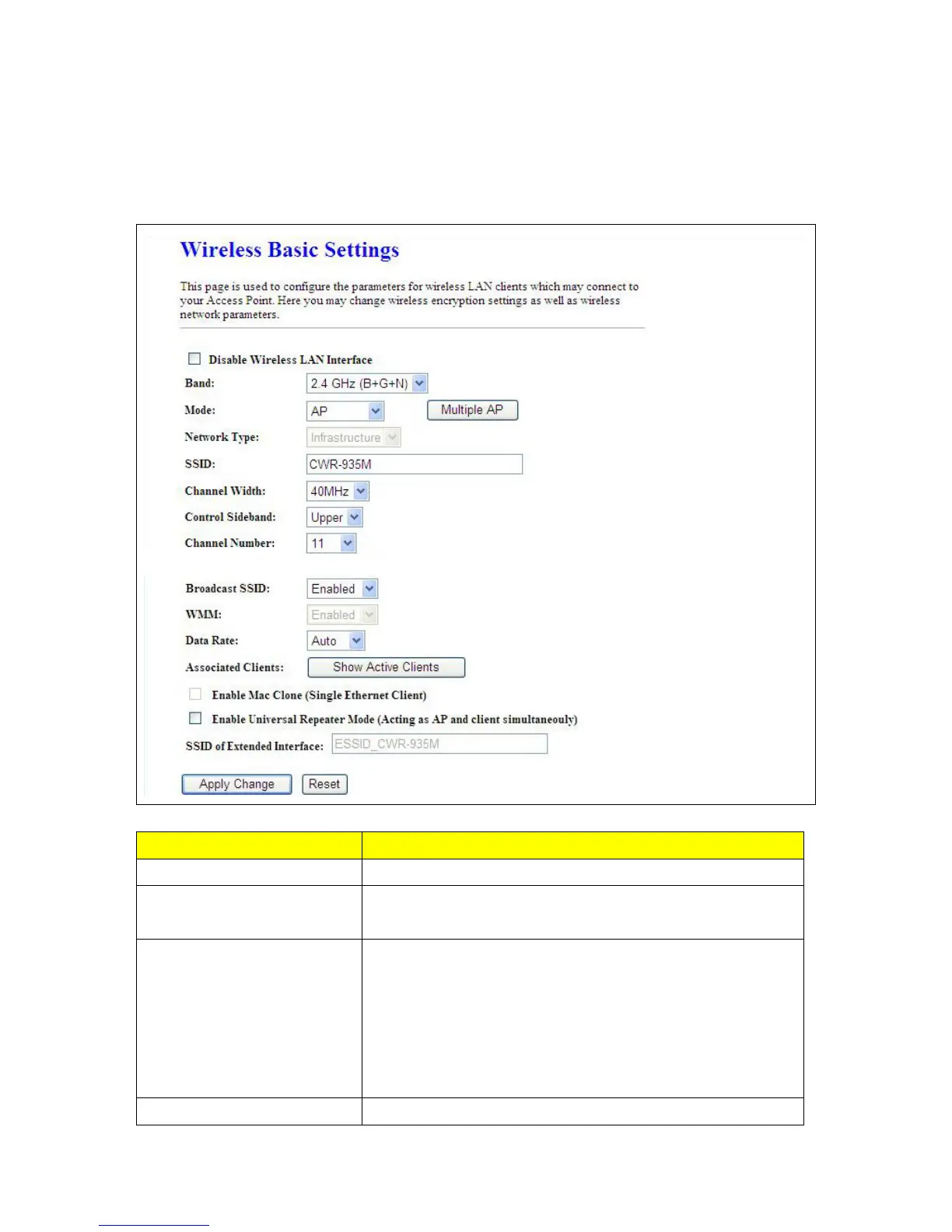
6.2.1 Wireless Basic Setting
The basic settings related to the wireless are specified as following.
Item Description
Disable Wireless LAN Interface Disable Wireless LAN Interface
Band
Please select the frequency. It has 6 options: 2.4 GHz
(B/G/N/B+G/G+N/B+G+N).
Mode
Please select the mode. It has 3 modes to select: (AP, WDS,
AP+WDS).
Multiple APs can provide users another 4 different SSID for
connection. Users can add or limit the properties for each
connection
(Please check Note 1).
SSID
Service Set identifier, the default SSID is CWR-935M, users can



 To Next Page