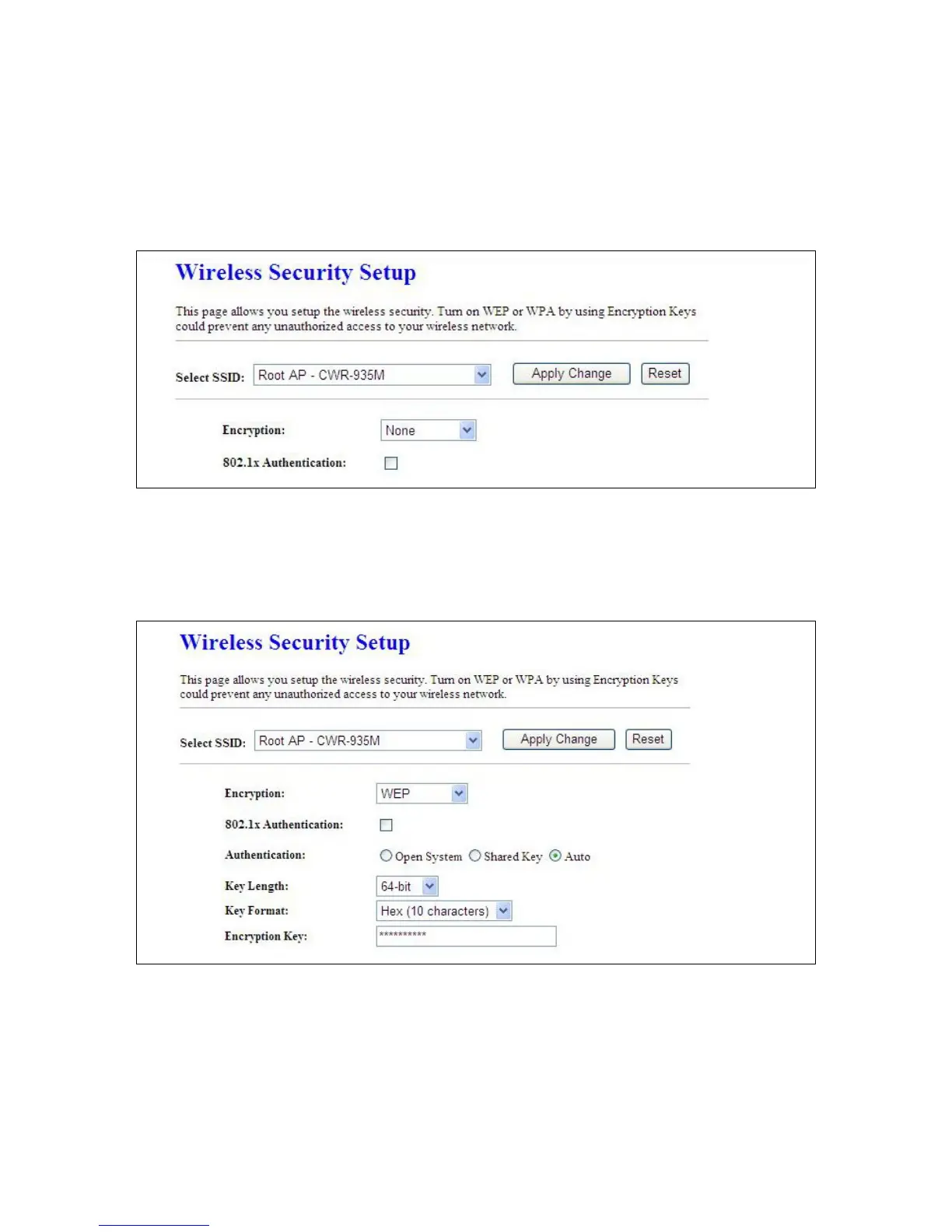
5.2.3 Wireless Security Setup
CWR-935M provides four encryption types; you can select here, please follow below instructions for
the setting.
1. Encryption -- WEP Key
1.1 Set WEP Key: This section provides 64bit and 128bit WEP encryptions for wireless network.
Users can also choose ASCII and Hex shared Key format to protect data.
802.1x Authentication: It is a safety system by using authentication to protect your wireless
network. Please choose between WEP 64bits and WEP 128bits
2. Encryption – WPA (WPA, WPA2, and WPA2 Mixed), WPA Authentication Mode
Enterprise (RADIUS): Please input the RADIUS server Port, IP Address, and Password



 To Next Page