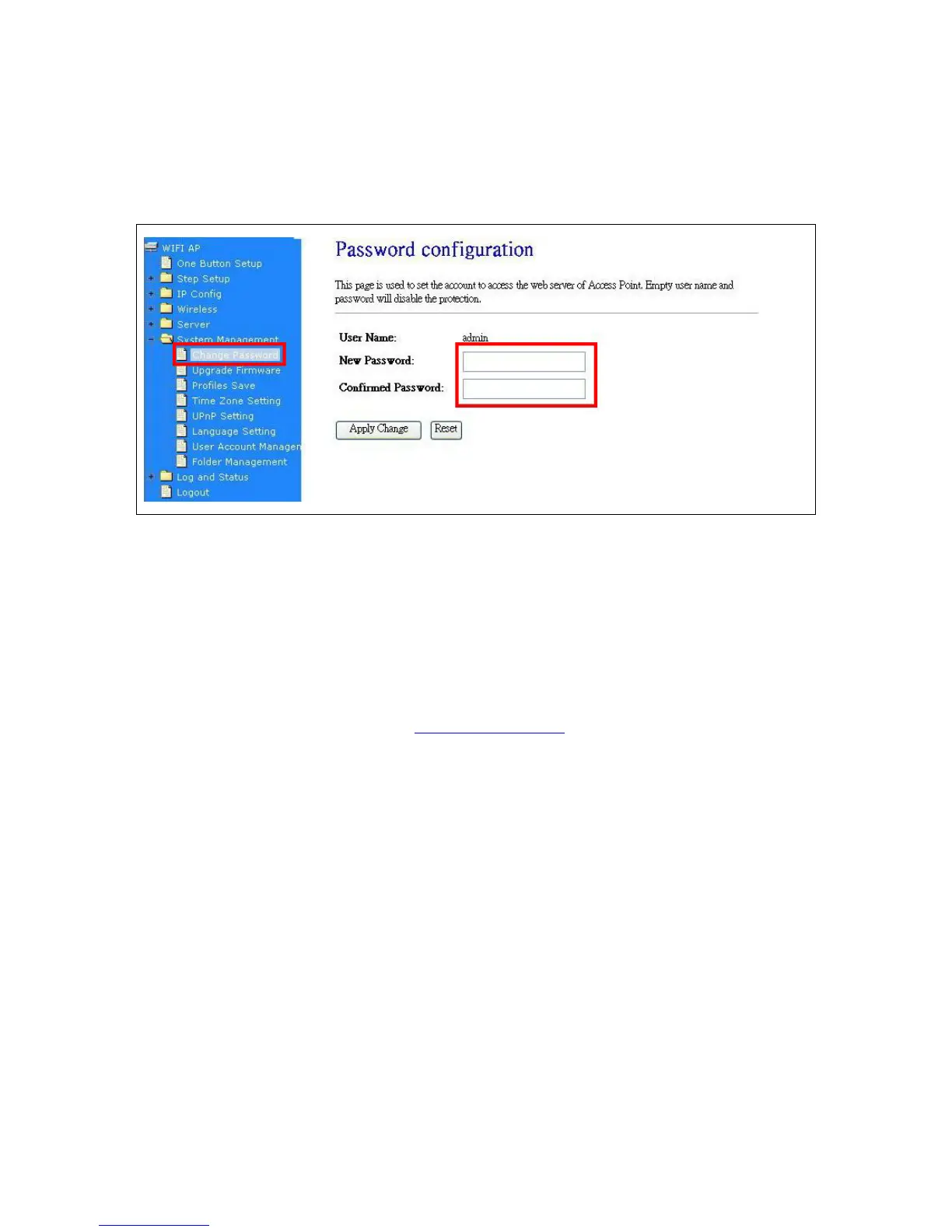
7.4.1 Change Password
Users can set or change their password in this section.
Click on Apply Changes to save the setting data. Or you may click on Reset to clear all the input data.
7.4.2 Firmware Upgrade
This function can upgrade the firmware of the router. There is certain risk while doing firmware
upgrading. Firmware upgrade is not recommended unless the significant faulty is found and published
on official website. If you feel the router has unusual behaviors and is not caused by the ISP and
environment. You can check the website (
http://www.cnet.com.tw) to see if there is any later version of
firmware. Download the firmware to your computer, click Browser and point to the new firmware file.
Click Upload to upgrade the firmware. You can’t make any move unless the machine reboot
completely.
Please input the
new password
and confirm it.



 To Next Page