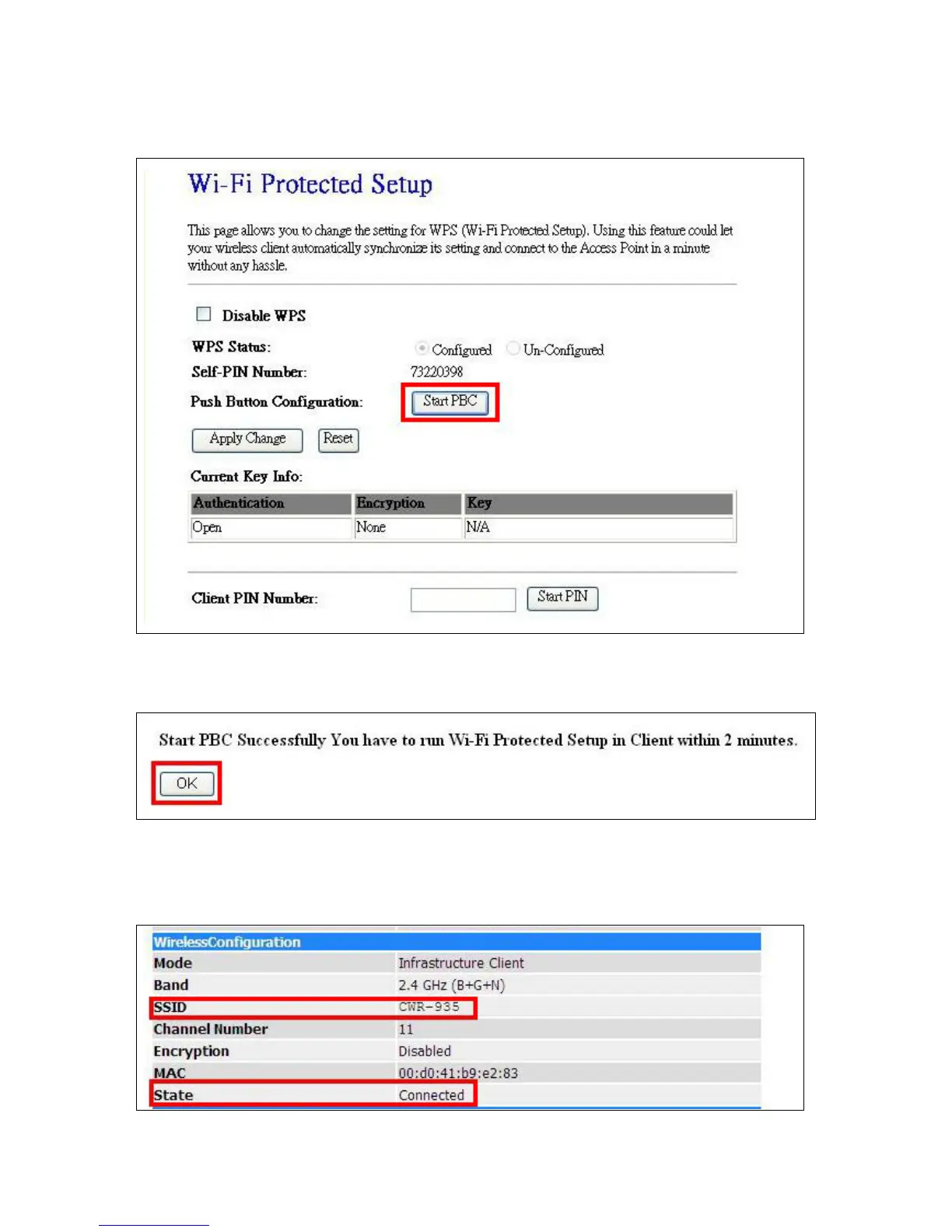
(3) Open the configuration page of the Wireless Router, like CWR-935 which supports WPS. Click the
WPS page, and then click Start PBC to make a WPS connection.
(4) Click OK to start WPS process.
(5) When WPS process finish, please check the Wireless Configuration of CWR-935M, you can find
CWR-935M already connect to CWR-935 via WPS.



 To Next Page