Chapter 3: Calls, faxes and SMS
Use the MCDU 89
3333
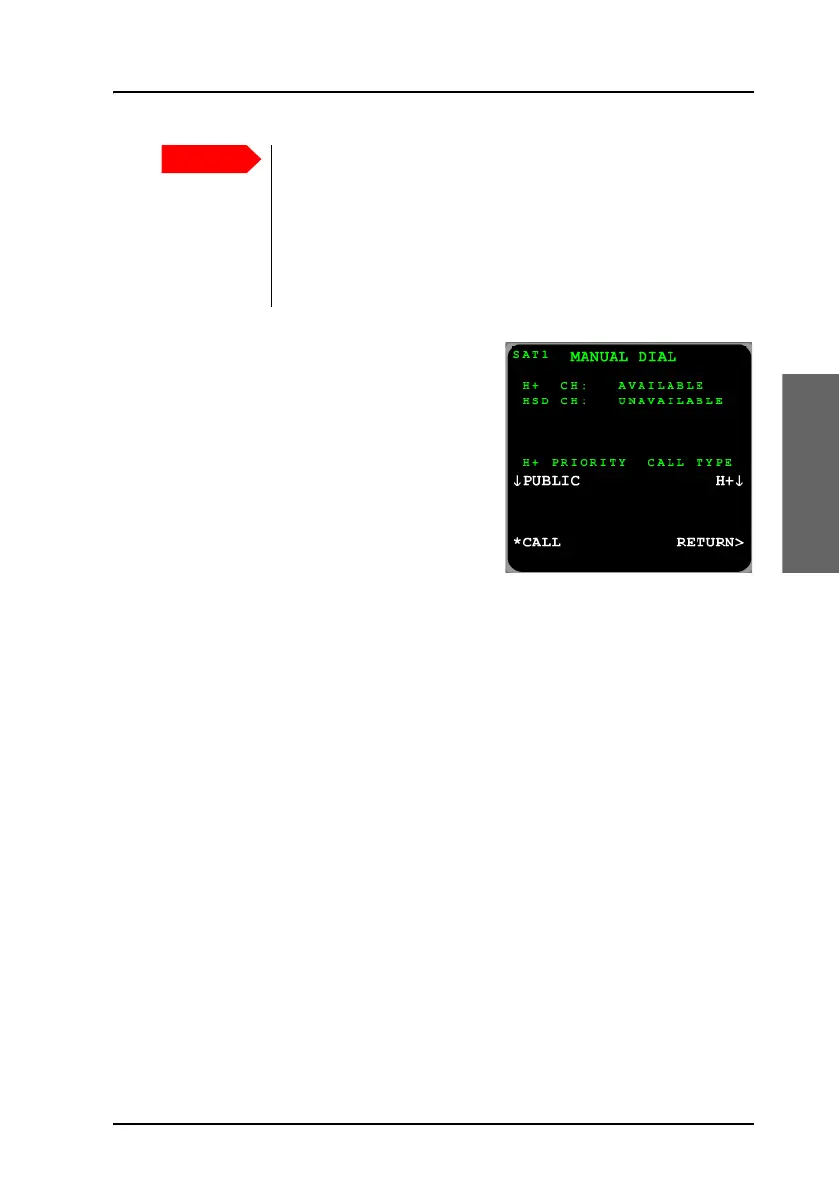
From the MANUAL DIAL menu, you
can override the default outgoing call
type. Configure the Call Priority before
selecting CALL. Use the arrow key next
to Call Type to select between the
settings available. The types are listed
here:
• Auto. The default outgoing call type
is used, see also Select a call type
(SDU) on page 34.
•H
+
. Use only the Classic Aero (H
+
) service (Standard Voice).
• HSD. Use only the Swift64 (HSD) service.
To receive a call (MCDU)
By default, all devices connected to the 4-Wire interfaces, 2-Wire interface
and the ISDN interface will ring when one of the mobile numbers is called.
Note, however, that this depends on the configuration of incoming calls
made during initial configuration of the system. For further information, see
the AVIATOR 700 Installation and maintenance manual and the online help
of the Aero-SDU Configuration Program.
To make a call (ground to air) (MCDU)
For information how to make a call to the system see Phone number for a
call (ground to air) (SDU) on page 38.
It is recommended to use default call routing for cockpit
audio to avoid the risk that an emergency call can be routed
as a Swift64 call.
If you select an H+ call priority higher than Public, other calls
with lower priority will automatically be released in case of
congestion in the aircraft system or in the Inmarsat network.



 To Next Page