EasyManua.ls Logo

COBHAM AVIATOR 700 - Page 140

COBHAM AVIATOR 700
248 pages
Print Icon
To Next Page IconTo Next Page
To Previous Page IconTo Previous Page
Loading...
Chapter 5: System operation
Full Feature handset operation (SDU) 127
5555
System operation
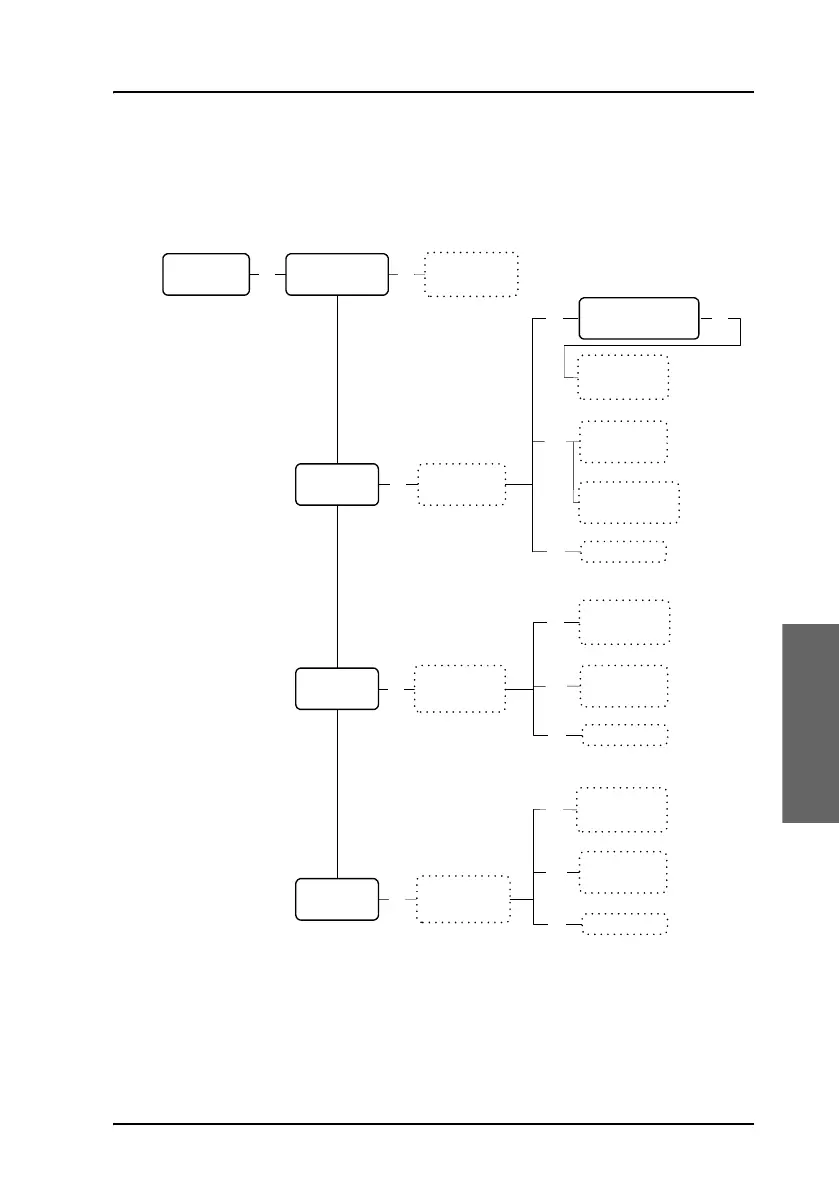
The Settings submenu
To access the Settings submenu, enter the Logon Menu, scroll
down to Settings and press
C.
Settings
OK
Logon Policy
H+ GES
ISDN LES
MPDS LES
Toggle between
Automatic and
Manual
OK
Scroll through
list of
preferred GESs
OK
Scroll through
list of preferred
LESs for ISDN
O
K
Scroll through
list of preferred
LESs for MPDS
OK
Scroll and
select from list
of known GESs
Ins
D
e
l
GES is deleted
Use up/down
keys to change
priority
E
d
i
t
Scroll and
select from list
of known LESs
Ins
Del LES is deleted
Use up/down
keys to change
priority
E
d
i
t
Scroll and
select from list
of known LESs
I
n
s
Del LES is deleted
Use up/down
keys to change
priority
Edit
Use * key to set
the same priority
as GES below
I4: H+ SBB
I3: H+ SW64
OK

Table of Contents