Chapter 3: Calls, faxes and SMS
Operate the handsets 65
3333
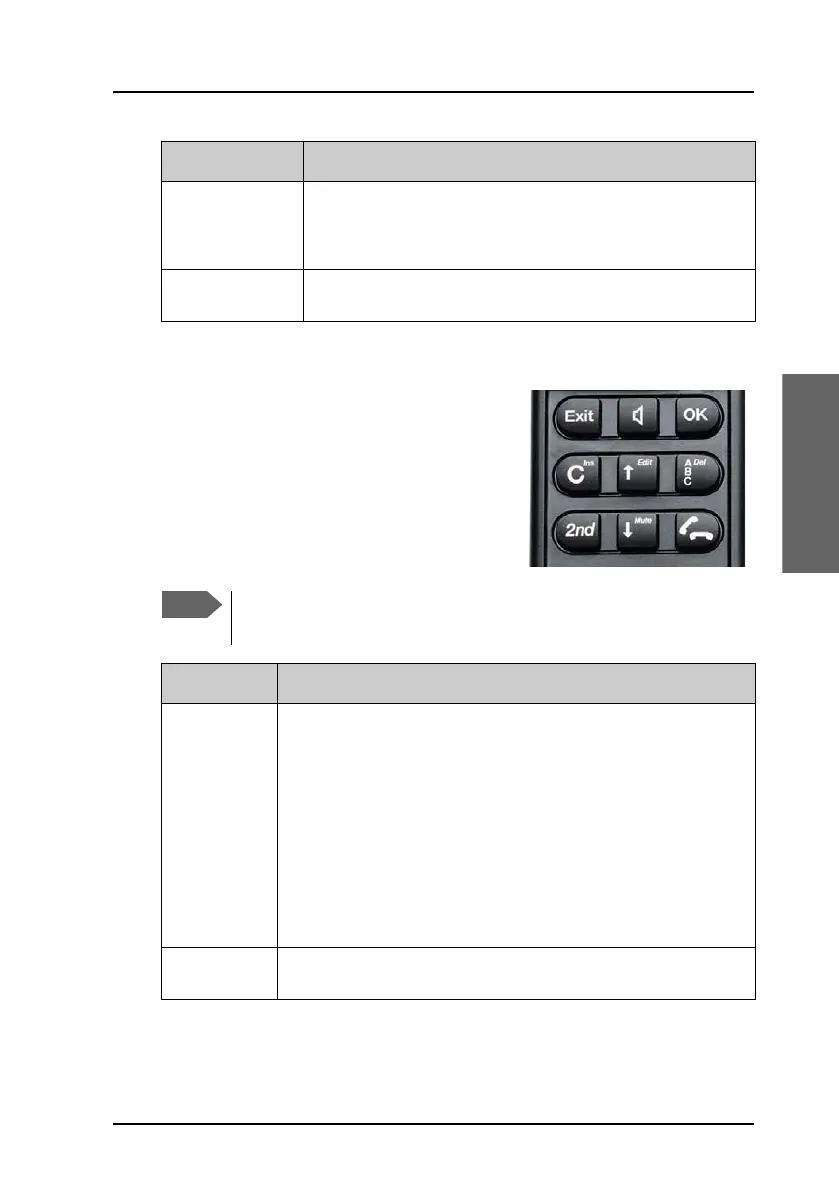
Function keys
The Function keys enable you to enter the
menu system of the transceiver and change
various settings.
The below list shows the meaning of the
function keys.
a
The speaker. You can turn the external speaker on and
off by pressing
H. The a symbol is displayed in the
LCD when the speaker is on.
b
The handset is off hook
Symbol Meaning
You access the second function of a key by pressing G before
pressing the key.
Key Function
A
Exit key:
• In the Menu system, pressing Exit brings you back one
level until the menu is completely exited.
• When you are asked YES or NO by the system, pressing
Exit is interpreted as a NO response.
• When you are entering data into the transceiver,
pressing Exit cancels the entry.
• Second function: Leave the menu system.
H
Speaker key: This key turns the external speaker on and off.



 To Next Page