Chapter 3: Calls, faxes and SMS
86 Use the MCDU
To enter the SATCOM subsystem
To enter the SATCOM subsystem of the MCDU, do as follows:
1. Press the MENU key.
The display shows a list of connected devices (subsystems).
2. Press next to the name of your connected AVIATOR 700 system.
If you want to change the device name shown in the display, use the
Aero-SDU Configuration Program.
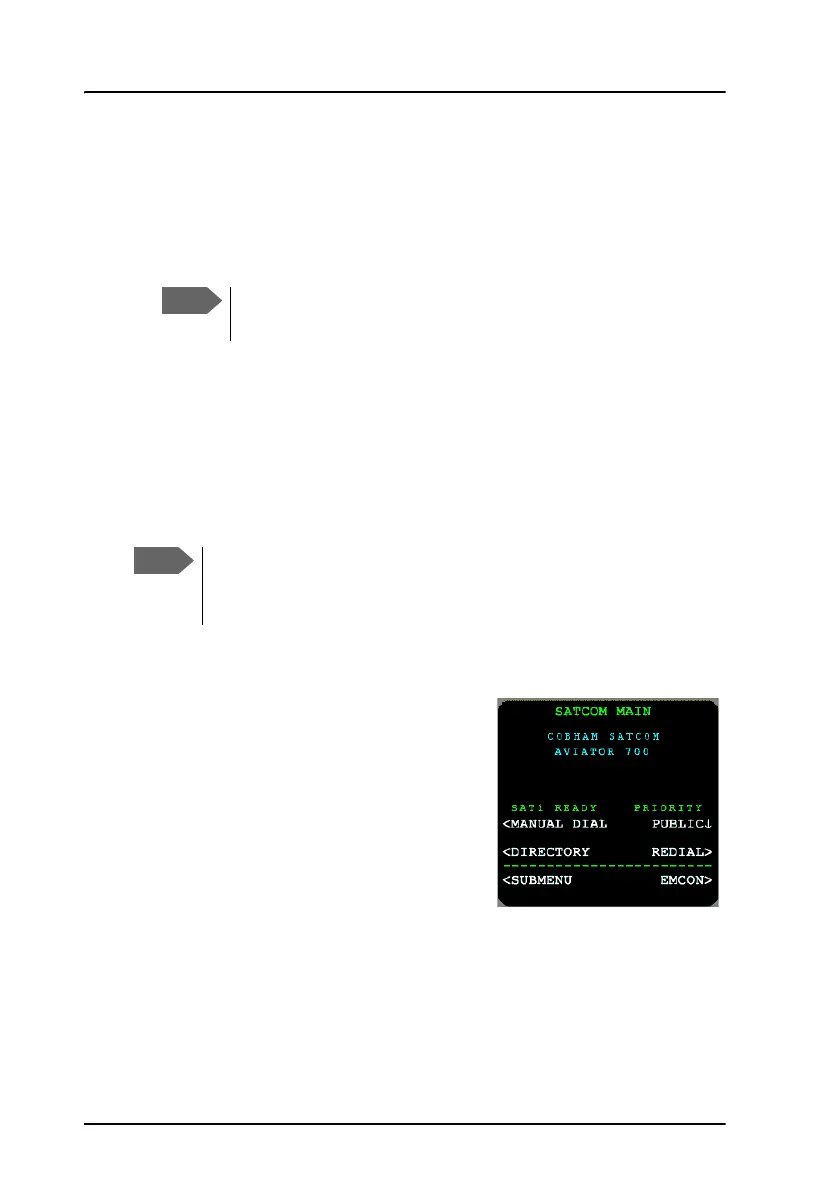
When the SATCOM subsystem is selected, the display shows the menu
SATCOM MAIN after a successful POST and calibration procedure. Once in
the SATCOM subsystem, the title line of the display shows the name of the
current menu.
Automatic logon
When the system has completed its
initialization, and if the logon policy is set to
automatic, the system will initiate the logon
procedure. Upon successful logon, the
MCDU display shows:
For further information on this menu see
AVIATOR 700 main menu on page 150. For
the complete MCDU AVIATOR 700 menu
tree see Menu trees on page 211.
Depending on the type of MCDU, the MENU key may have a
different name. Refer to the documentation for your MCDU.
During the start-up of the AVIATOR 700 system, that is when the
POST and calibration procedures are running, the Main menu will
not be ready



 To Next Page