Horizon Starter Manual 3-9
Media Handling and Storage
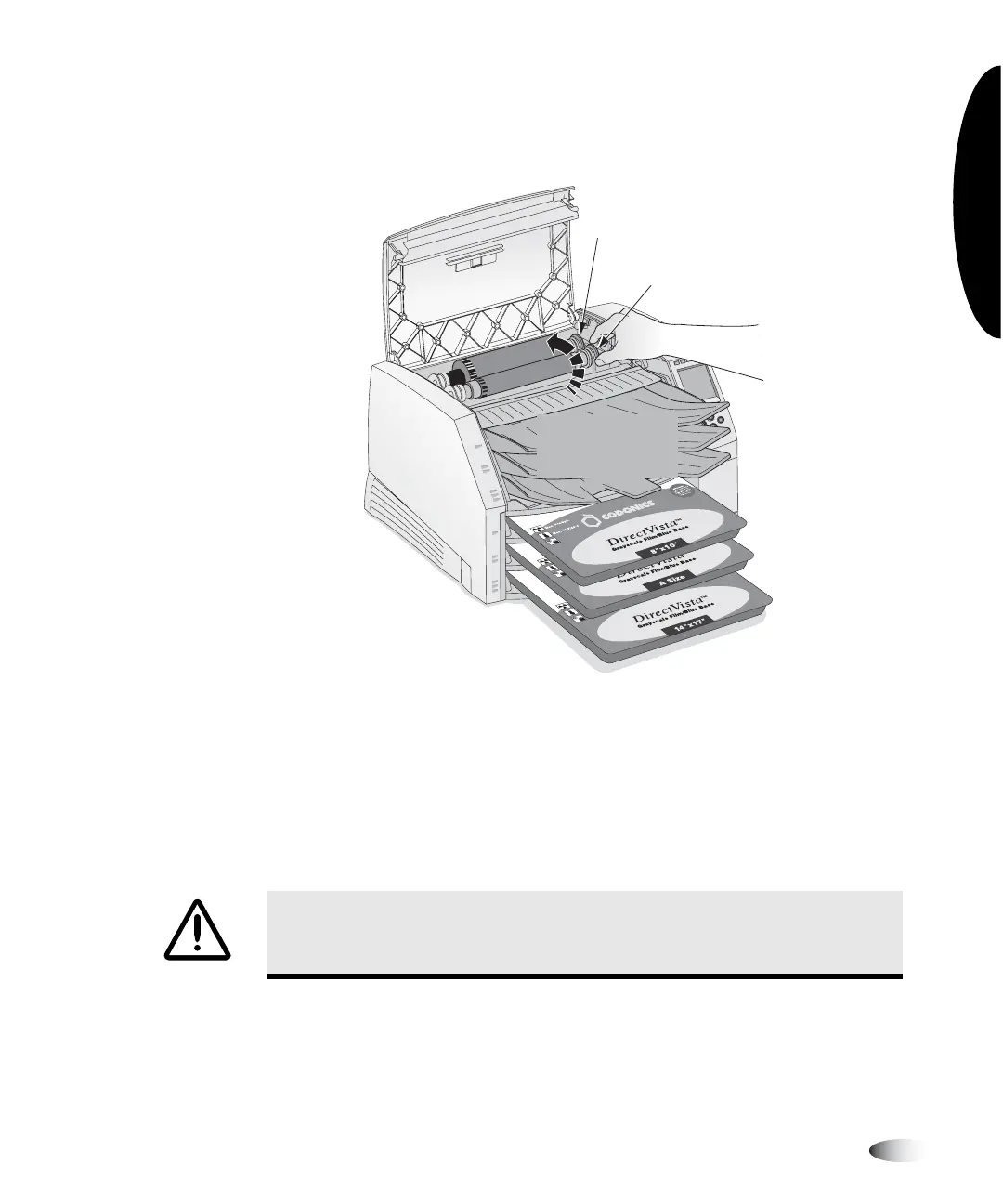
6. To take up any ribbon slack, rotate the top of the take-up spool’s
wheel (that is, the front wheel) towards the back of the imager,
as shown in the following figure.
NOTE:
Do not use the supply spool (rear) wheel to take up ribbon slack. This would cause
spent ribbon to be reused.
7. When you are finished changing the ribbon, close the top cover.
After several seconds, the imager will leave the paused state and
resume printing.
CAUTION
Used ribbon retains the negative of the color images that were printed
using that ribbon. If you are required to ensure patient confidentiality and privacy, the
ribbon should be destroyed.
Supply spool wheel
(Do not use this wheel)
Take-up spool wheel
Rotate take-up
spool toward
back
3



 To Next Page